> ## Documentation Index
> Fetch the complete documentation index at: https://docs.ruloans.com/llms.txt
> Use this file to discover all available pages before exploring further.
# How to apply for DMI Loan Against Property(LAP)
> Loan Flow of Assisted Journey on RuConnect for DMI LAP
## Introduction
This document provides a comprehensive step*by*step guide for DSAs to apply for a loan using the RuConnect platform. It highlights mandatory and optional fields, supported by screenshots, to ensure clarity and completeness.
## Step 1: Access the RuConnect Platform
**URL:** Open the RuConnect platform at [https://ruconnect.in/](https://ruconnect.in/).
**Login**
 ## Step 2: Navigate to the Dashboard
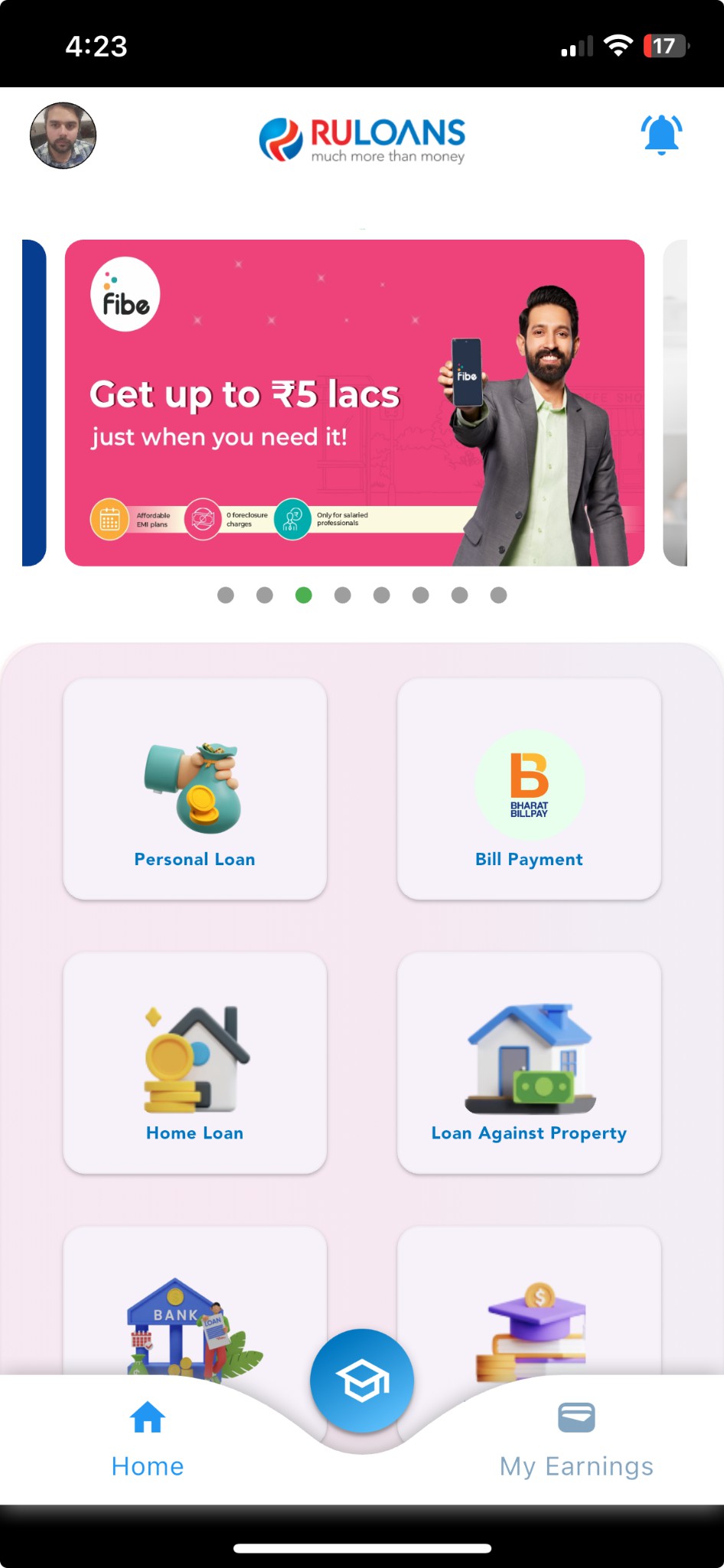
After successful login, you will land on the Dashboard.
**The Dashboard provides:**
* **Quick Access Links:** Links to personal loans, home loans, and other products.
* **Status Overview:** Displays details of ongoing or past applications.
## Step 2: Navigate to the Dashboard
After successful login, you will land on the Dashboard.
**The Dashboard provides:**
* **Quick Access Links:** Links to personal loans, home loans, and other products.
* **Status Overview:** Displays details of ongoing or past applications.
 ## Step 3: Entering a Pincode
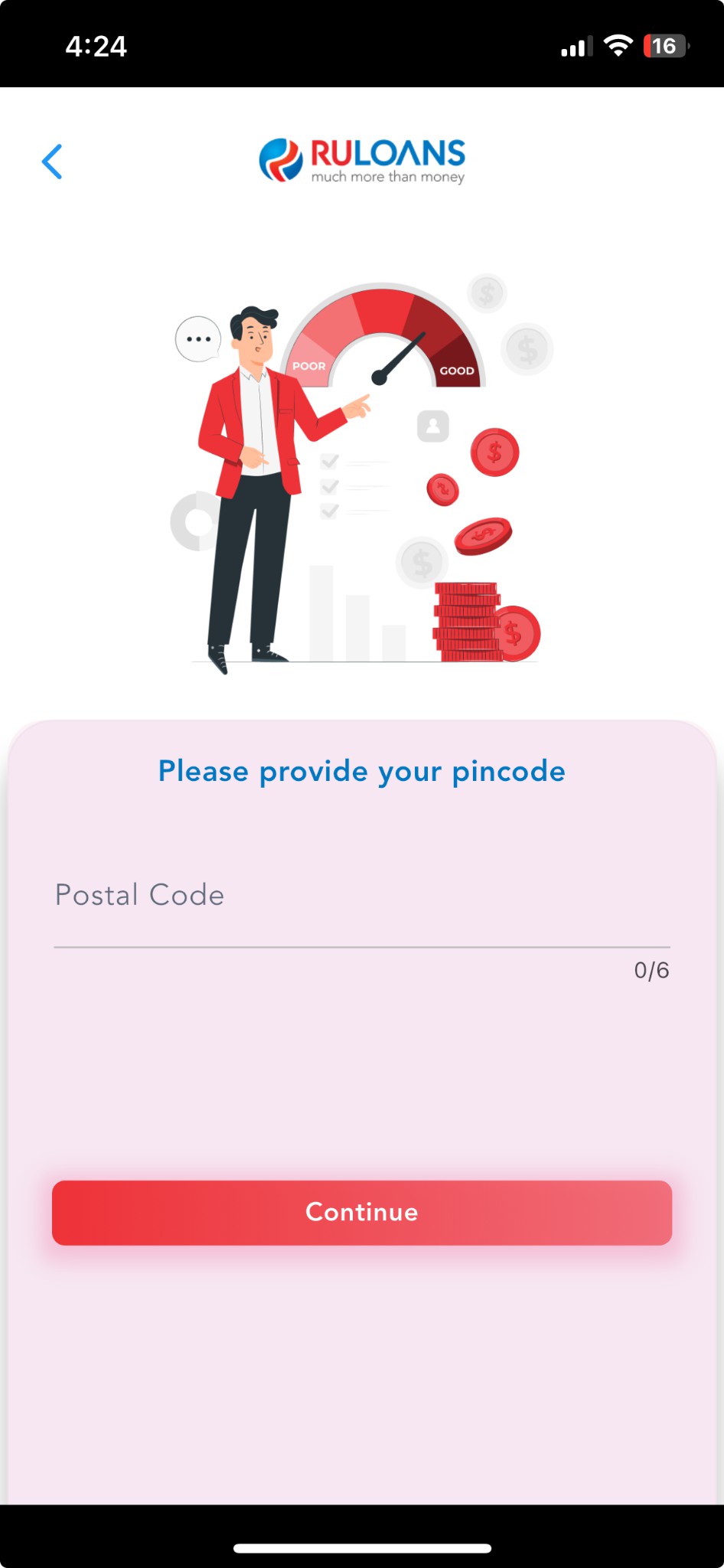
The user is prompted to enter their pincode, which helps determine location\*based vendor options.
## Step 3: Entering a Pincode
The user is prompted to enter their pincode, which helps determine location\*based vendor options.
 ## Step 4: Select the Loan Provider
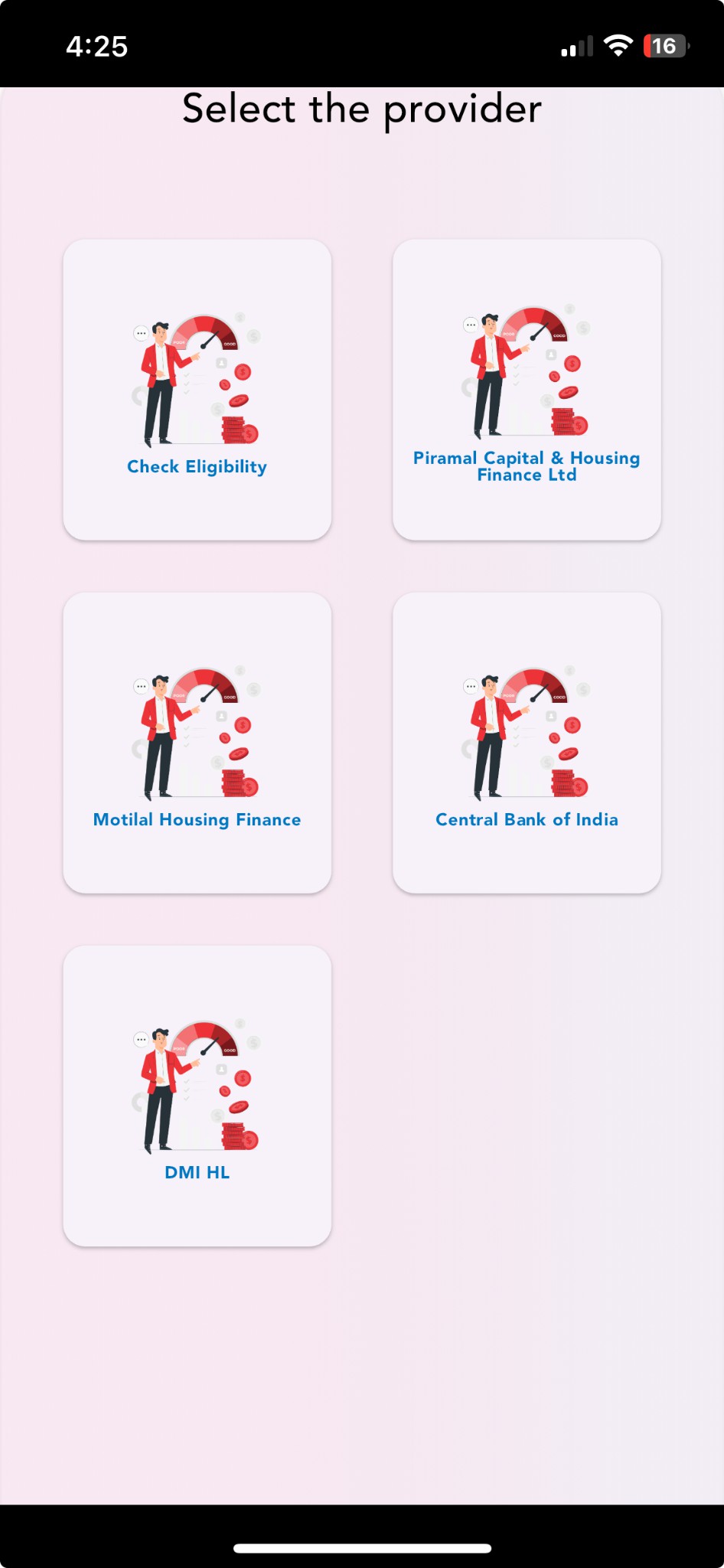
On the "Please Select The Provider" page, a list of available loan providers is displayed.
Examples include **Piramal, DMI, ICICI, Motilal, etc.**
Select **DMI Housing Finance** to proceed.
## Step 4: Select the Loan Provider
On the "Please Select The Provider" page, a list of available loan providers is displayed.
Examples include **Piramal, DMI, ICICI, Motilal, etc.**
Select **DMI Housing Finance** to proceed.
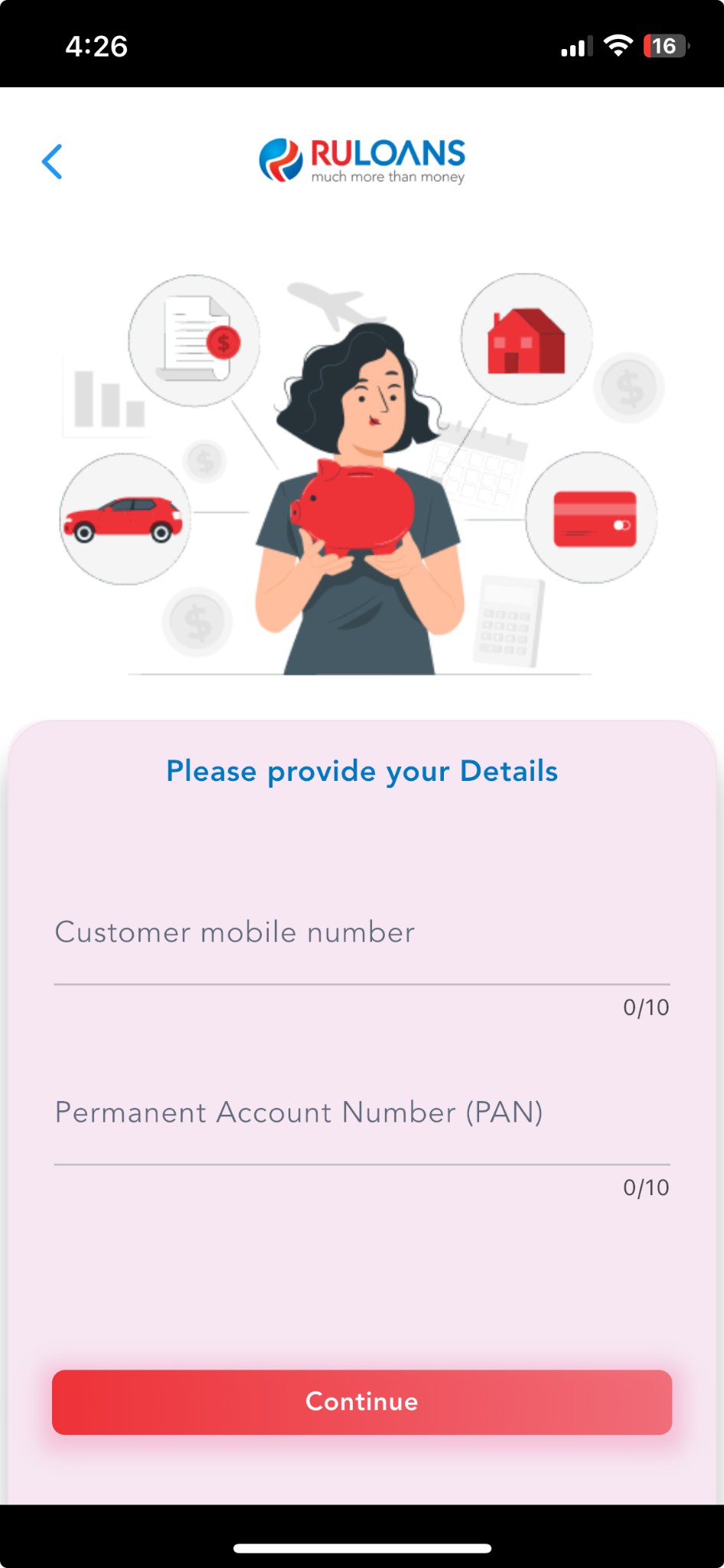 ## Step 5: Customer PAN & Mobile Number Entry
This screen collects the customer's **mobile number and PAN (Permanent Account Number)** for identity verification and loan processing.
## Step 5: Customer PAN & Mobile Number Entry
This screen collects the customer's **mobile number and PAN (Permanent Account Number)** for identity verification and loan processing.
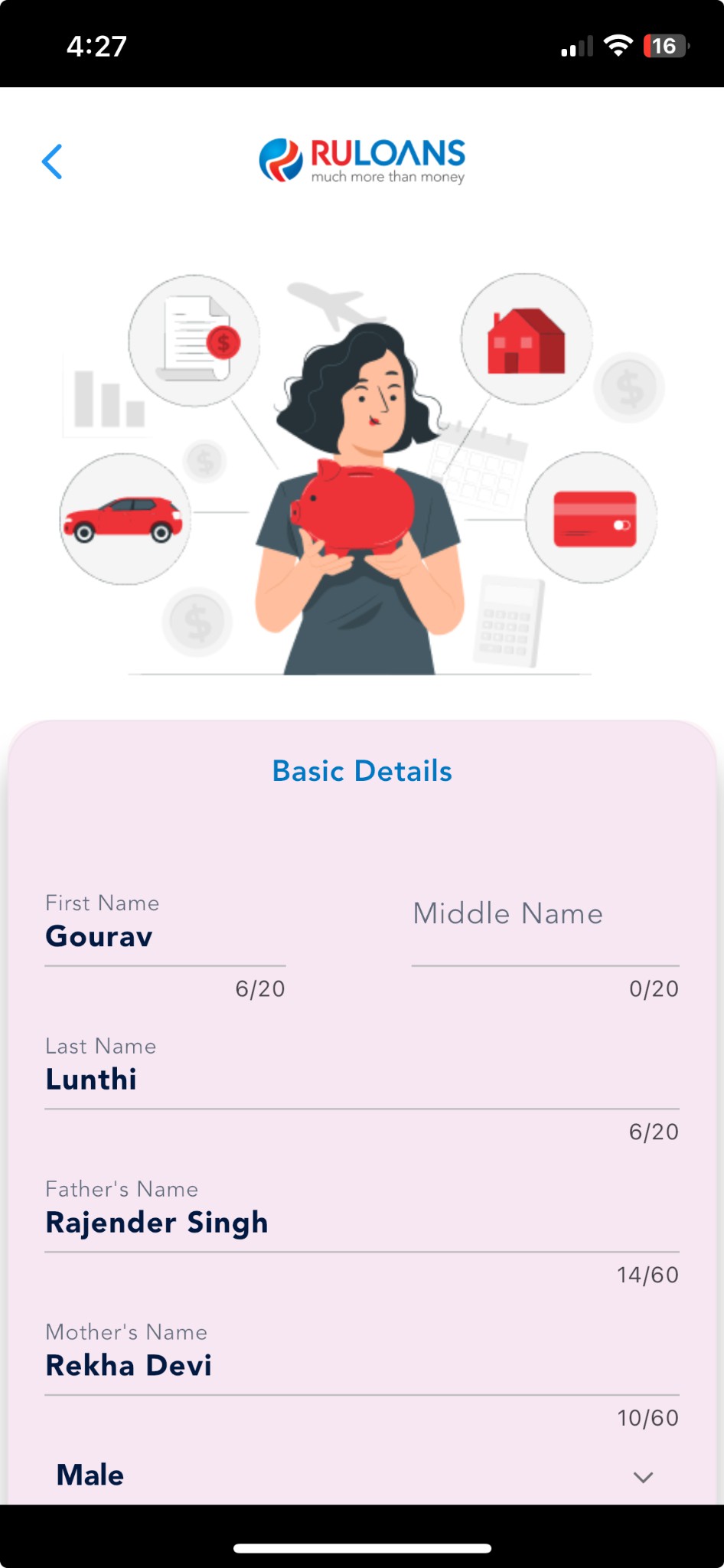 ## Step 6: Provide Basic Details
### **Mandatory Fields:**
* Full Name
* PAN Number
* Gender
* Email
* Date of Birth
* Marital Status
* Father’s Name
* Mother’s Name
### **Consent:**
* Select checkboxes for Privacy Policy and Credit Information consent.
Click **Continue** to proceed.
## Step 6: Provide Basic Details
### **Mandatory Fields:**
* Full Name
* PAN Number
* Gender
* Email
* Date of Birth
* Marital Status
* Father’s Name
* Mother’s Name
### **Consent:**
* Select checkboxes for Privacy Policy and Credit Information consent.
Click **Continue** to proceed.
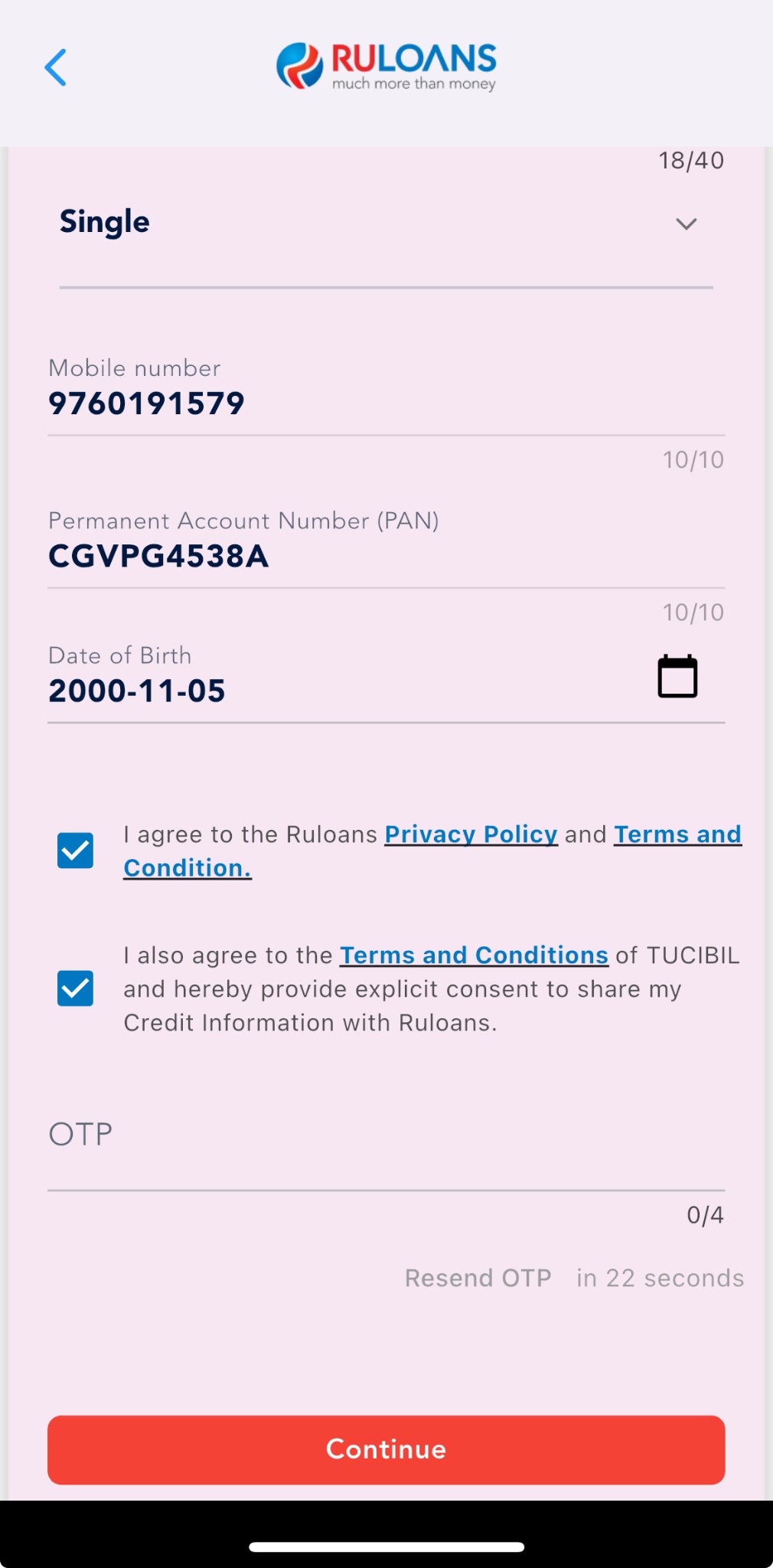 ## Step 7: OTP Verification
Enter the **One\*Time Password (OTP)** sent to the registered mobile number for verification.
## Step 7: OTP Verification
Enter the **One\*Time Password (OTP)** sent to the registered mobile number for verification.
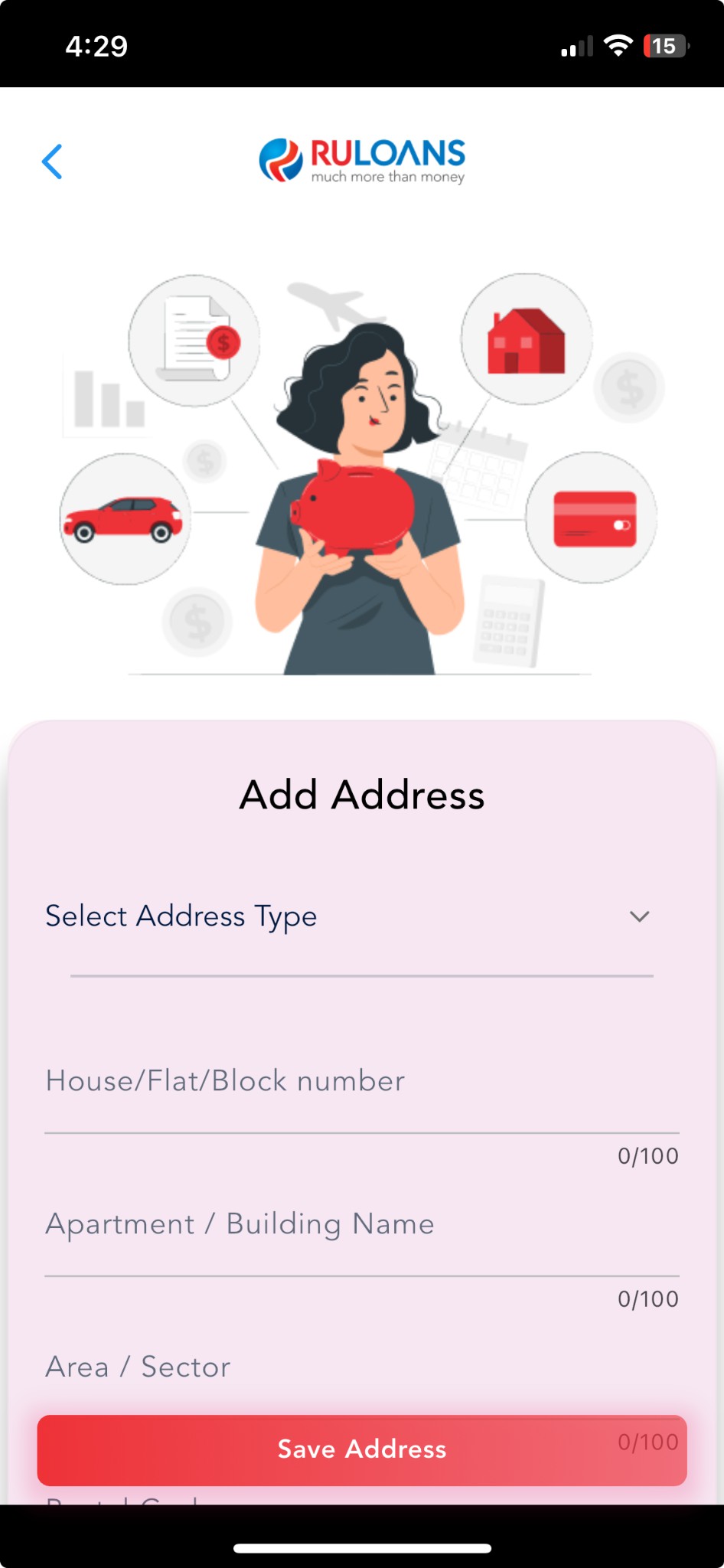
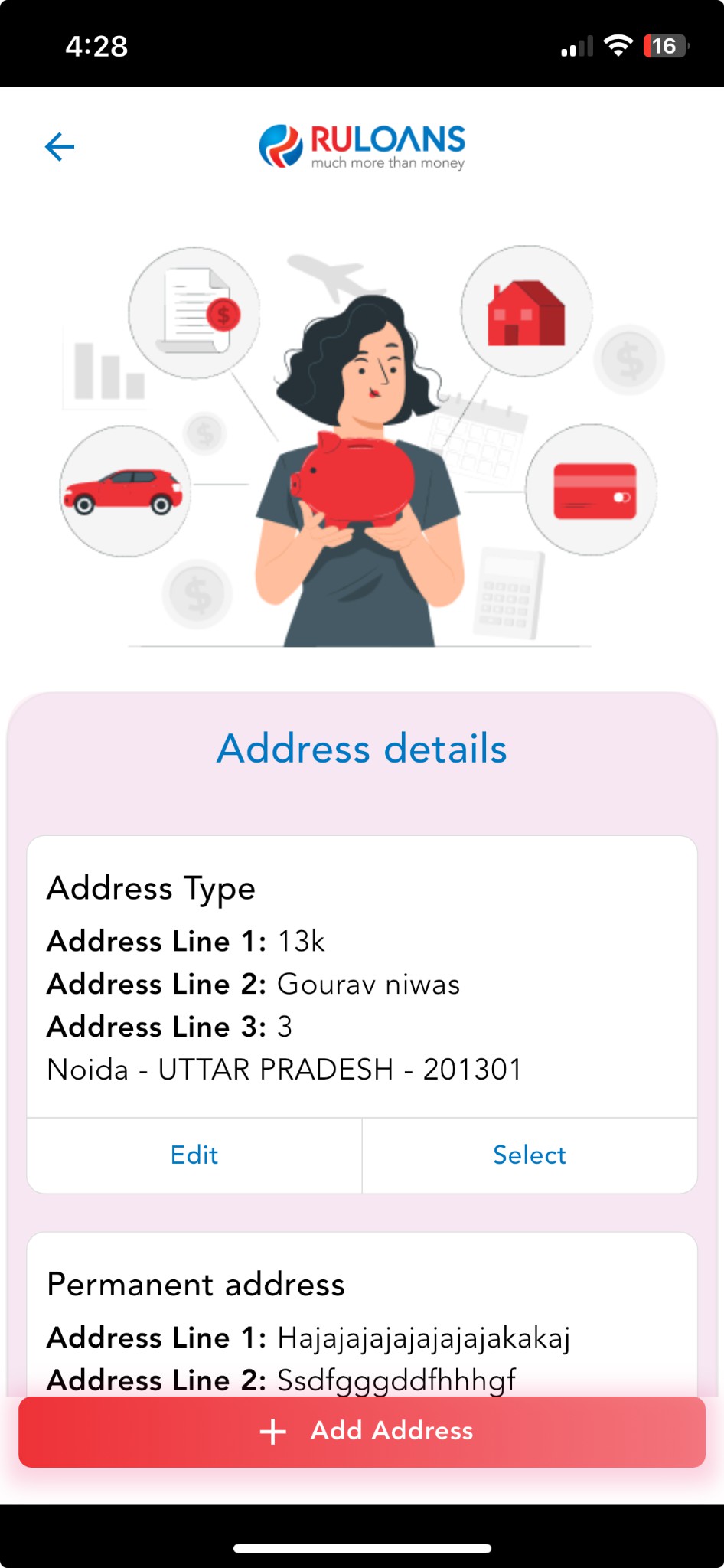 ## Step 8: Enter Address Details
### **Provide your residential address:**
* House/Flat Number (Mandatory)
* Street/Locality (Mandatory)
* City, State, and PIN Code (Mandatory)
## Step 8: Enter Address Details
### **Provide your residential address:**
* House/Flat Number (Mandatory)
* Street/Locality (Mandatory)
* City, State, and PIN Code (Mandatory)
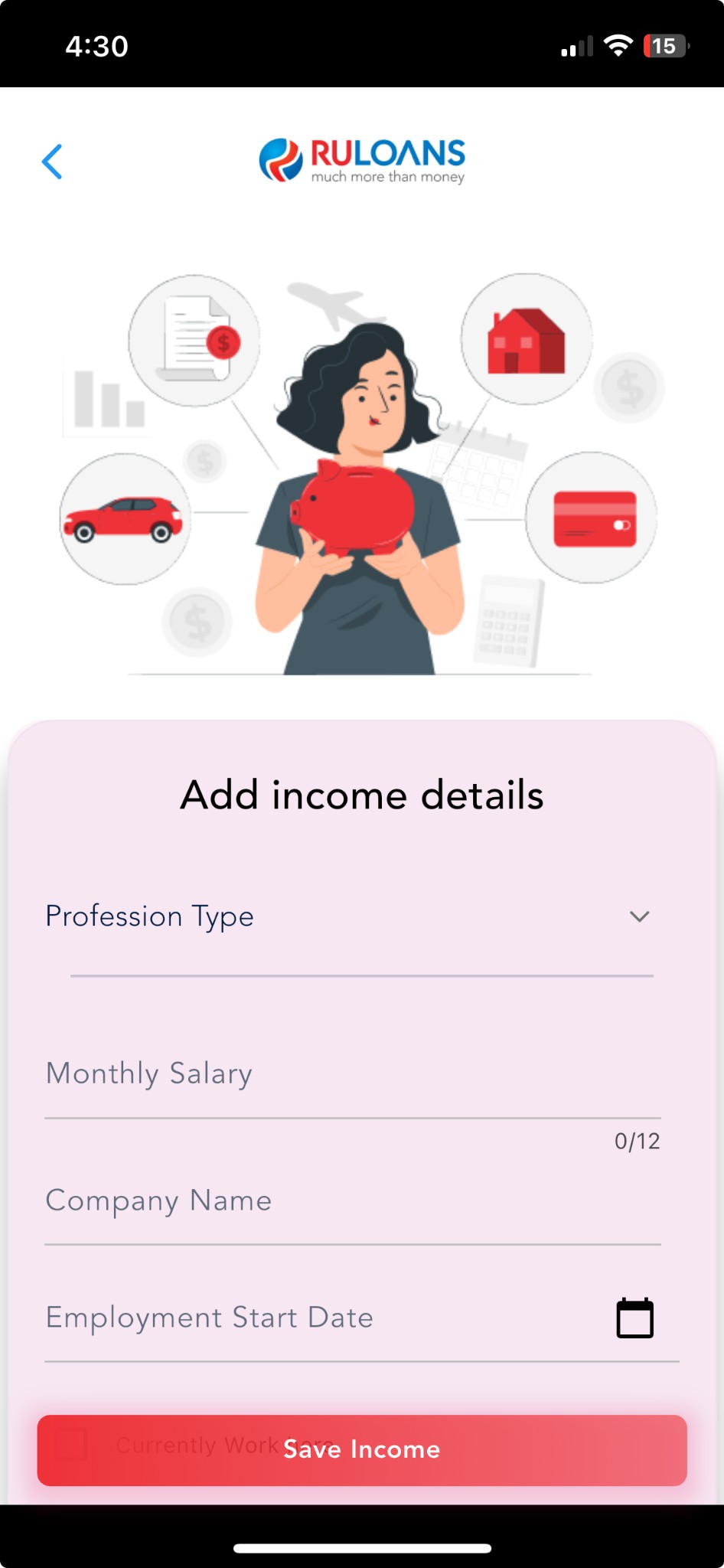
 ## Step 9: Fill Your Income Details
### **Fields to Fill:**
* **Income Type:** Choose salaried, self\*employed, etc.
* **Monthly Income:** Enter numeric value.
* **Company Name**
* **Company Type:** (e.g., private, government)
* **Employment Start and End Dates**
* **Office Address**
## Step 9: Fill Your Income Details
### **Fields to Fill:**
* **Income Type:** Choose salaried, self\*employed, etc.
* **Monthly Income:** Enter numeric value.
* **Company Name**
* **Company Type:** (e.g., private, government)
* **Employment Start and End Dates**
* **Office Address**
 ## Step 10: Verify Income Details
### **Fields to Fill:**
* Monthly Income
* Income Source
* Employer Details
## Step 10: Verify Income Details
### **Fields to Fill:**
* Monthly Income
* Income Source
* Employer Details
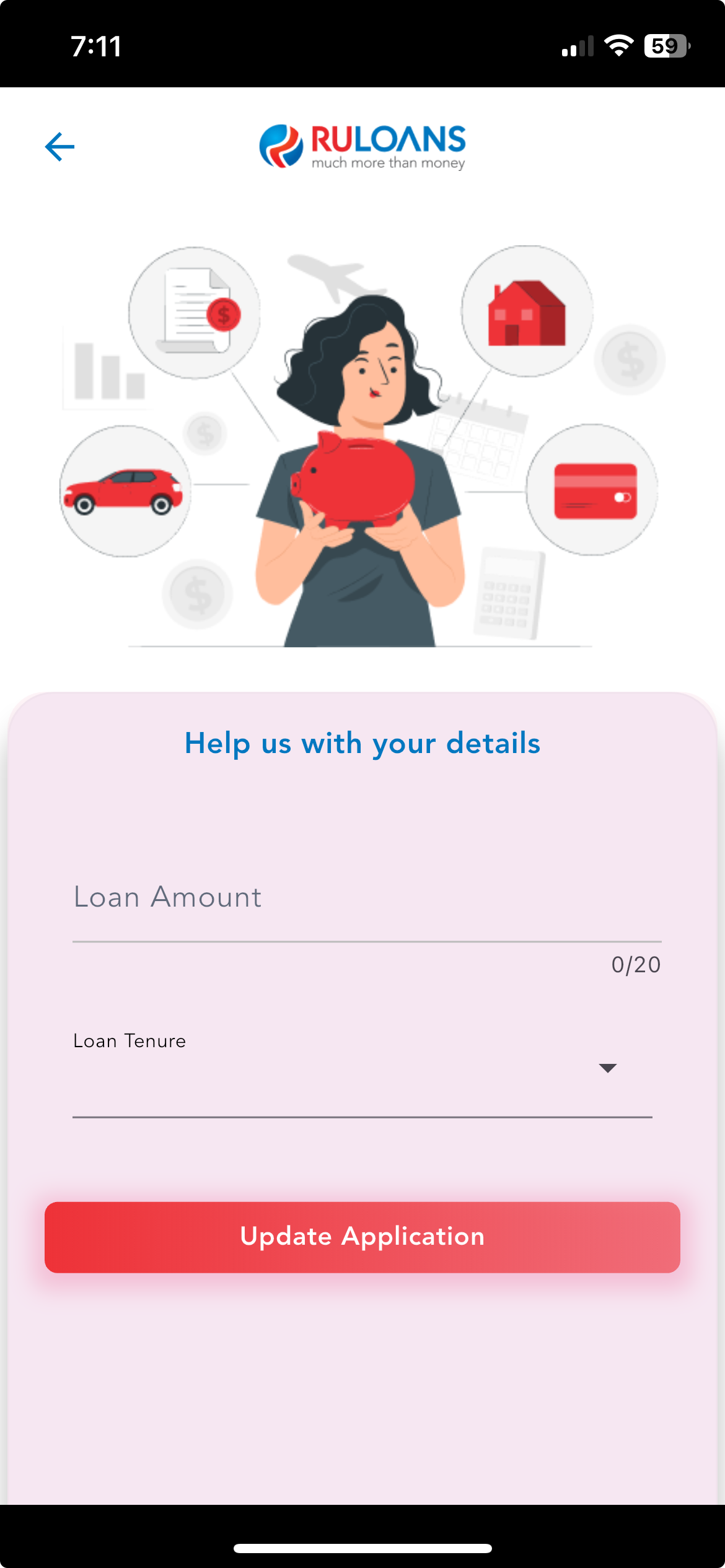 ## Step 11: Provide Loan Details
### **Fields to Fill:**
* **Loan Amount:** Enter the desired amount.
* **Loan Tenure:** Choose the duration (e.g., 2 Years, 3 Years).
## Step 11: Provide Loan Details
### **Fields to Fill:**
* **Loan Amount:** Enter the desired amount.
* **Loan Tenure:** Choose the duration (e.g., 2 Years, 3 Years).
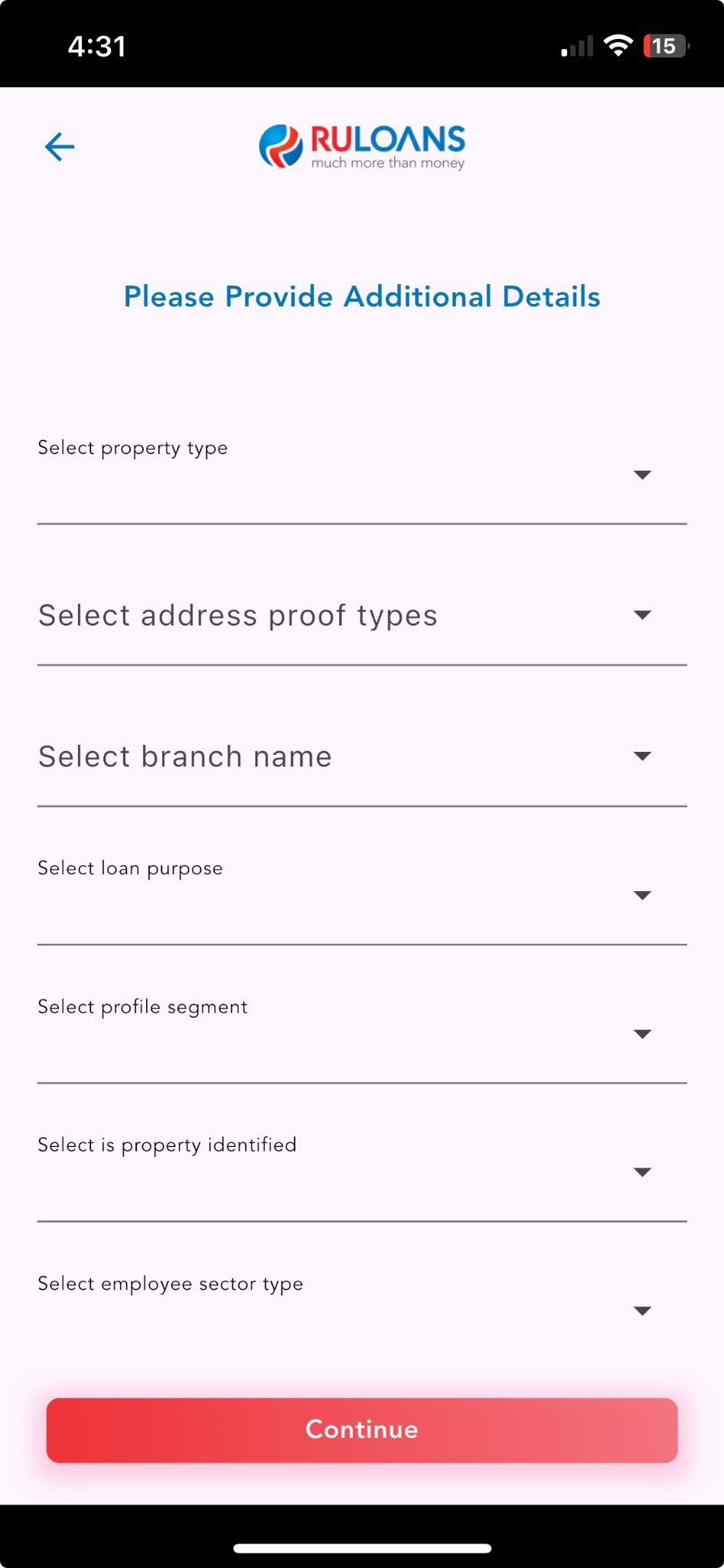 ## Step 12: Additional Details Submission
### **Key Requirements:**
* **Aadhaar Number**
* **Property Identified?**
* **Property Type**
* **Employment Sector**
* **Property Value**
* **Net Income**
* **Deductions**
* **Expected Retirement Age**
## Step 12: Additional Details Submission
### **Key Requirements:**
* **Aadhaar Number**
* **Property Identified?**
* **Property Type**
* **Employment Sector**
* **Property Value**
* **Net Income**
* **Deductions**
* **Expected Retirement Age**
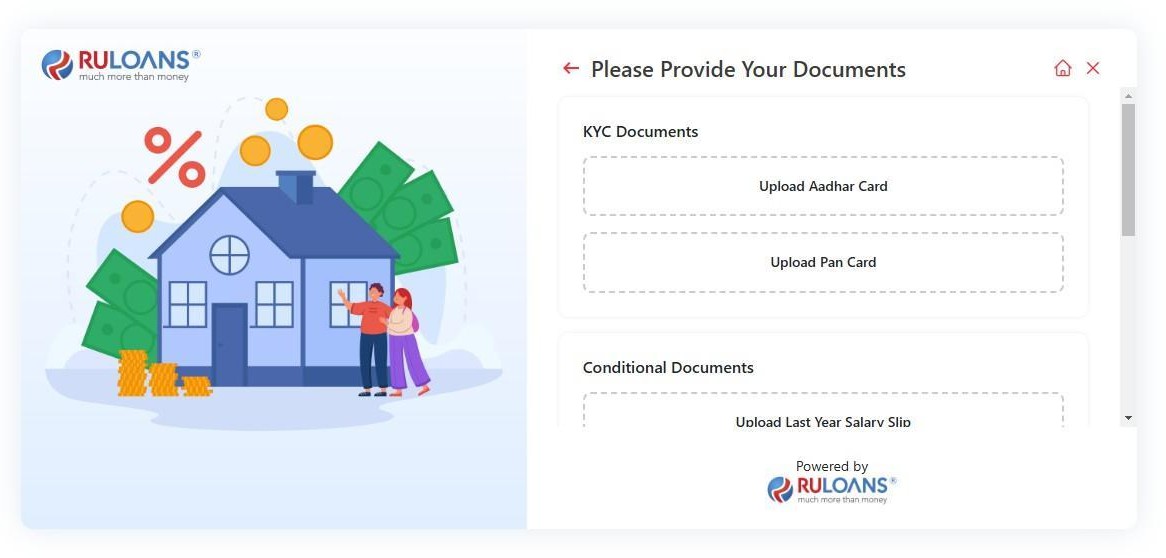 ## Step 13: Document Upload for KYC
### **KYC Documents:**
* Aadhaar Card
* PAN Card
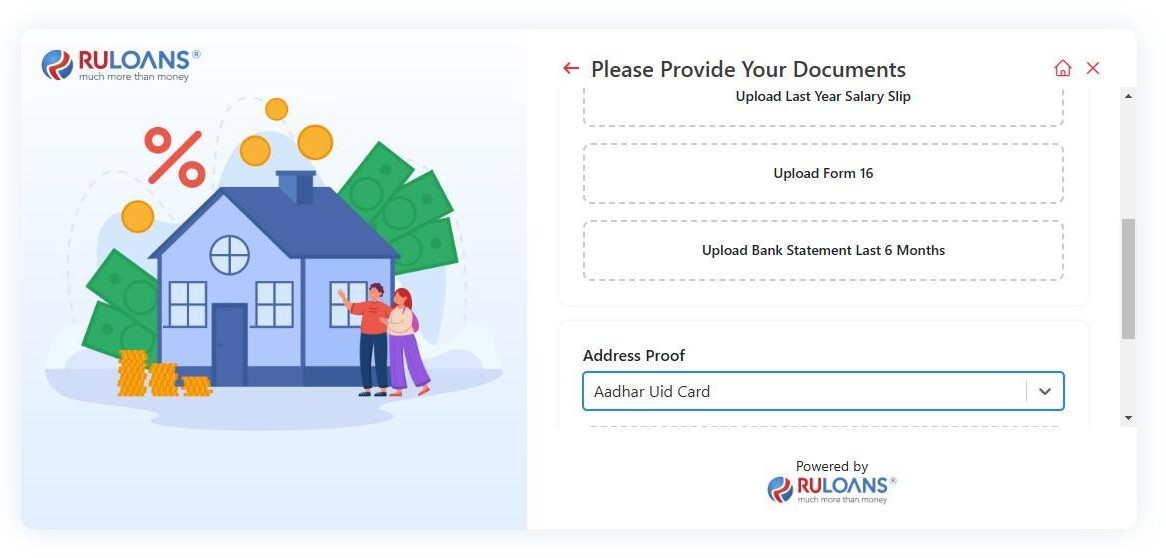
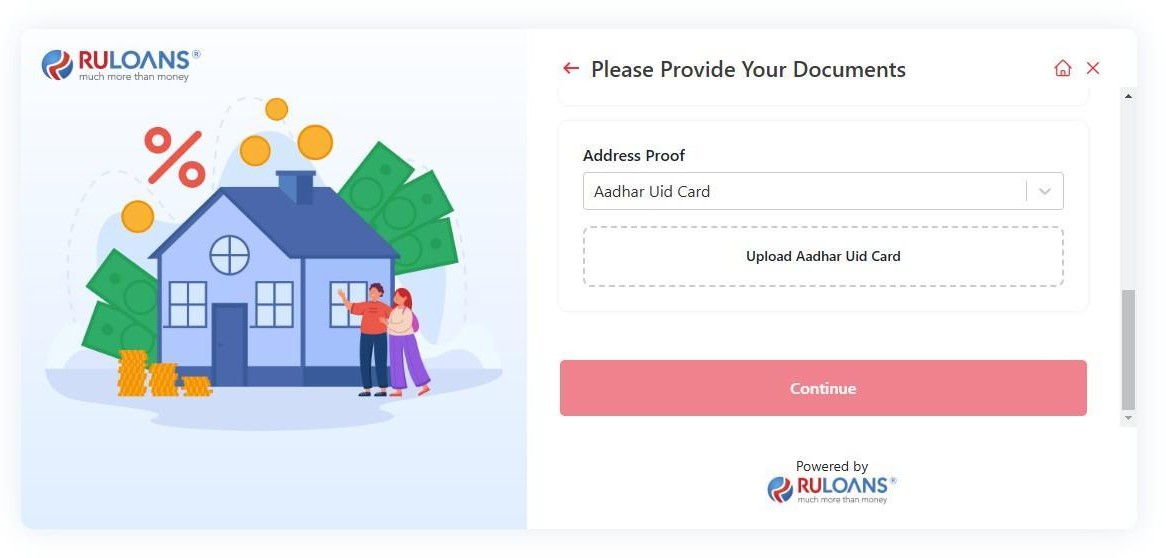
### **Conditional Documents:**
* Last Year Salary Slip (if applicable)
* Form 16
* Bank Statement (Last 6 Months)
* Address Proof
## Step 13: Document Upload for KYC
### **KYC Documents:**
* Aadhaar Card
* PAN Card
### **Conditional Documents:**
* Last Year Salary Slip (if applicable)
* Form 16
* Bank Statement (Last 6 Months)
* Address Proof
 ## Step 14: Application Submission Confirmation
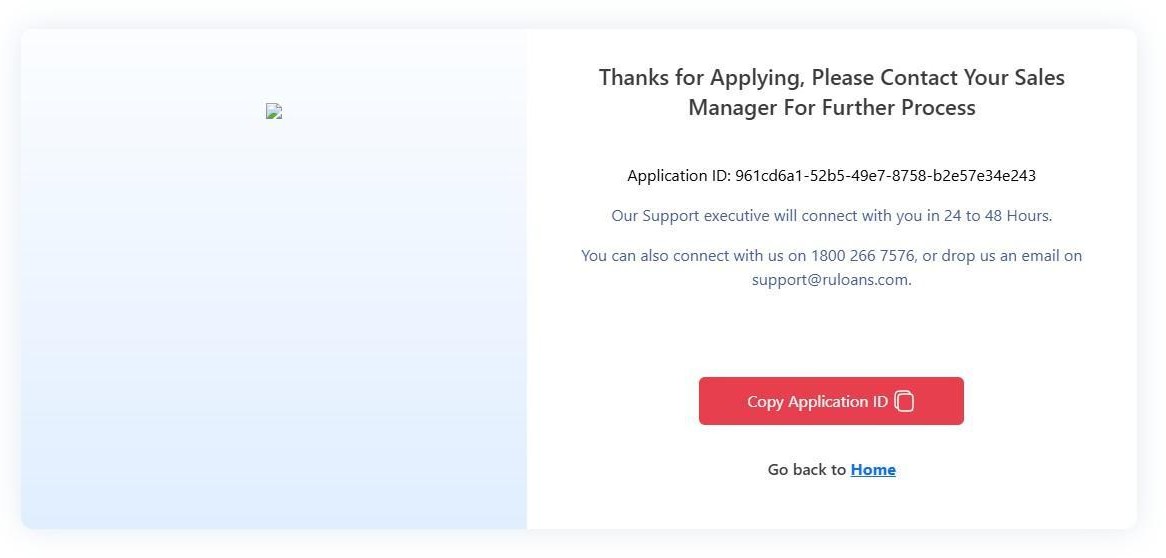
### **Key Information Displayed:**
* **Application ID:** Unique identifier for tracking.
* **Support Information:** Contact within 24 to 48 hours.
* **Customer Service:**
* **Phone:** 1800 266 7576
* **Email:** [support@ruloans.com](mailto:support@ruloans.com)
## Step 14: Application Submission Confirmation
### **Key Information Displayed:**
* **Application ID:** Unique identifier for tracking.
* **Support Information:** Contact within 24 to 48 hours.
* **Customer Service:**
* **Phone:** 1800 266 7576
* **Email:** [support@ruloans.com](mailto:support@ruloans.com)