> ## Documentation Index
> Fetch the complete documentation index at: https://docs.ruloans.com/llms.txt
> Use this file to discover all available pages before exploring further.
# Bank product combination
# **Bank Product Combination**
***
## **Objective**
To enable the **Bank Product Combination** feature for a specific DSA in CRM and access it from the B2B RuConnect portal.
***
### **Step 1: Enable Bank Product Combination Permission in CRM**
1. Log in to **CRM**.
2. Navigate to the profile of the required **DSA**.
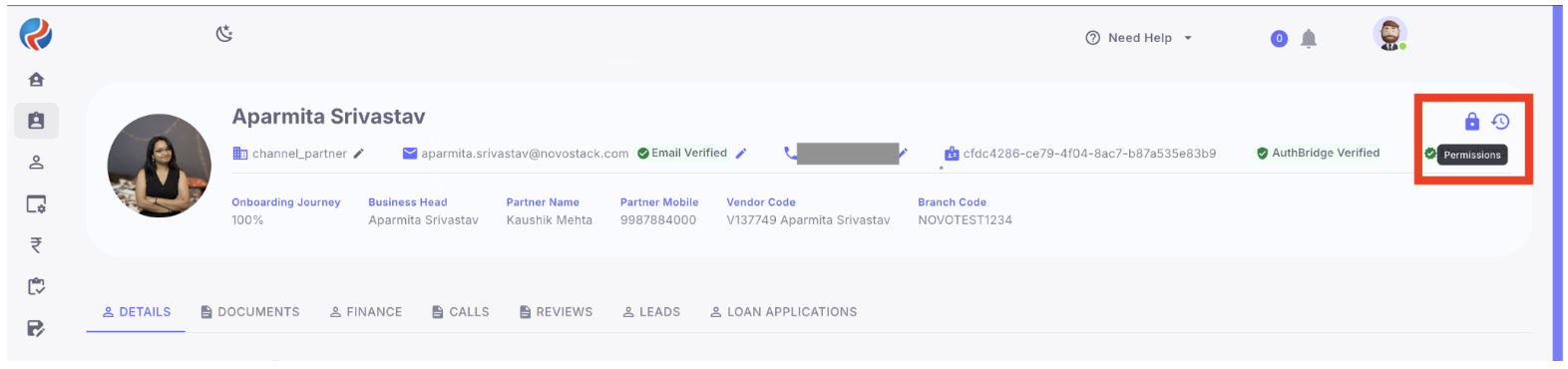
3. Click the **Permissions** icon located at the top-right corner of the profile page.
 4. From the dropdown menu, select **Bank Product Combination**.
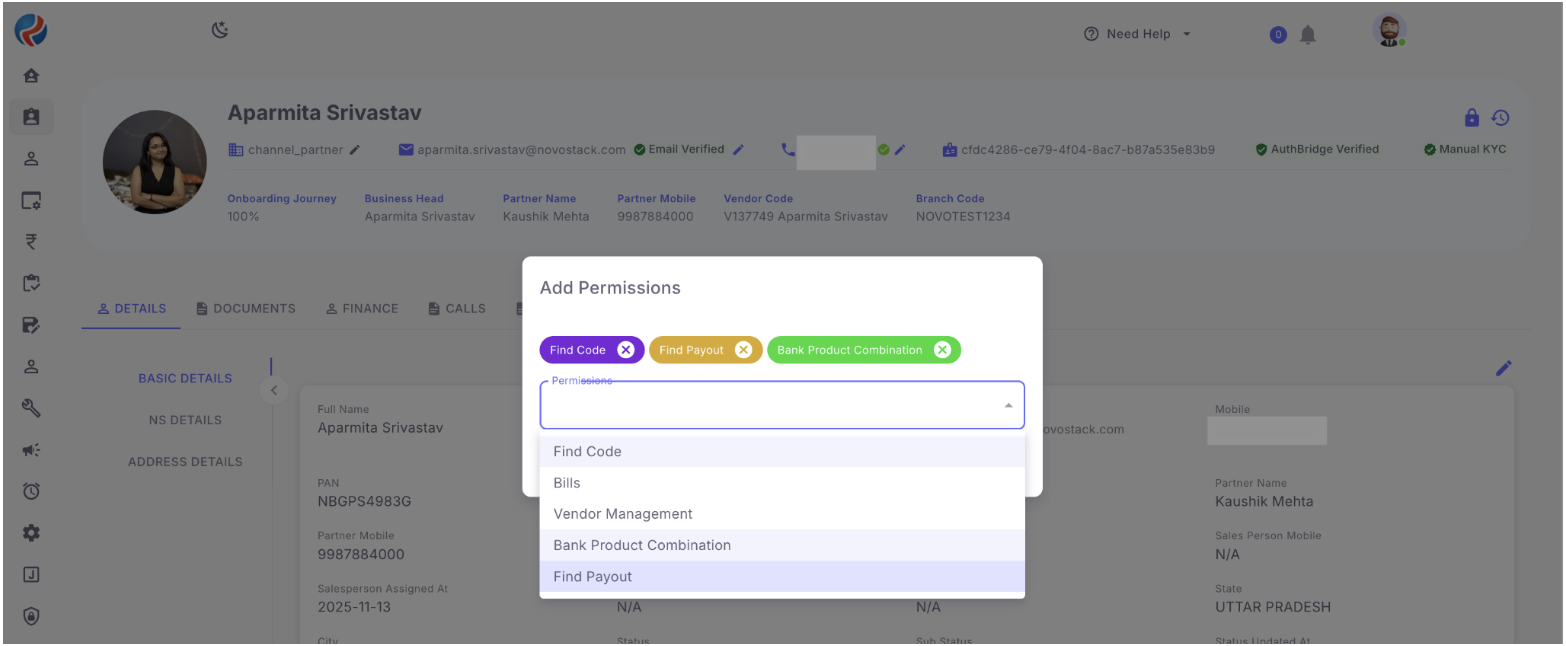 5. Add/enable the required permission and save the changes. (This can be done by CEO role only)
***
### **Step 2: Access Bank Product Combination in B2B RuConnect**
1. Log in to **B2B RuConnect**.
2. From the left sidebar, expand the **Tools** section.
3. A new option named **Bank Product Combination** will be available along with **Your Payout** and **Find Bank**.
5. Add/enable the required permission and save the changes. (This can be done by CEO role only)
***
### **Step 2: Access Bank Product Combination in B2B RuConnect**
1. Log in to **B2B RuConnect**.
2. From the left sidebar, expand the **Tools** section.
3. A new option named **Bank Product Combination** will be available along with **Your Payout** and **Find Bank**.
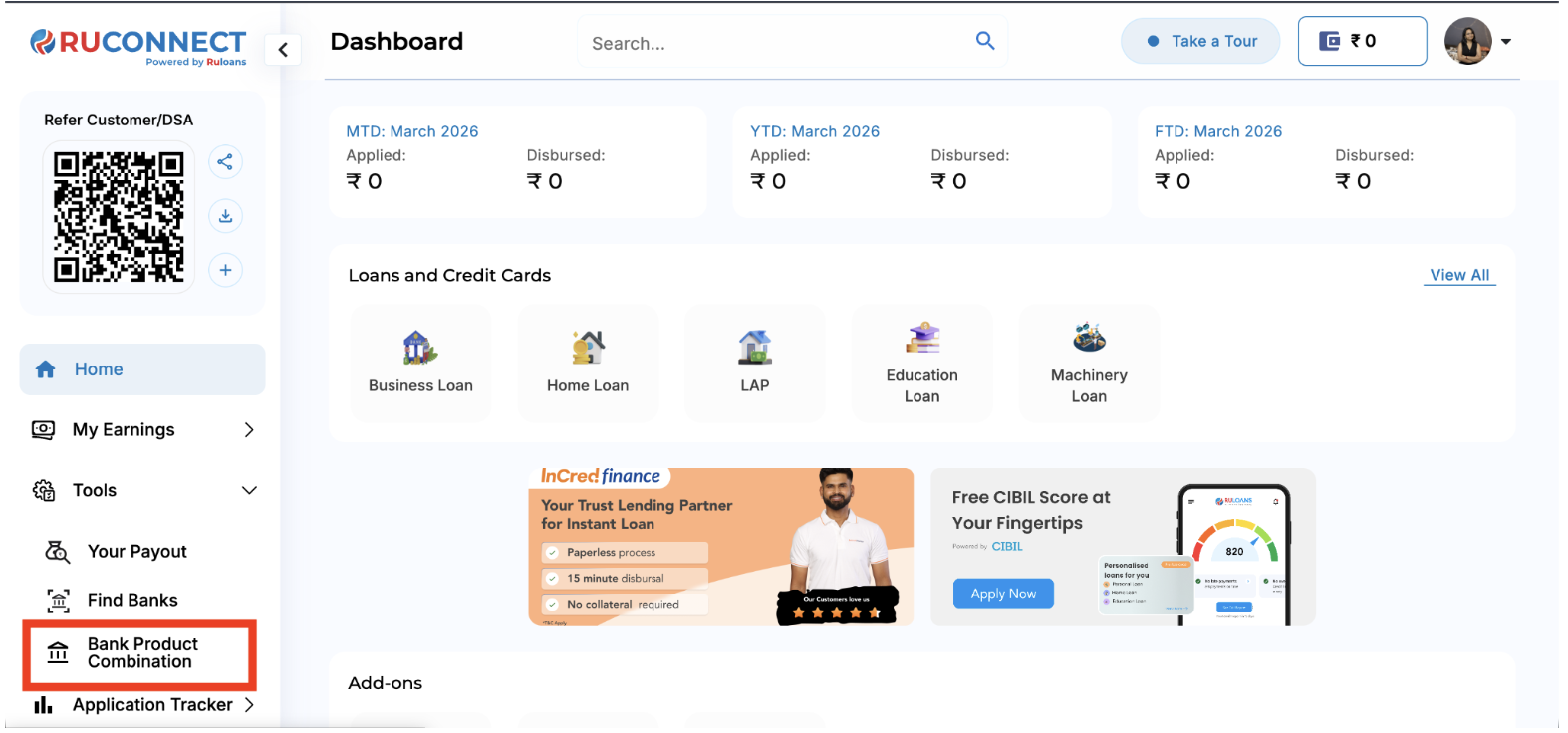 4. Click **Bank Product Combination** to open the page.
***
### **Step 3: View Bank Product Details**
1. On the **Bank Product Combination** page, all available bank details will be displayed.
4. Click **Bank Product Combination** to open the page.
***
### **Step 3: View Bank Product Details**
1. On the **Bank Product Combination** page, all available bank details will be displayed.
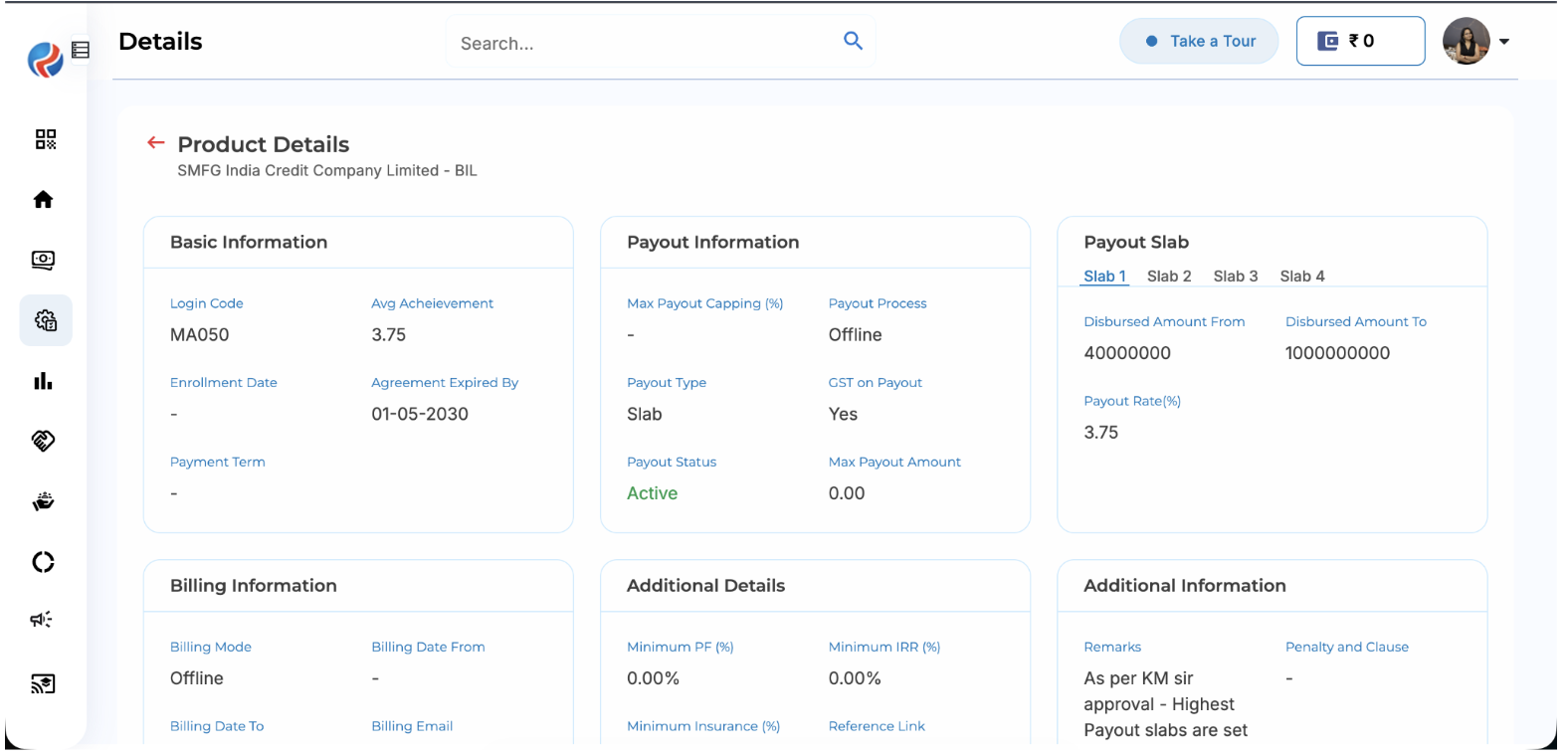
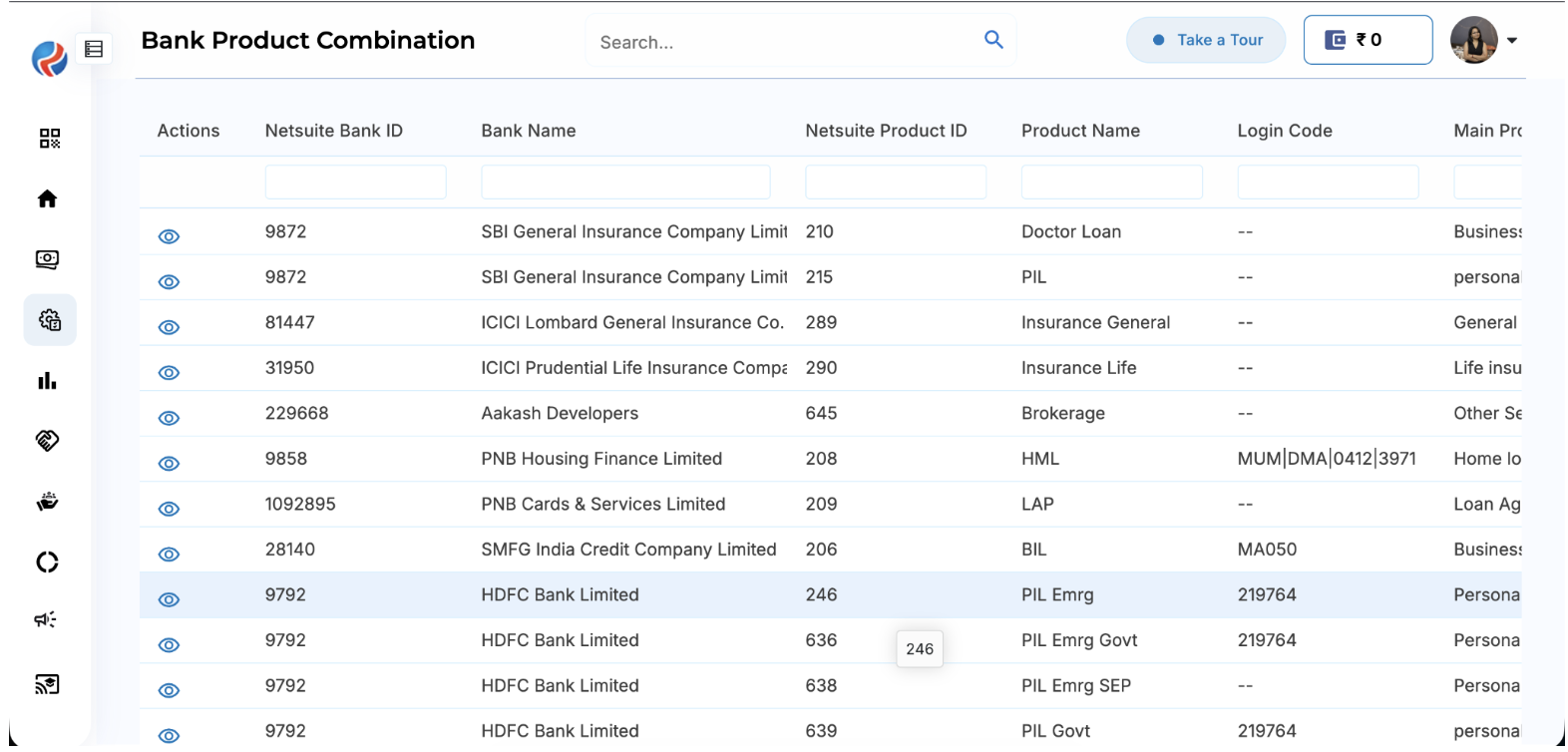 2. To view the product details of a specific bank, click the **Eye (View)** icon corresponding to that bank.
 3. The complete product combination details for the selected bank will be displayed.
 ***
**Prepared By:** Aparmita Srivastav
***
**Prepared By:** Aparmita Srivastav