> ## Documentation Index
> Fetch the complete documentation index at: https://docs.ruloans.com/llms.txt
> Use this file to discover all available pages before exploring further.
# How to apply for Instape Personal Loan in Ruloans Webapp
> Flow of Assisted Journey of Instape Personal Loan on Ruloans
**Introduction:**
This document provides a comprehensive step-by-step guide for Customers to apply for a loan using the Rulaons platform. It highlights mandatory and optional fields, supported by screenshots, to ensure clarity and completeness.
## Step 1: Access the Rulaons Platform\*\*
Open the RuConnect platform at [https://www.ruloans.com/](https://www.ruloans.com/)
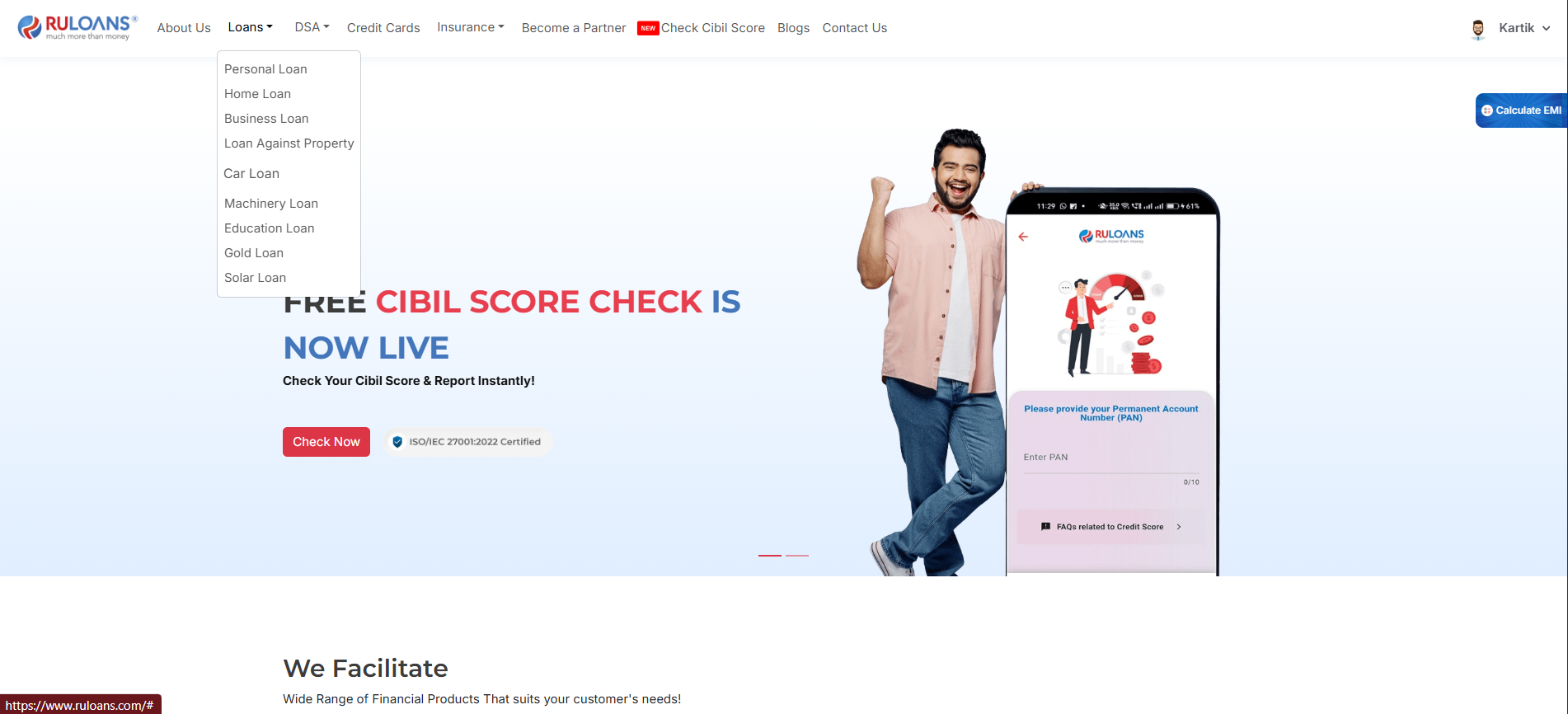
## Step 2: Navigate to the Dashboard
1. After successful login, you will land on the **Dashboard**.
2. The Dashboard provides:
* **Quick Access Links**: Links to personal loans, home loans, and other products.
* **Status Overview**: To proceed, click "Loans" to view the available list and select your required loan type.
 ## Step 3: Enter Your Pincode
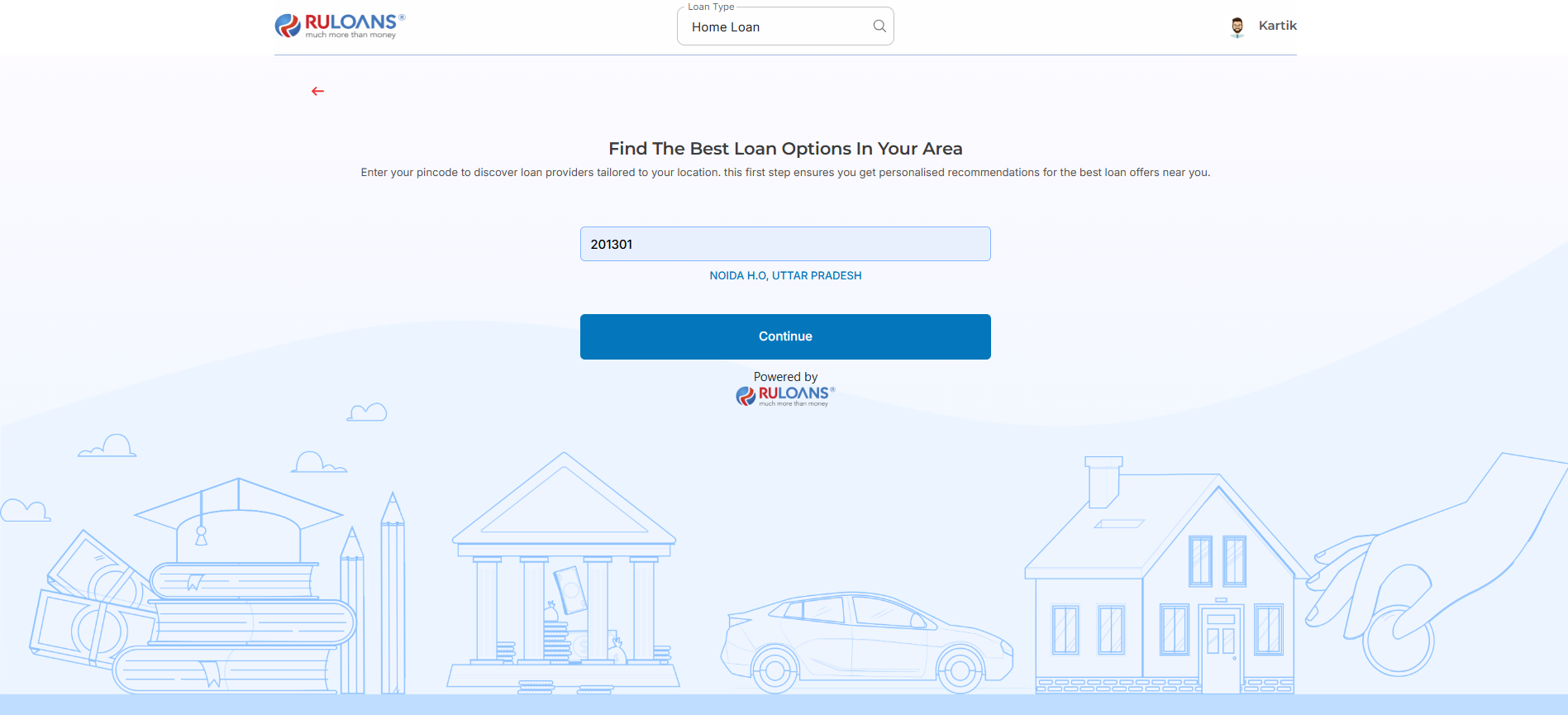
* **Pincode**: Enter the 6-digit postal code of your residence or business address.\
This helps us verify your location and show eligible offers.
* Tap **Continue**.
## Step 3: Enter Your Pincode
* **Pincode**: Enter the 6-digit postal code of your residence or business address.\
This helps us verify your location and show eligible offers.
* Tap **Continue**.
 ## Step 4: Enter Your Date of Birth
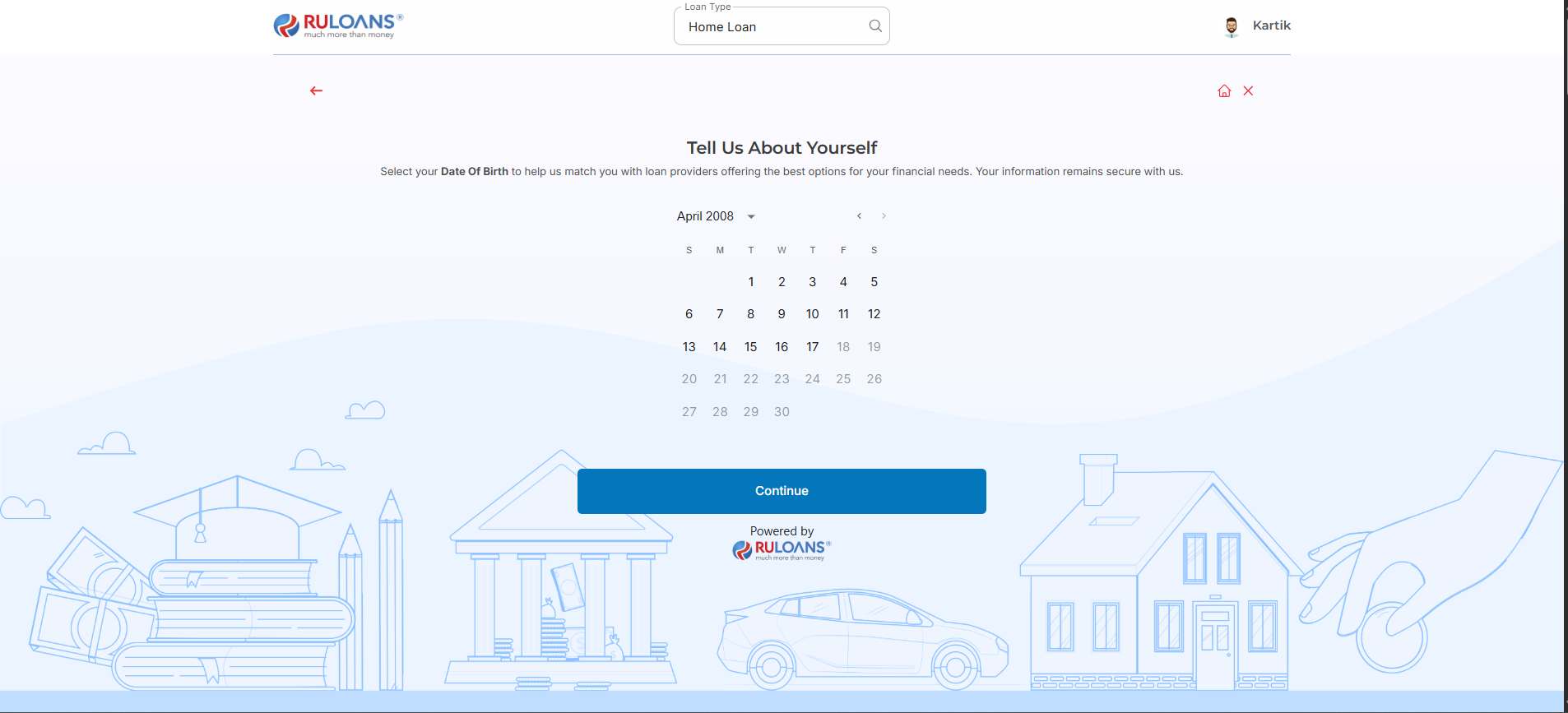
* **Date of Birth**: Select your date of birth using the calendar picker.\
This helps determine your eligibility and age-based offers.
* Tap **Continue**.
## Step 4: Enter Your Date of Birth
* **Date of Birth**: Select your date of birth using the calendar picker.\
This helps determine your eligibility and age-based offers.
* Tap **Continue**.
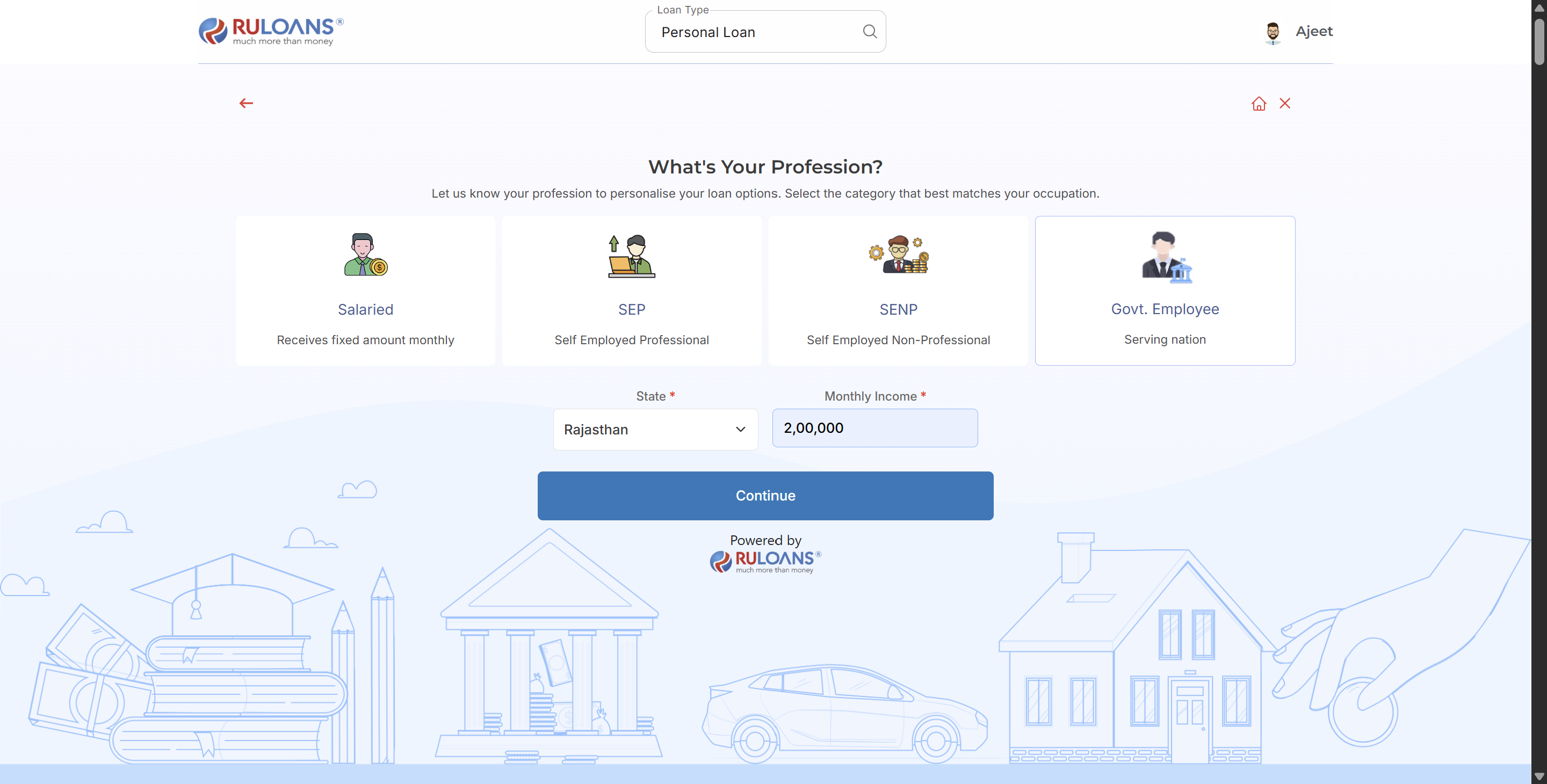
 ## Step 5: Choose Your Profession
Select the category that best describes your employment type:
* **Govt Employee** - User must selects the govt employee as a employement type.
### If **Govt Employee**:
* **Select State**: .User must selects the Rajasthan as a state.
* **Monthly Income**: Your average take-home salary each month.
* Tap **Continue**.
## Step 5: Choose Your Profession
Select the category that best describes your employment type:
* **Govt Employee** - User must selects the govt employee as a employement type.
### If **Govt Employee**:
* **Select State**: .User must selects the Rajasthan as a state.
* **Monthly Income**: Your average take-home salary each month.
* Tap **Continue**.
 ## Step 6: Select Loan Amount & Duration
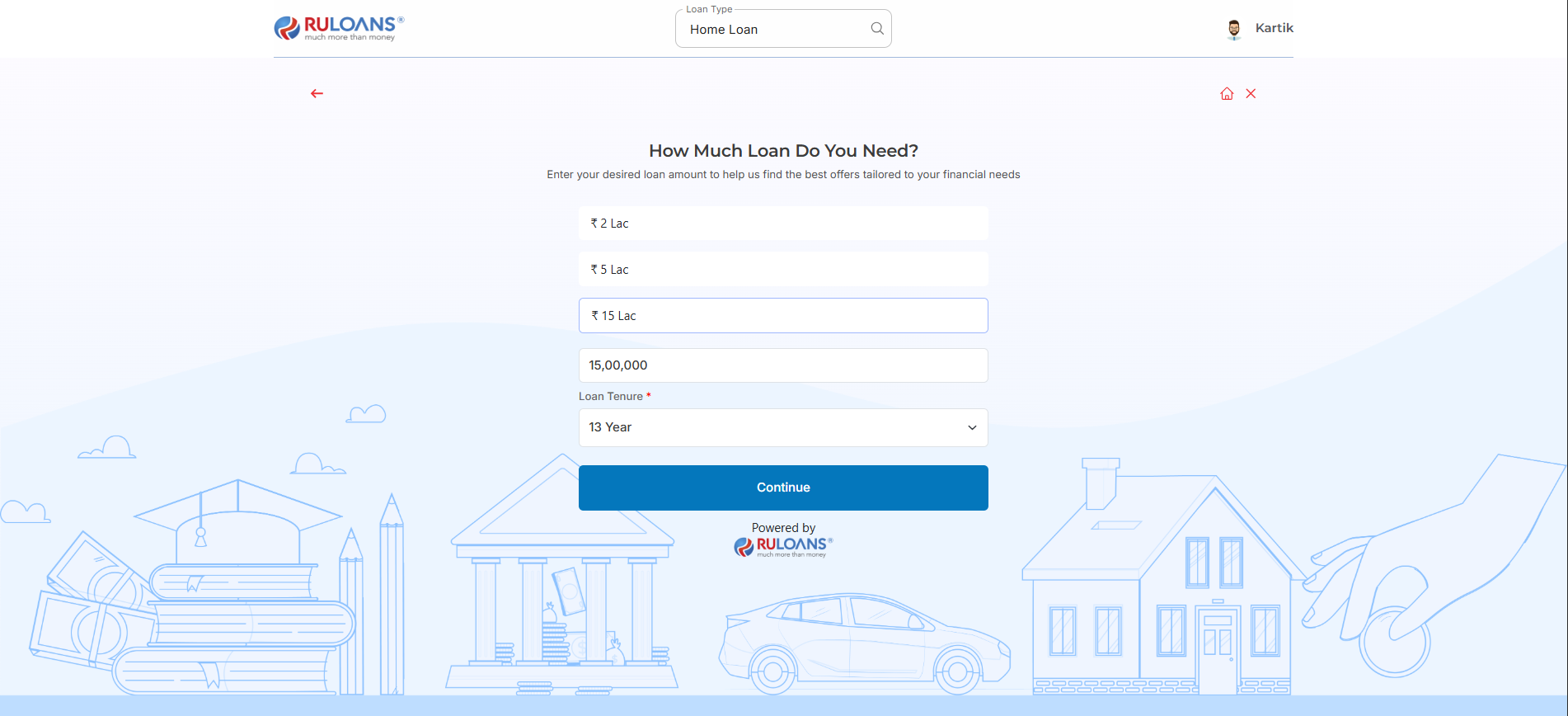
* **Loan Amount**: Choose a preset amount (e.g., ₹ 2L / ₹ 5L / ₹ 15L) or enter a **Custom Amount**.
* **Loan Tenure**: Choose the repayment period (in years).
* Tap **Continue**.
## Step 6: Select Loan Amount & Duration
* **Loan Amount**: Choose a preset amount (e.g., ₹ 2L / ₹ 5L / ₹ 15L) or enter a **Custom Amount**.
* **Loan Tenure**: Choose the repayment period (in years).
* Tap **Continue**.
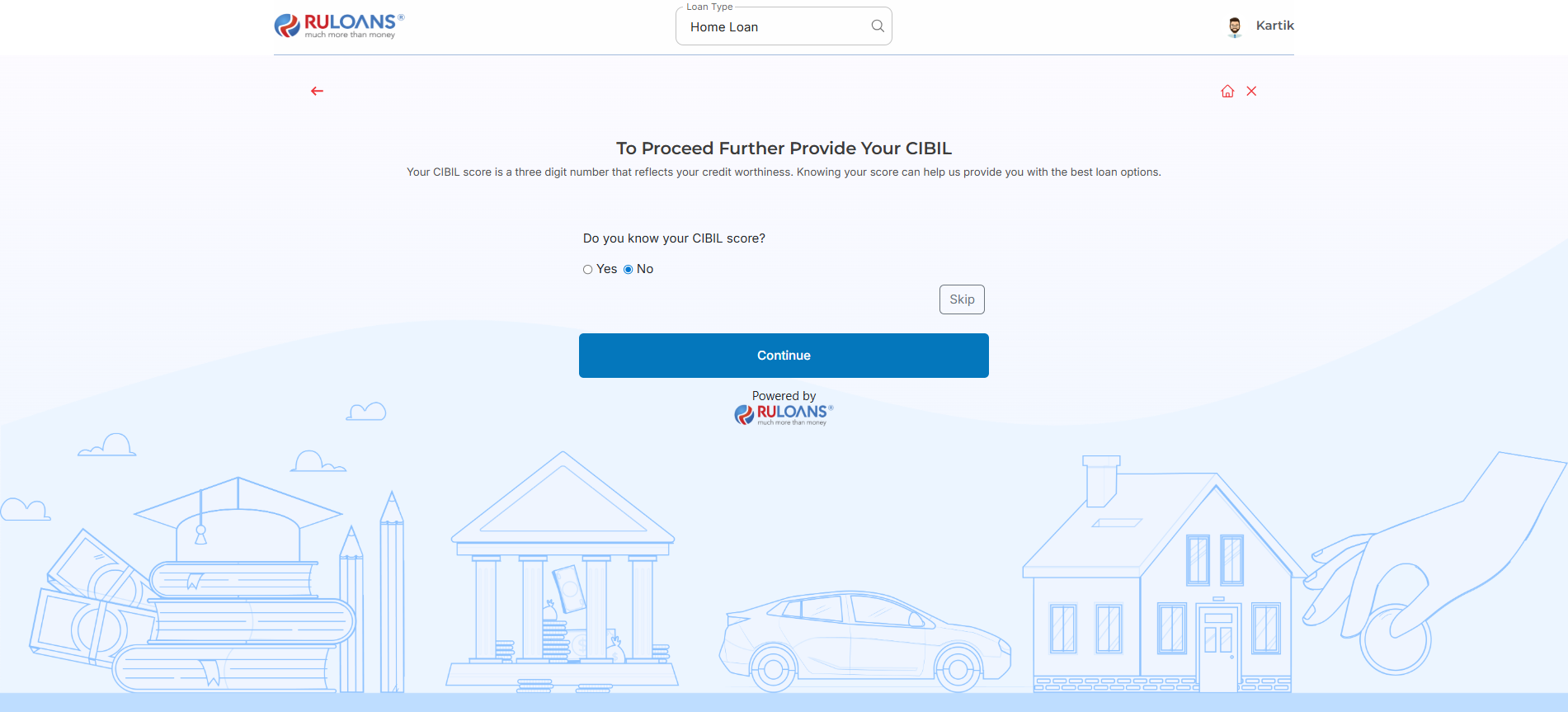
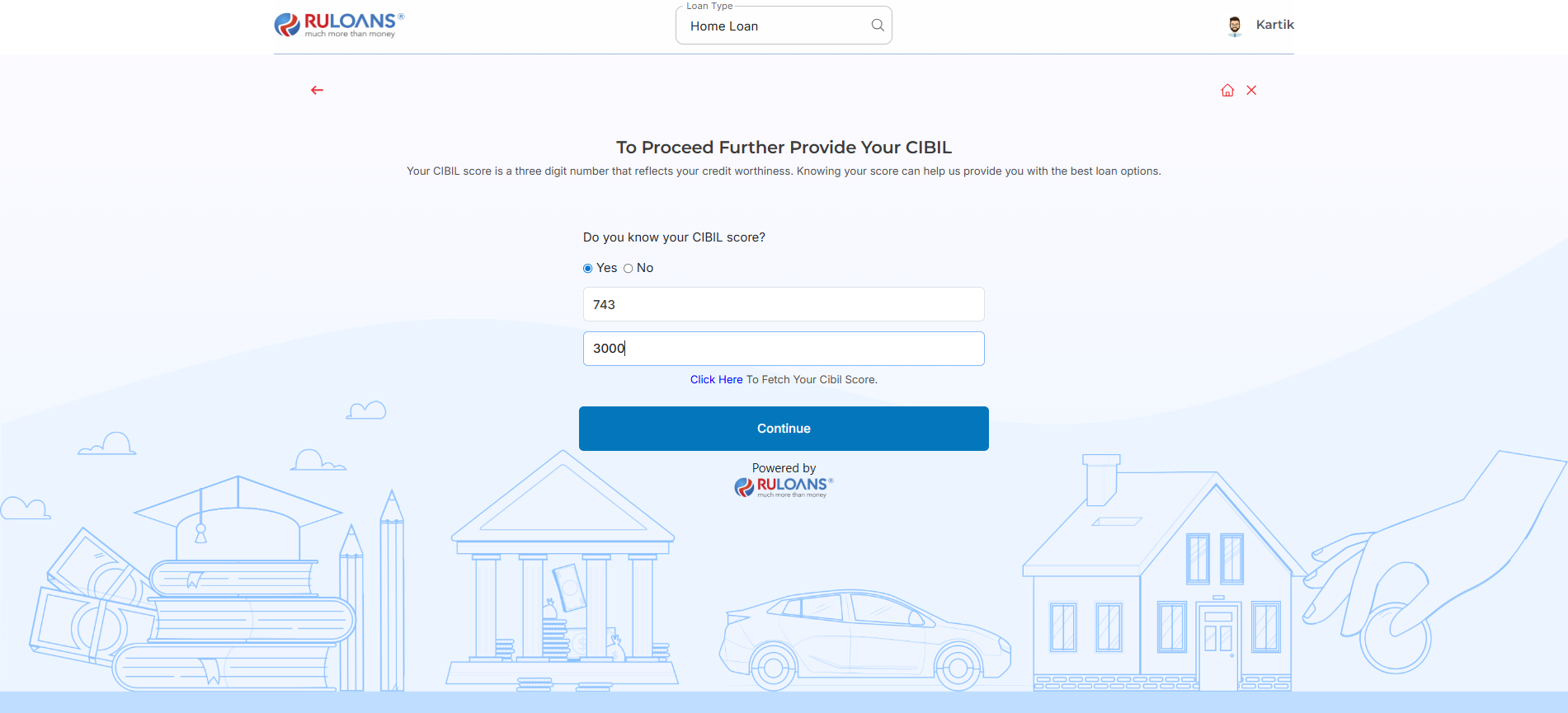
 ## Step 7: Know Your CIBIL Score?
* If you select **Yes**:
* **CIBIL Score**: Enter your 3-digit credit score (e.g., 750).
* **Monthly EMI**: Total of all active loan EMIs you're paying.
* If you select **No**: User will be redirected to Step 8.
* If you Tap **Skip**: User will be redirected to Step 10.
* Tap **Continue**.
## Step 7: Know Your CIBIL Score?
* If you select **Yes**:
* **CIBIL Score**: Enter your 3-digit credit score (e.g., 750).
* **Monthly EMI**: Total of all active loan EMIs you're paying.
* If you select **No**: User will be redirected to Step 8.
* If you Tap **Skip**: User will be redirected to Step 10.
* Tap **Continue**.
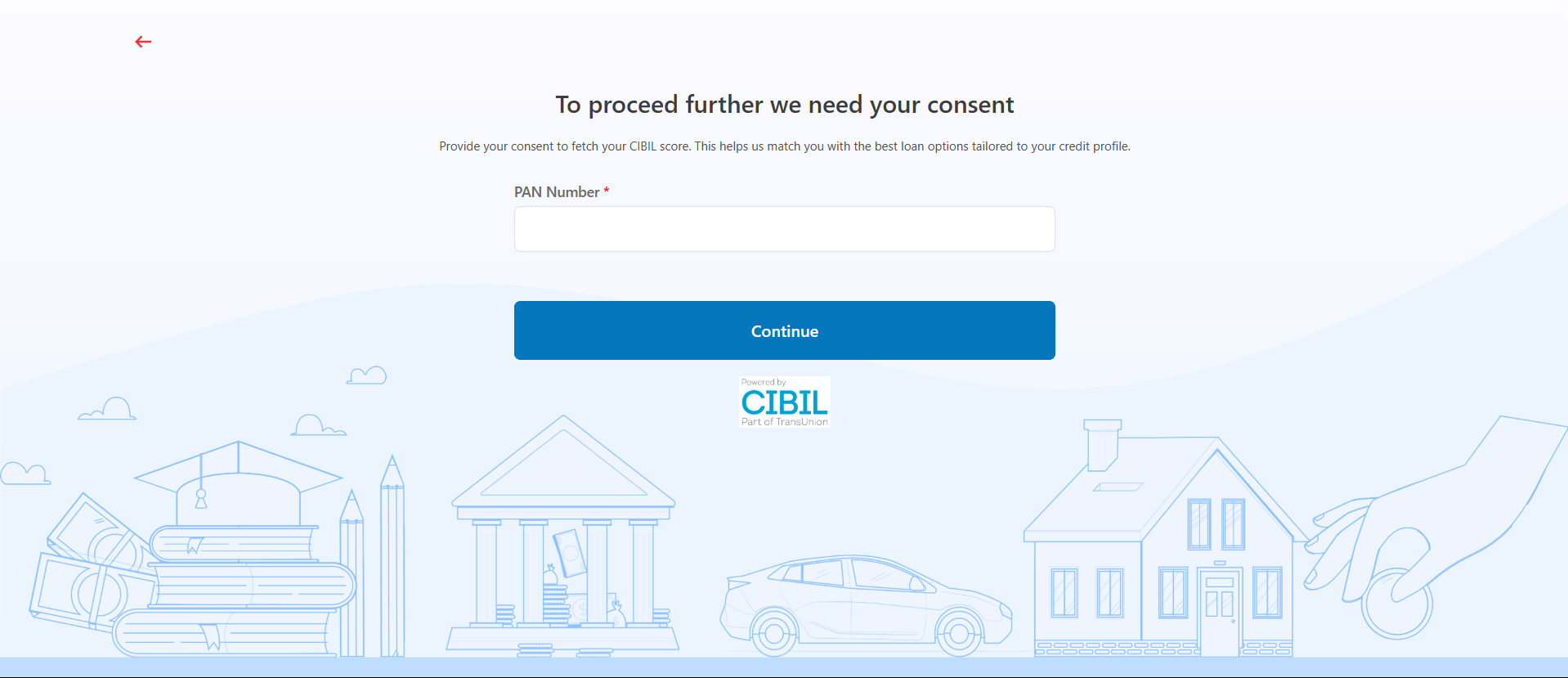
 ## Step 8: Enter PAN Number & Give Consent
* **PAN Number**: Enter your 10-character PAN (e.g., ABCDE1234F).\
Required to verify your credit score and match loan offers.
* Tap **Continue**.
## Step 8: Enter PAN Number & Give Consent
* **PAN Number**: Enter your 10-character PAN (e.g., ABCDE1234F).\
Required to verify your credit score and match loan offers.
* Tap **Continue**.
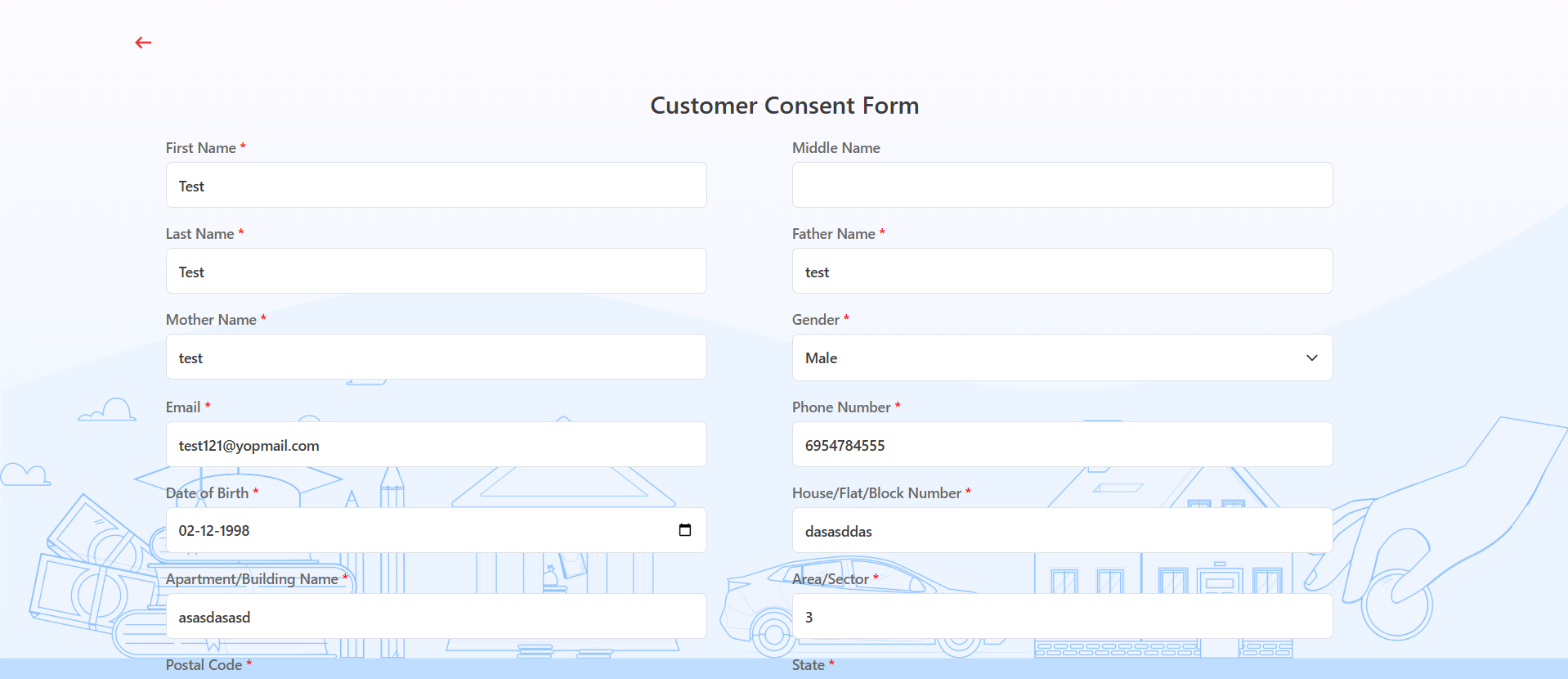
 ## Step 9: Fill Personal & Address Details for CIBIL
**Personal Details**
* **First Name**: Enter your First name.
* **Middle Name**: Enter your Middle name (optional).
* **Last Name**: Enter your Last name.
* **Father's Name**: Enter your Father's full name.
* **Mother's Name**: Enter your Mother's full name.
* **Gender**: Select your gender from the dropdown.
* **Email ID**: Enter your email ID.
* **Mobile Number**: Enter your mobile number.
* **Date of Birth**: Enter your date of birth.
**Address Details**
* **House / Flat / Block Number**: Enter the house/flat/block number of the address.
* **Building / Apartment Name**: Enter the building/apartment name of the address.
* **Area / Sector**: Enter the area/sector of the address.
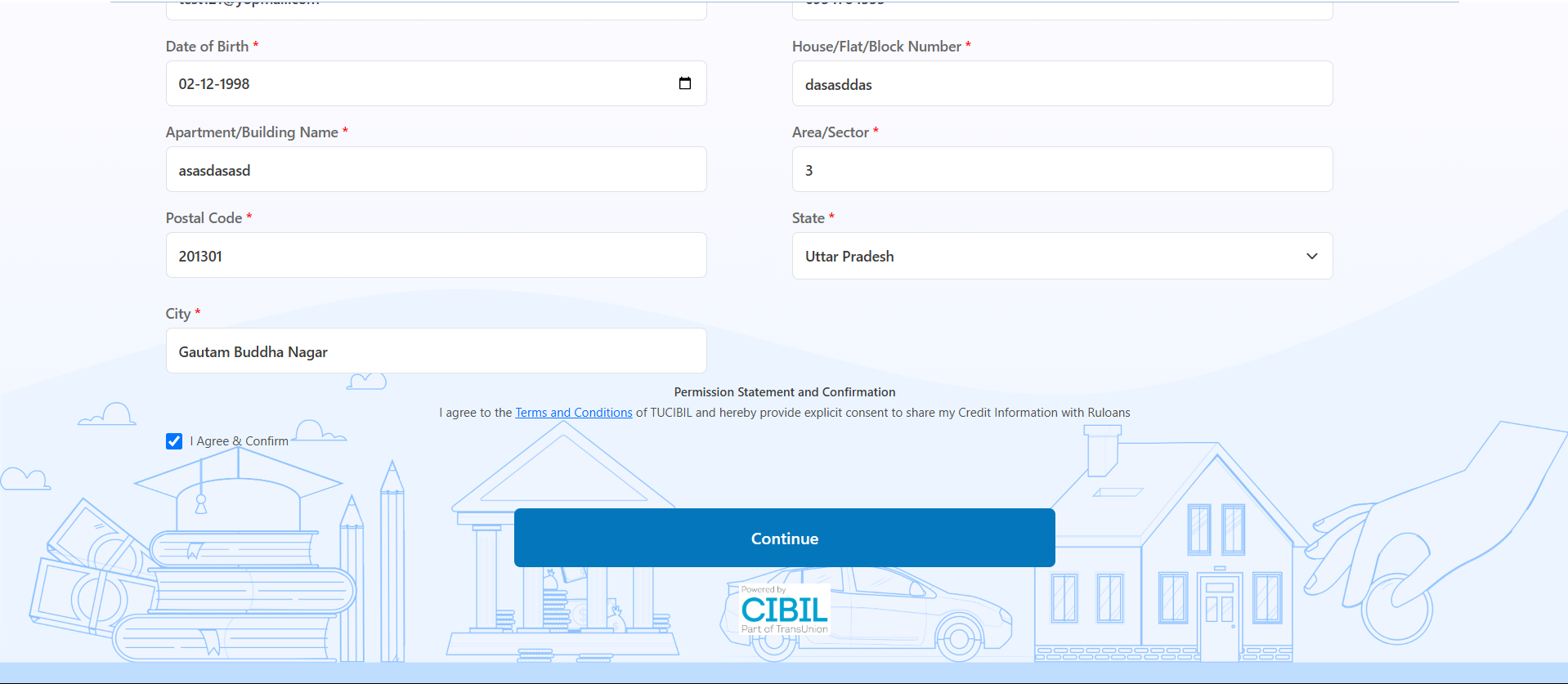
* **Pincode**: Enter the pincode of the address.
* **City**: Select the city from the dropdown.
* **State**: Select the state from the dropdown.
Tick **I Agree & Confirm** to give consent.\
You may review the Terms & Conditions.\
Tap **Continue**
## Step 9: Fill Personal & Address Details for CIBIL
**Personal Details**
* **First Name**: Enter your First name.
* **Middle Name**: Enter your Middle name (optional).
* **Last Name**: Enter your Last name.
* **Father's Name**: Enter your Father's full name.
* **Mother's Name**: Enter your Mother's full name.
* **Gender**: Select your gender from the dropdown.
* **Email ID**: Enter your email ID.
* **Mobile Number**: Enter your mobile number.
* **Date of Birth**: Enter your date of birth.
**Address Details**
* **House / Flat / Block Number**: Enter the house/flat/block number of the address.
* **Building / Apartment Name**: Enter the building/apartment name of the address.
* **Area / Sector**: Enter the area/sector of the address.
* **Pincode**: Enter the pincode of the address.
* **City**: Select the city from the dropdown.
* **State**: Select the state from the dropdown.
Tick **I Agree & Confirm** to give consent.\
You may review the Terms & Conditions.\
Tap **Continue**
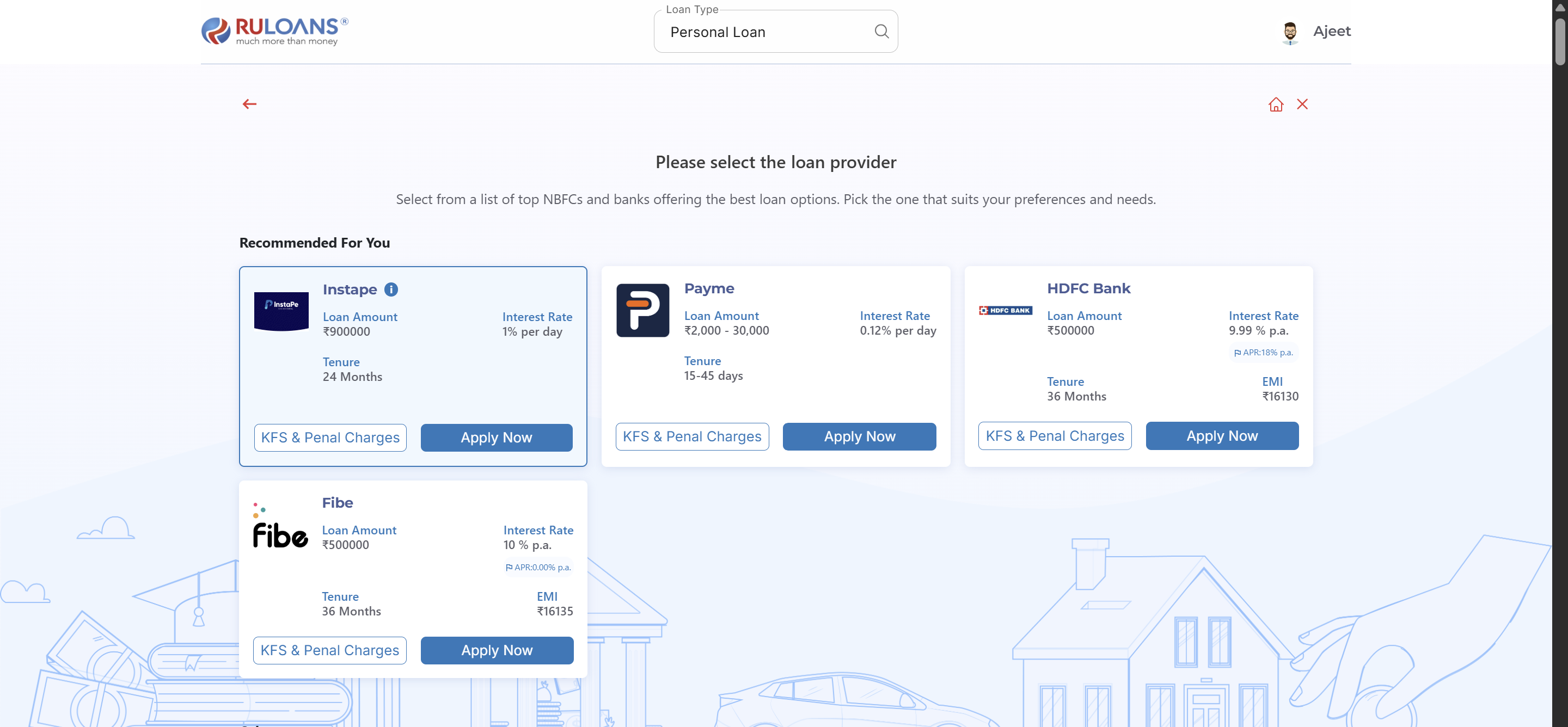
 ## Step 10: Get Your Recommended Offers
* Based on your details, view loan offers from lenders like:
* \**Instape*, **TATA PL**, **Piramal Finance**, **HDFC Personal Loan**, and more.
## Step 10: Get Your Recommended Offers
* Based on your details, view loan offers from lenders like:
* \**Instape*, **TATA PL**, **Piramal Finance**, **HDFC Personal Loan**, and more.
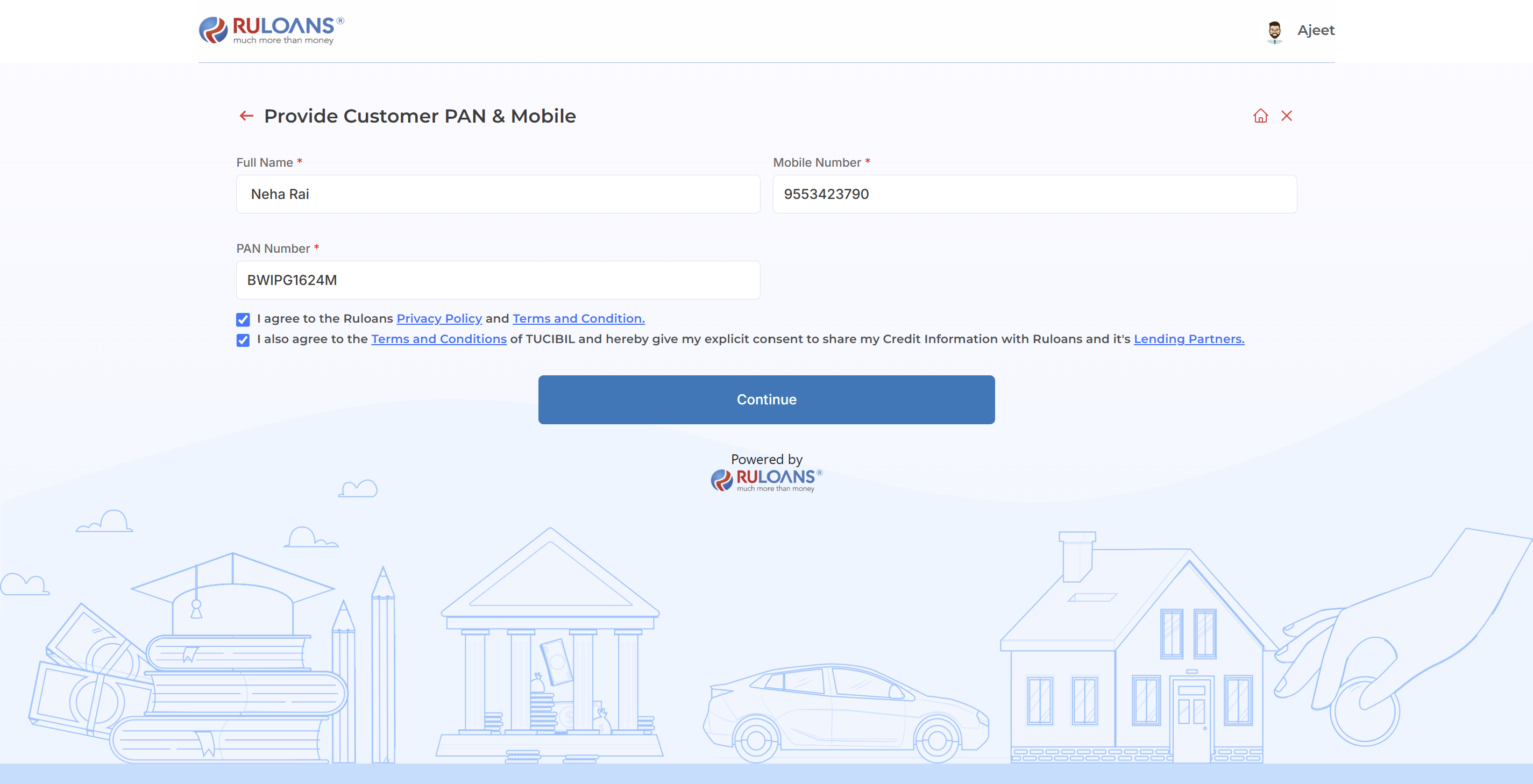
 ## **Step 11: Provide Basic Details**
1. Full Name
2. Mobile Number
3. Pan Number
## **Step 11: Provide Basic Details**
1. Full Name
2. Mobile Number
3. Pan Number
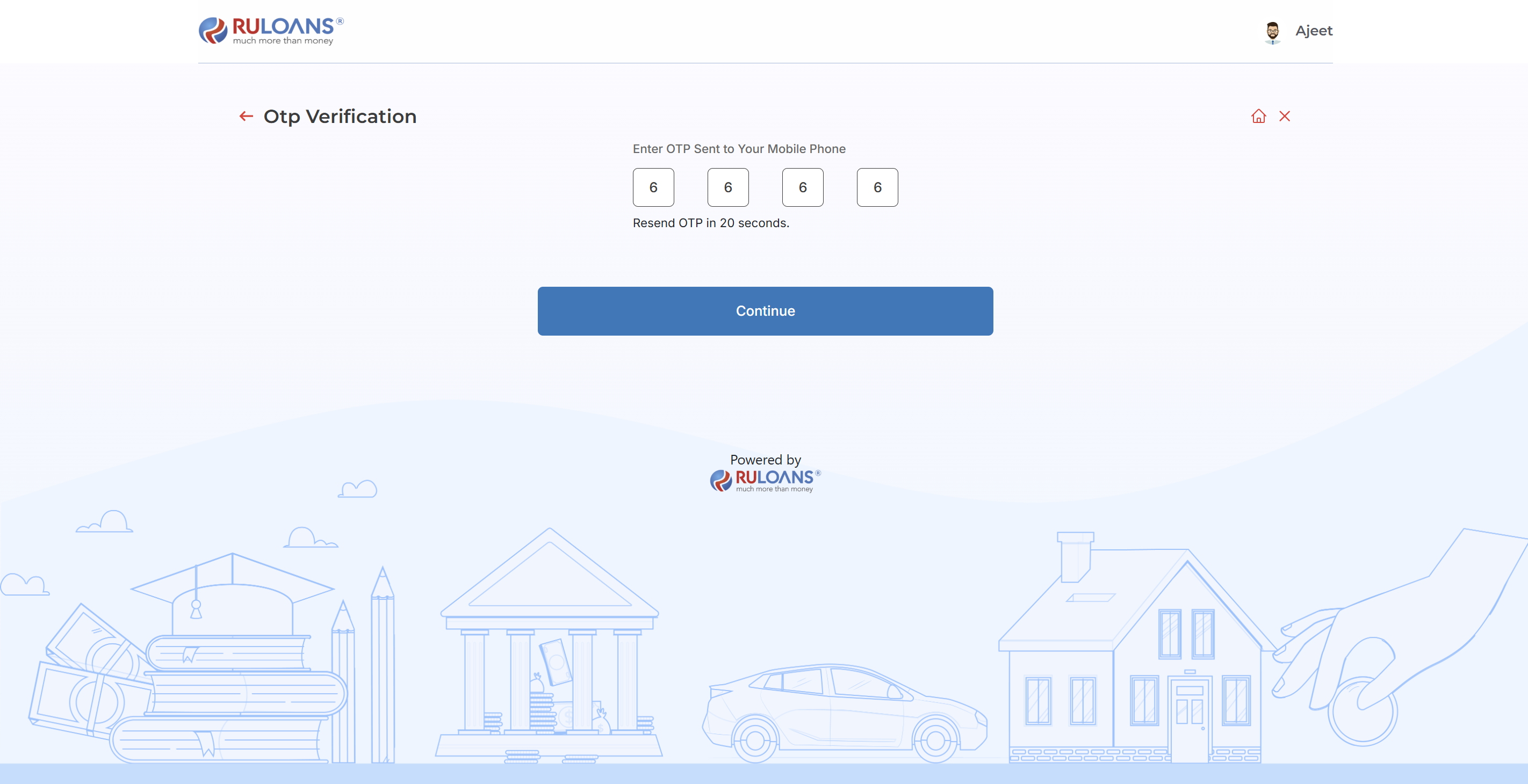
 ## **Step 12: OTP Verification**
Enter the One-Time Password (OTP) sent to the registered mobile number for verification.
## **Step 12: OTP Verification**
Enter the One-Time Password (OTP) sent to the registered mobile number for verification.
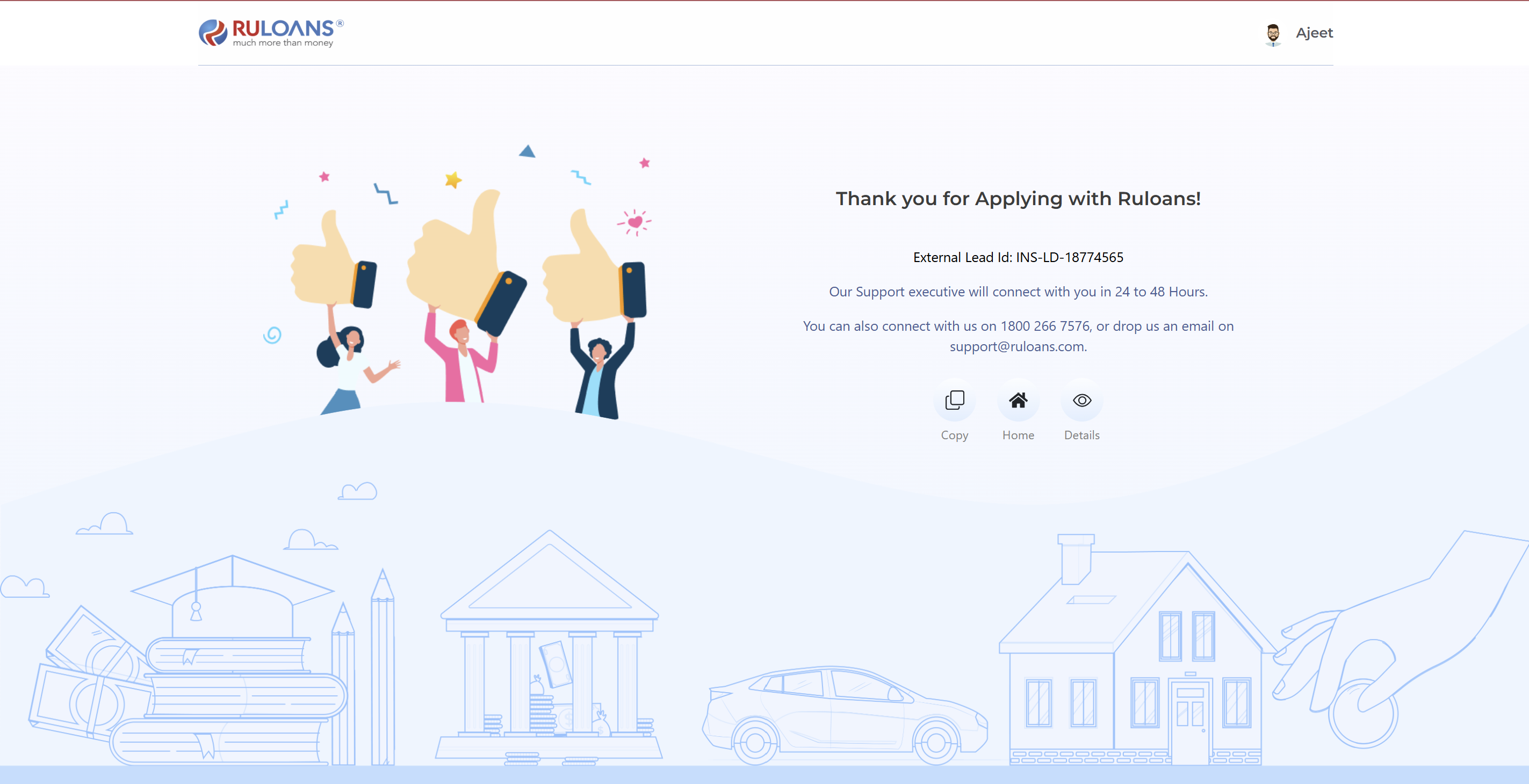
 ## **Step 13: Application Submission Confirmation**
**Description:**
This step displays a confirmation message after the loan application is successfully submitted.
**Key Information Displayed:**
1. **External Lead ID:** A unique identifier (e.g., HLSARUL0000003E) is generated for tracking the application status.
2. **Support Information:** The user is informed that a support executive will contact them within 24 to 48 hours.
3. **Contact Details:** Provides the customer service number 1800 266 7576 and support email [support@ruloans.com](mailto:support@ruloans.com) for any assistance.
4. **Copy External Lead ID:** A button is provided to easily copy the External Lead ID for future reference.
5. **Navigation:** A "Home" button is available to return to the main page.
6. **Details:** A "View" button is available to view further application details.
## **Step 13: Application Submission Confirmation**
**Description:**
This step displays a confirmation message after the loan application is successfully submitted.
**Key Information Displayed:**
1. **External Lead ID:** A unique identifier (e.g., HLSARUL0000003E) is generated for tracking the application status.
2. **Support Information:** The user is informed that a support executive will contact them within 24 to 48 hours.
3. **Contact Details:** Provides the customer service number 1800 266 7576 and support email [support@ruloans.com](mailto:support@ruloans.com) for any assistance.
4. **Copy External Lead ID:** A button is provided to easily copy the External Lead ID for future reference.
5. **Navigation:** A "Home" button is available to return to the main page.
6. **Details:** A "View" button is available to view further application details.