> ## Documentation Index
> Fetch the complete documentation index at: https://docs.ruloans.com/llms.txt
> Use this file to discover all available pages before exploring further.
# Customer leads export
# **Customer Leads Export Process – Ruloans CRM**
**Date:** May 15, 2025
This document provides a step-by-step guide to exporting customer leads in bulk from the Ruloans CRM platform.
***
## **Step-by-Step Instructions**
### **1. Visit the CRM Portal**
* Open the following URL: [crm.ruloans.com](https://crm.ruloans.com)
### **2. Navigate Through the Sidebar**
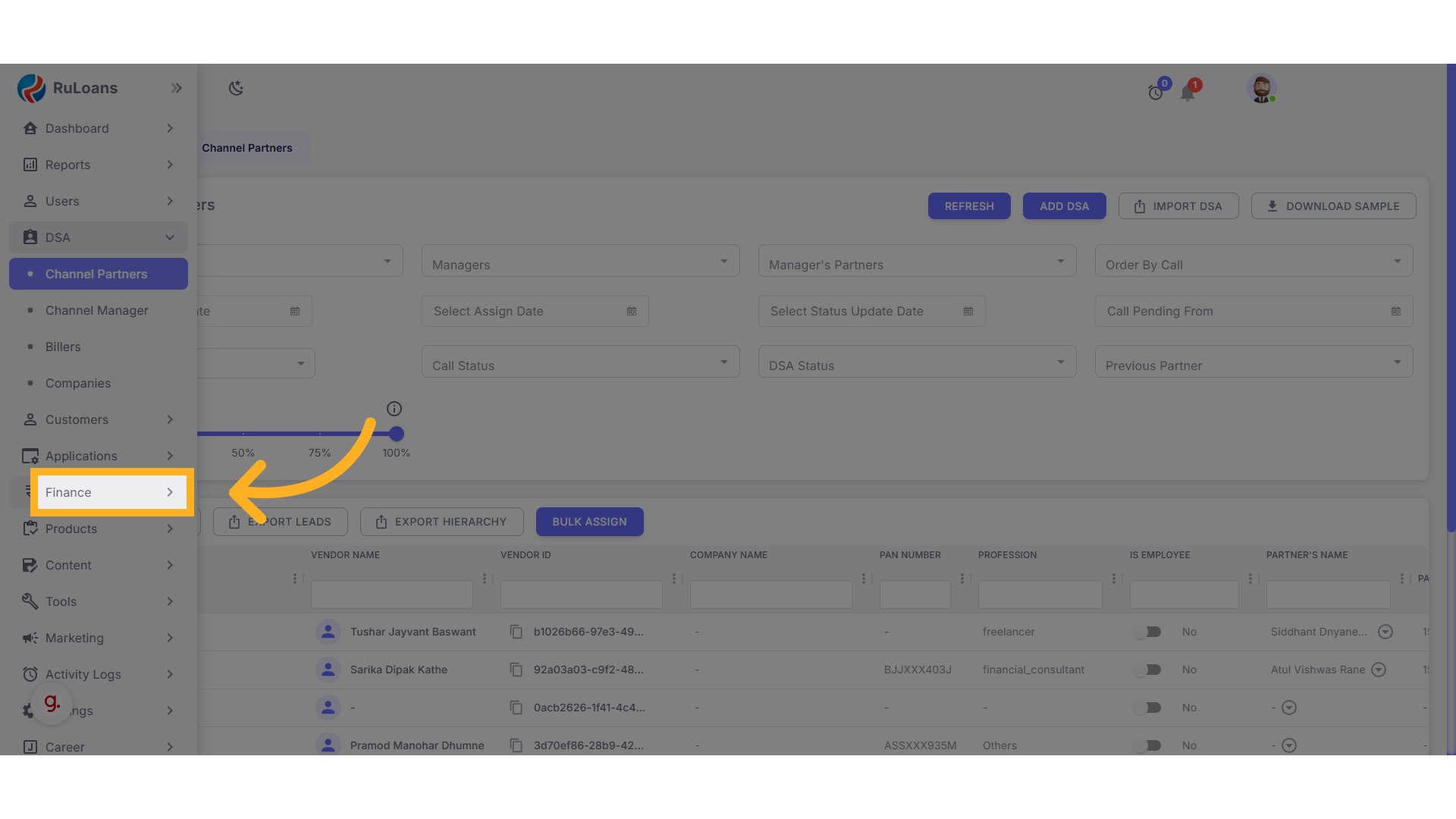
* From the left-hand sidebar, click on the **Finance** section.
 ### **3. Go to the Claim Section**
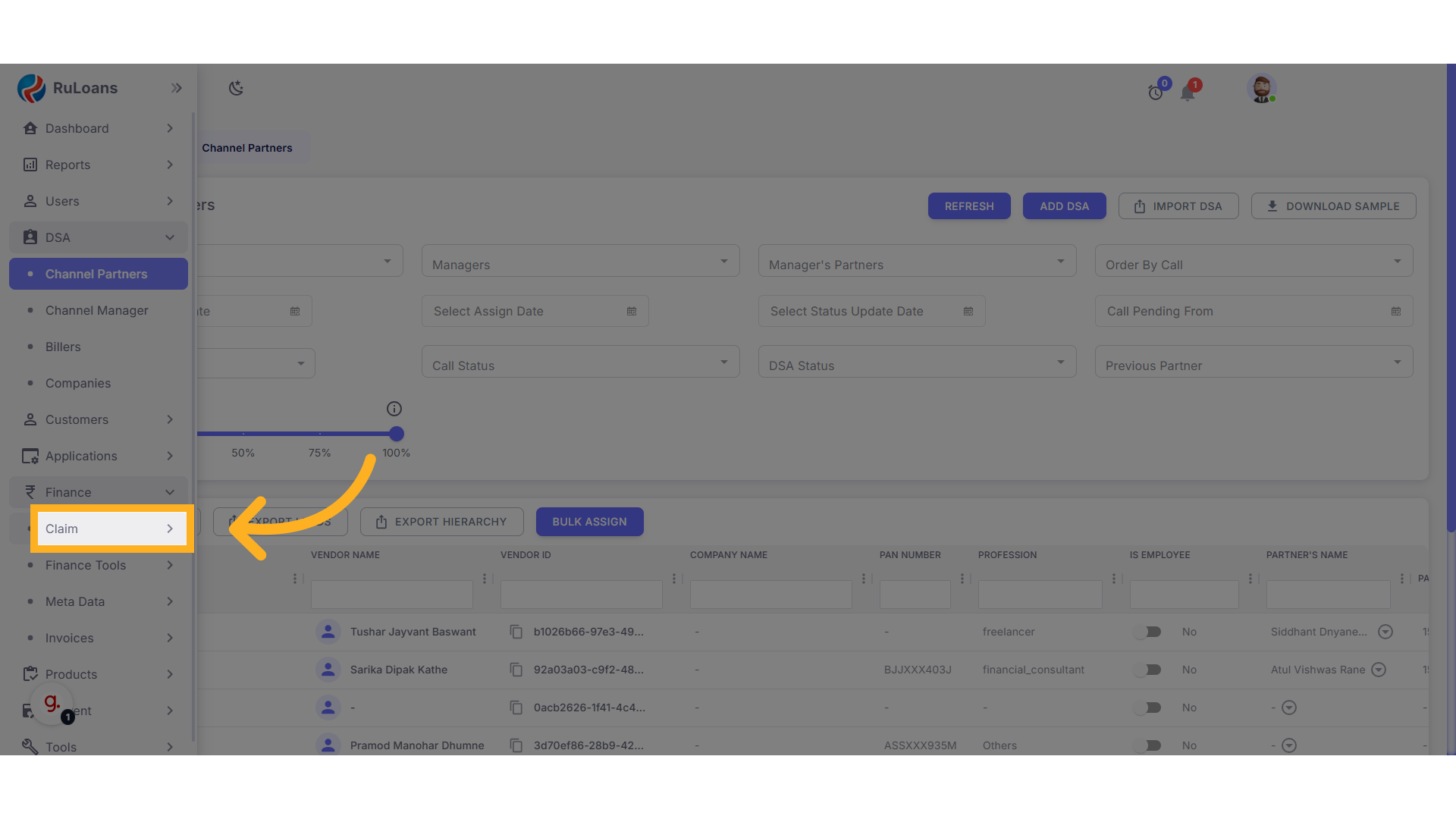
* Under the Finance section, click on **Claim**.
### **3. Go to the Claim Section**
* Under the Finance section, click on **Claim**.
 ### **4. Open the Customer Leads Tab**
* Next, click on the **Customer Leads** tab.
### **4. Open the Customer Leads Tab**
* Next, click on the **Customer Leads** tab.
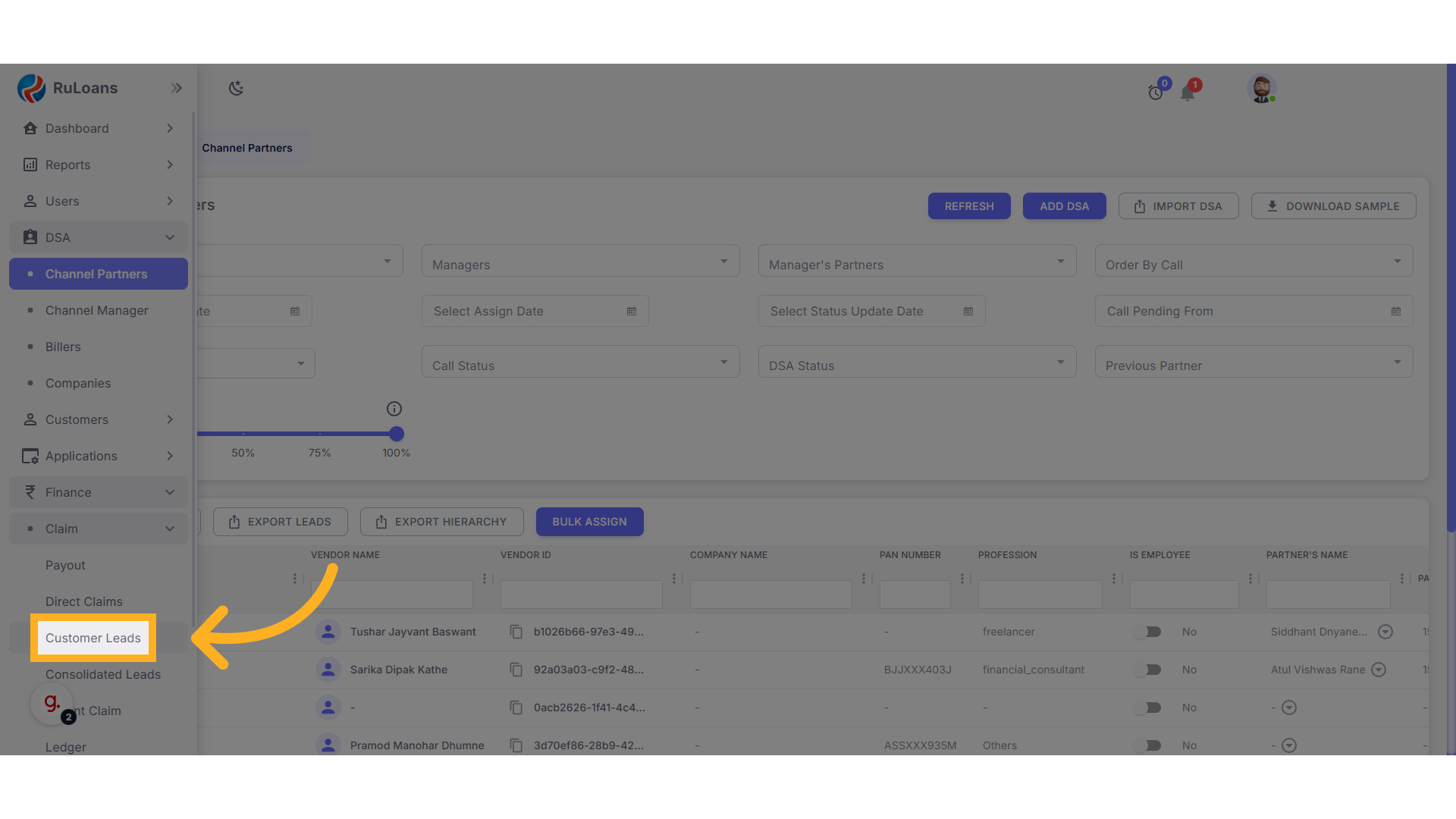 * All available leads will now be displayed on the screen.
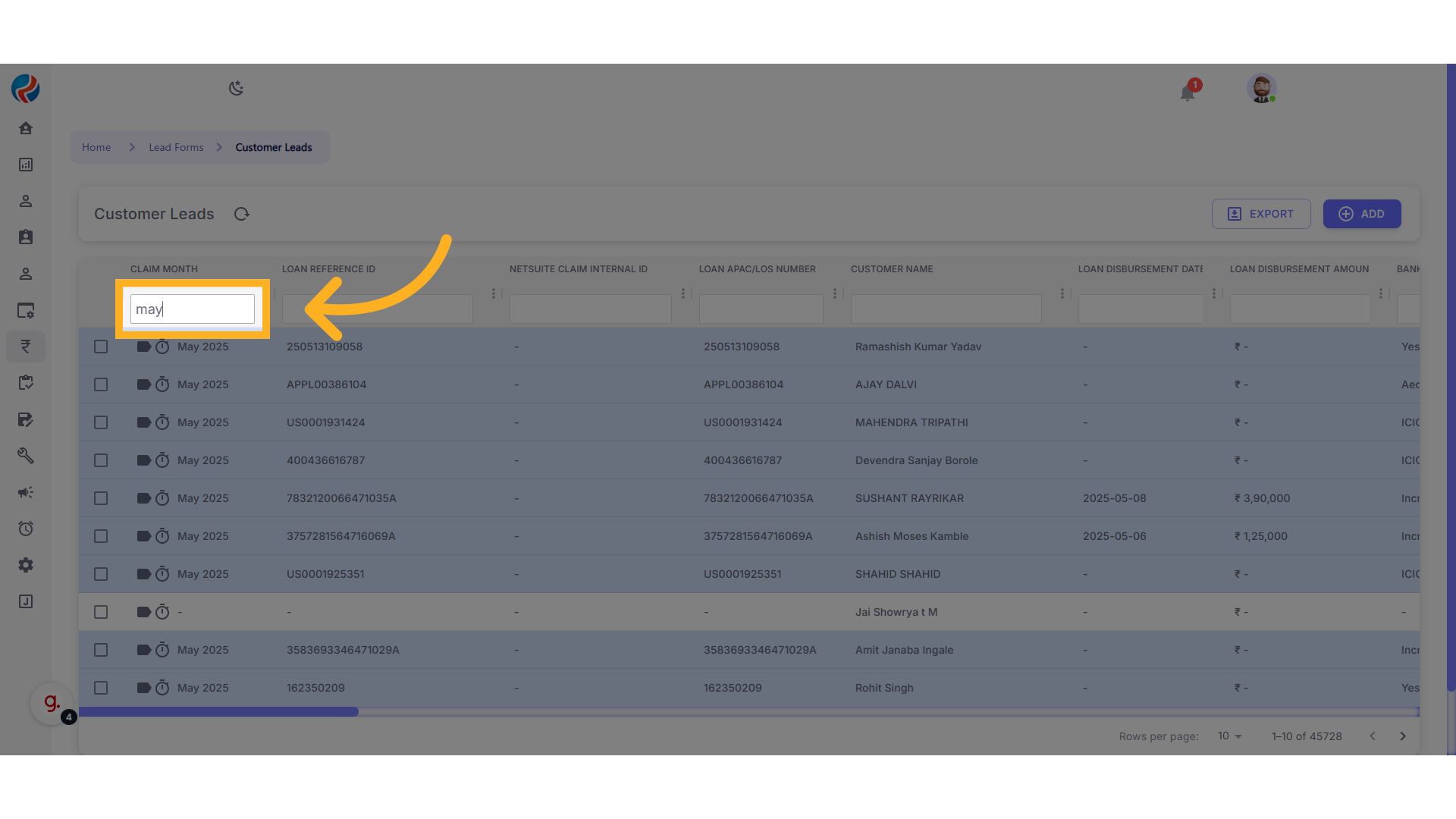
 ### **5. Apply Filters as Required**
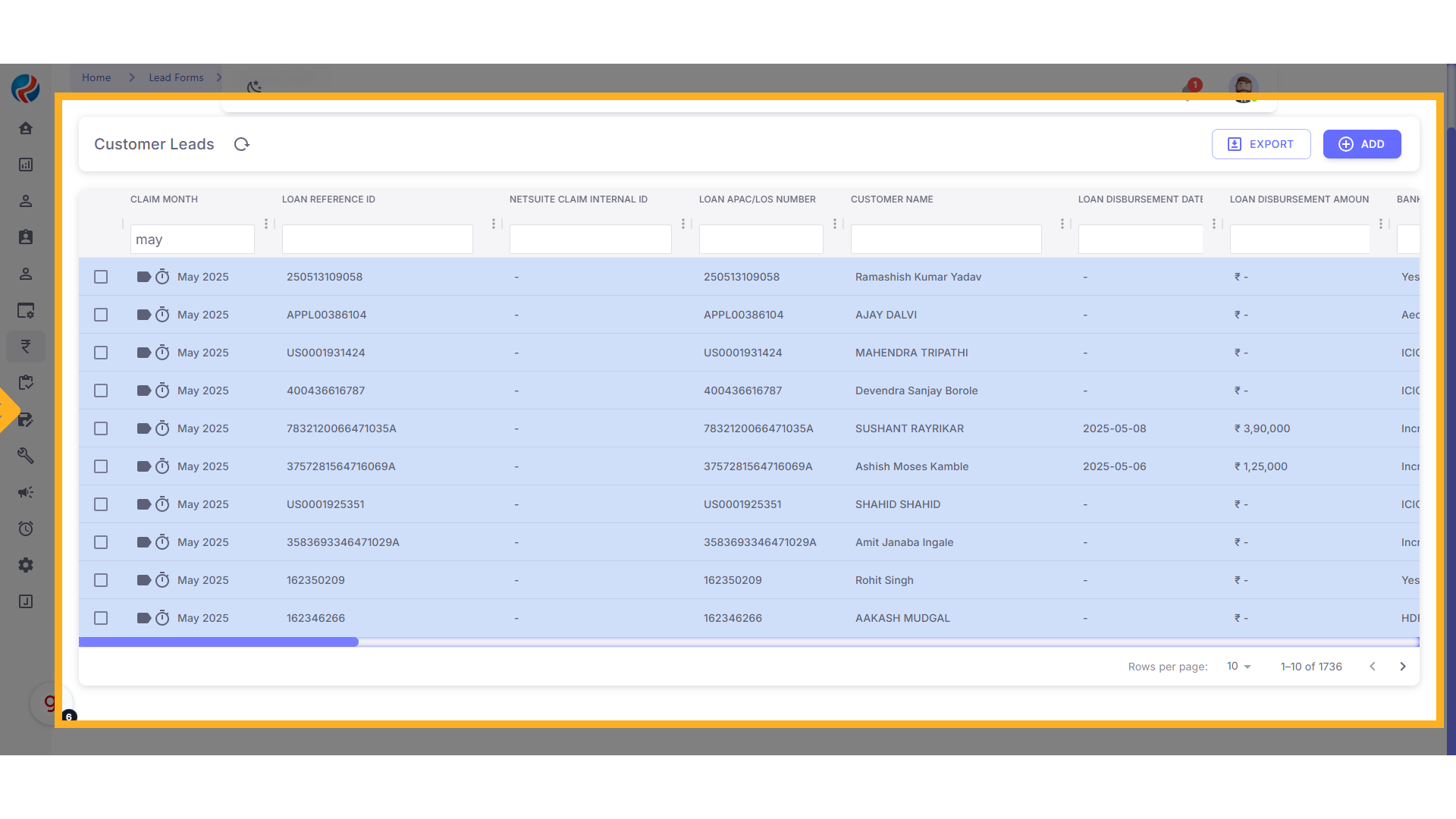
* To filter leads by a specific month:
* In the **Claim Month** field, type **"May"** and press **Enter**.
* This will display all leads from the month of May.
### **5. Apply Filters as Required**
* To filter leads by a specific month:
* In the **Claim Month** field, type **"May"** and press **Enter**.
* This will display all leads from the month of May.
 ### **6. Export the Data**
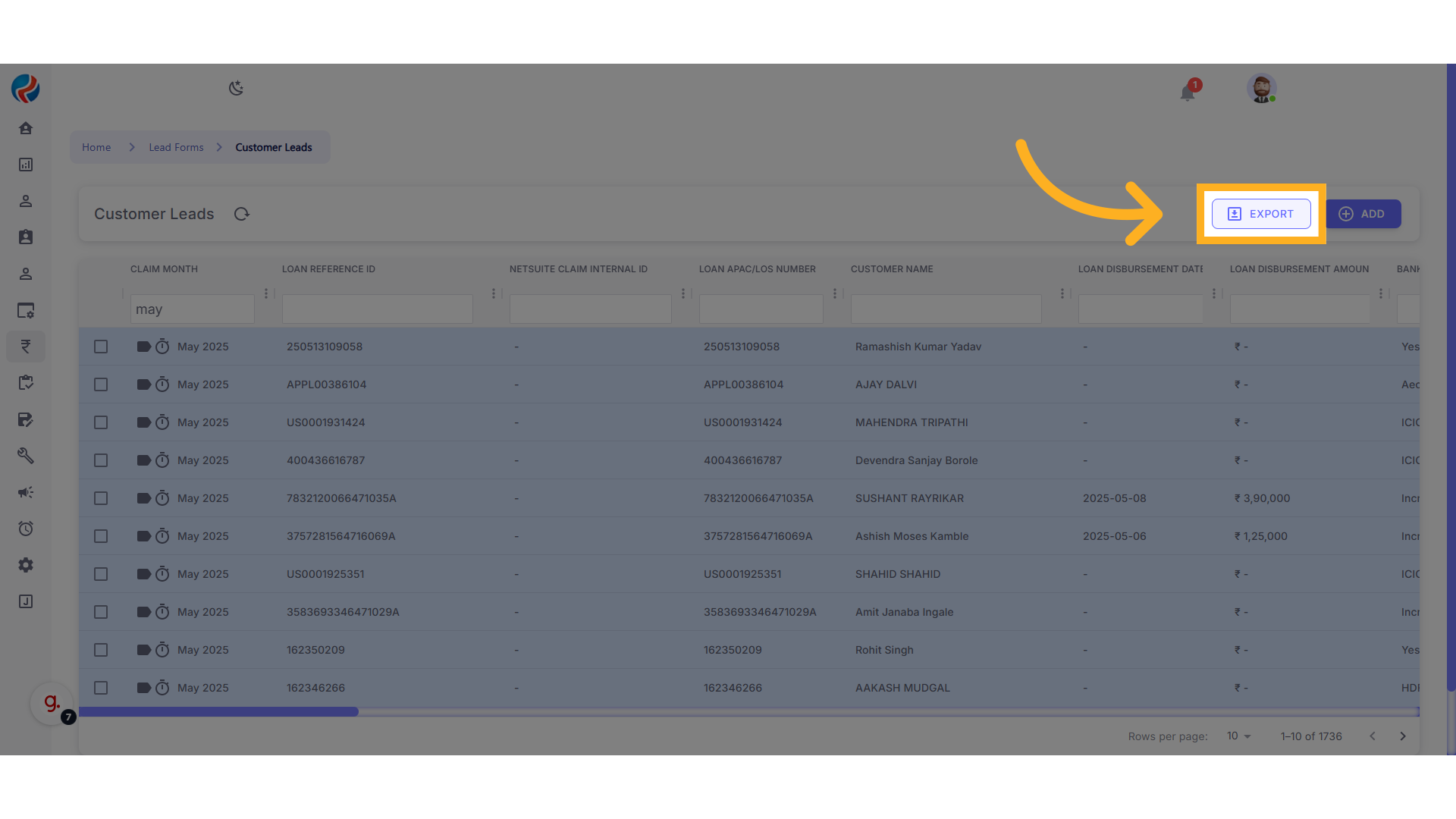 * Click on the **Export** button located in the **top right corner**.
* The download will begin automatically.
* All leads from May will be exported into an Excel sheet.
### **7. Edit and Review the Excel File**
* Open the downloaded Excel file.
* You can edit or clean the data as needed.
* Scroll to the **right side** of the sheet to find important details like the **Lead Reference ID**.
***
## **Conclusion**
Using this process, you can easily export customer leads in bulk from Ruloans CRM, filter them based on your needs, and manage or analyze the data directly within Excel.
**Prepared by:** Aparmita Srivastav
* Click on the **Export** button located in the **top right corner**.
* The download will begin automatically.
* All leads from May will be exported into an Excel sheet.
### **7. Edit and Review the Excel File**
* Open the downloaded Excel file.
* You can edit or clean the data as needed.
* Scroll to the **right side** of the sheet to find important details like the **Lead Reference ID**.
***
## **Conclusion**
Using this process, you can easily export customer leads in bulk from Ruloans CRM, filter them based on your needs, and manage or analyze the data directly within Excel.
**Prepared by:** Aparmita Srivastav