> ## Documentation Index
> Fetch the complete documentation index at: https://docs.ruloans.com/llms.txt
> Use this file to discover all available pages before exploring further.
# Draft functionality
## **Draft Save Functionality Documentation**
### **Overview**
The **Draft Save Functionality** has been implemented to improve user experience and prevent data loss when filling forms that cannot be completed in a single session.
This feature allows users to save partially completed forms automatically as drafts and resume them later without losing previously entered data.
### **Objective**
To ensure that users can continue incomplete form submissions at a later time, especially in cases where important information (such as loan numbers or additional details) is pending.
***
## **Functionality Scope**
### **CRM Module**
The Draft Save functionality is now available in:
* **Lead Form**
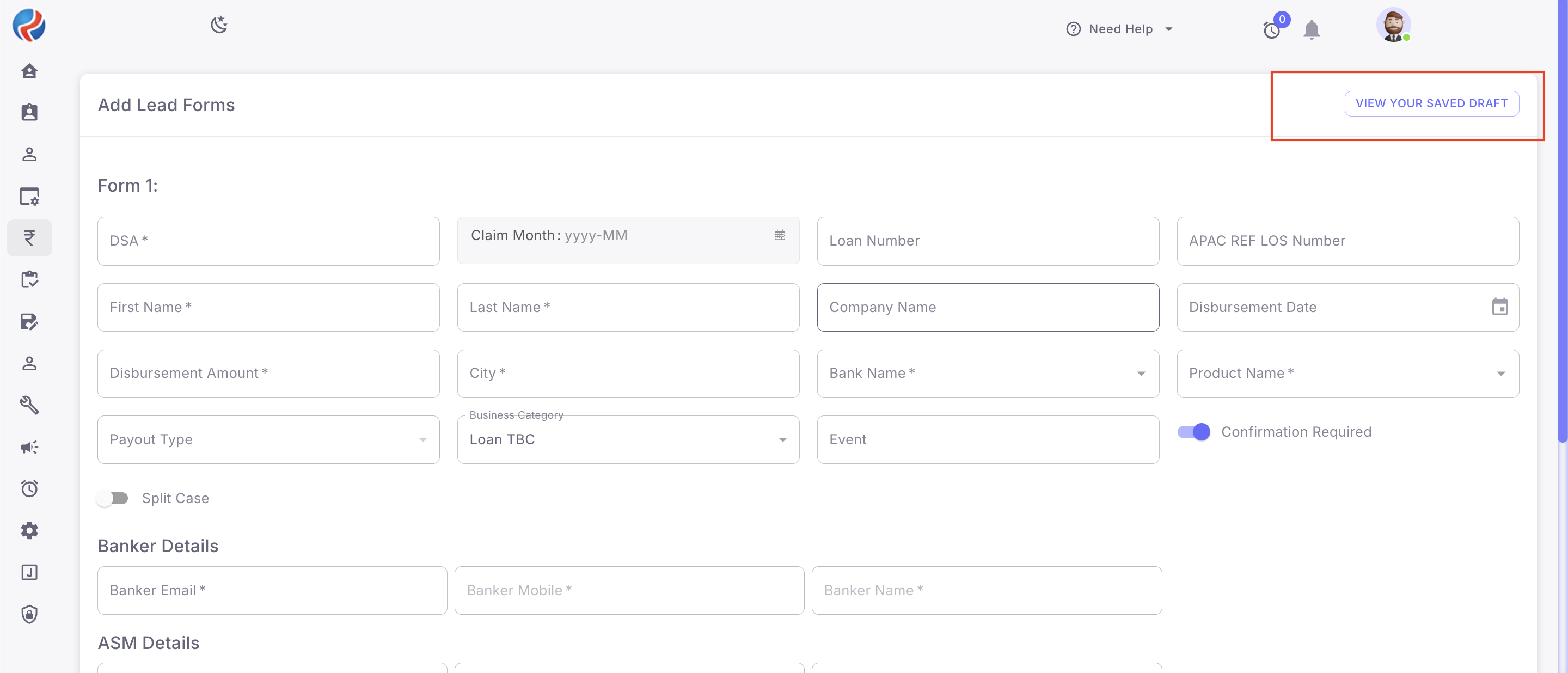 * **Customer Leads**
### **B2B Module**
The same functionality has also been implemented in:
* **Claim Form**
* **Customer Leads**
### **B2B Module**
The same functionality has also been implemented in:
* **Claim Form**
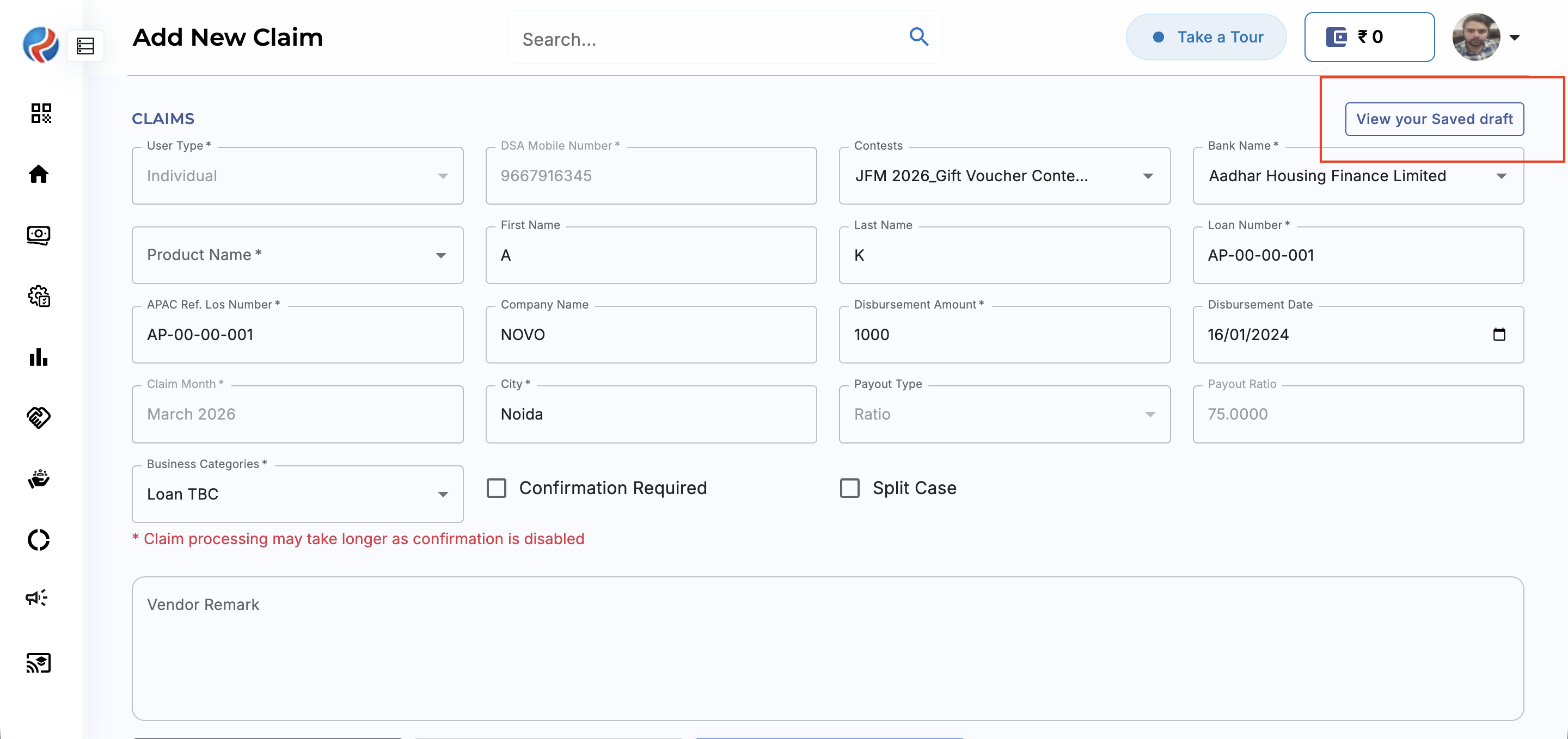 * **Login Form**
***
## **How It Works**
### **Auto Draft Creation**
When a user starts filling out a form and any of the following actions occur:
* Navigates back from the form page
* Refreshes the page
* Leaves the form untouched/incomplete
* Logs out before submission
The system automatically saves the entered data as a **Draft**.
### **Draft Persistence**
Draft data is stored on the **server side**, ensuring:
* Data remains secure after logout
* Data is not dependent on browser cache/storage
* Draft remains accessible on the next login
### **Draft Resume**
On the next login:
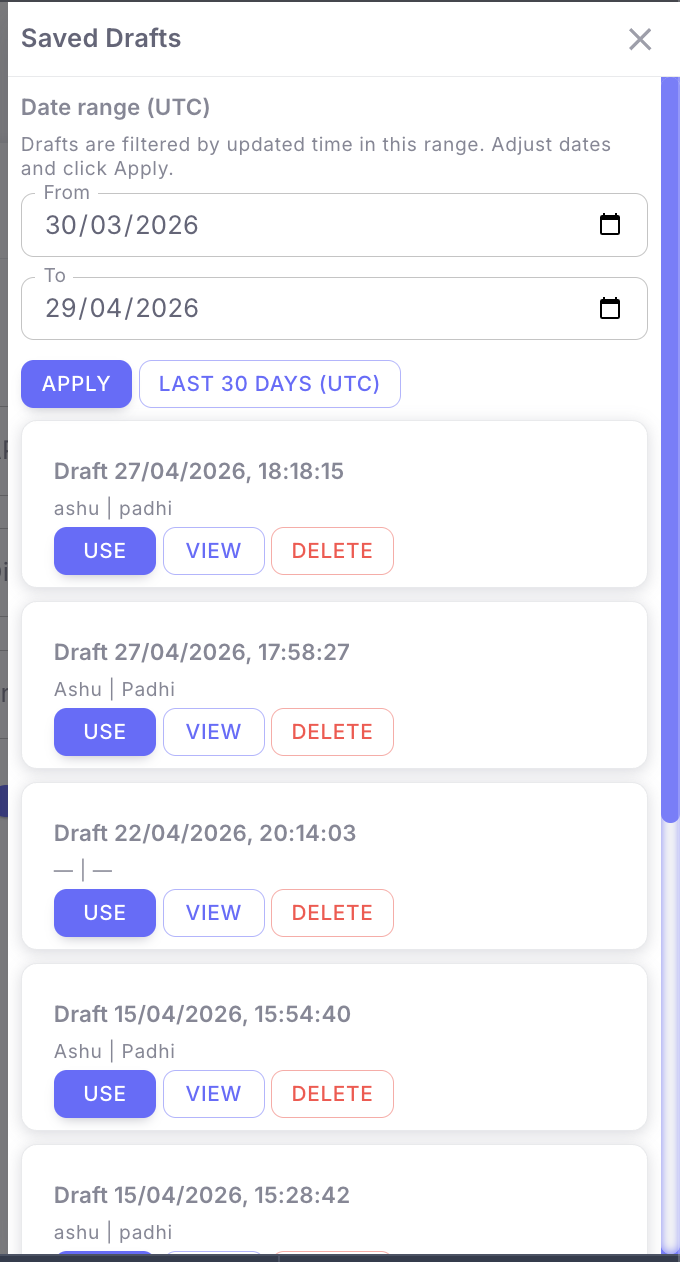
* User can view available saved drafts
* Click on view your saved Drafts
* User can **Use, View, Delete the Draft**
* Select the draft
* **Login Form**
***
## **How It Works**
### **Auto Draft Creation**
When a user starts filling out a form and any of the following actions occur:
* Navigates back from the form page
* Refreshes the page
* Leaves the form untouched/incomplete
* Logs out before submission
The system automatically saves the entered data as a **Draft**.
### **Draft Persistence**
Draft data is stored on the **server side**, ensuring:
* Data remains secure after logout
* Data is not dependent on browser cache/storage
* Draft remains accessible on the next login
### **Draft Resume**
On the next login:
* User can view available saved drafts
* Click on view your saved Drafts
* User can **Use, View, Delete the Draft**
* Select the draft
 * Resume filling the form from where it was left
Previously entered data will remain intact and can be updated or completed.
***
## **Key Benefits**
* Prevents accidental data loss
* Improves user productivity
* Reduces repetitive data entry
* Enables form completion across multiple sessions
***
## **User Flow**
1. User opens Lead Form / Customer Leads (CRM) or Lead Form / Login Form (B2B)
2. User starts entering form data
3. User leaves the page / refreshes / logs out without completing
4. System auto-saves entered data as Draft
5. User logs in again
6. User opens saved Draft
7. User resumes and completes submission
***
## **Expected Behavior**
* All entered data should remain saved in Draft state
* Draft should be retrievable after logout/login
* User should be able to edit and submit the draft later
* No previously entered data should be lost
***
## **Notes**
This functionality has been introduced in both **CRM** and **B2B** modules to maintain consistency across platforms and improve overall workflow efficiency.
***
**Prepared By:** Aparmita Srivastav
* Resume filling the form from where it was left
Previously entered data will remain intact and can be updated or completed.
***
## **Key Benefits**
* Prevents accidental data loss
* Improves user productivity
* Reduces repetitive data entry
* Enables form completion across multiple sessions
***
## **User Flow**
1. User opens Lead Form / Customer Leads (CRM) or Lead Form / Login Form (B2B)
2. User starts entering form data
3. User leaves the page / refreshes / logs out without completing
4. System auto-saves entered data as Draft
5. User logs in again
6. User opens saved Draft
7. User resumes and completes submission
***
## **Expected Behavior**
* All entered data should remain saved in Draft state
* Draft should be retrievable after logout/login
* User should be able to edit and submit the draft later
* No previously entered data should be lost
***
## **Notes**
This functionality has been introduced in both **CRM** and **B2B** modules to maintain consistency across platforms and improve overall workflow efficiency.
***
**Prepared By:** Aparmita Srivastav