> ## Documentation Index
> Fetch the complete documentation index at: https://docs.ruloans.com/llms.txt
> Use this file to discover all available pages before exploring further.
# DSA Email Verification on CRM Platform
> Documentation for Email Verification during DSA onboarding on CRM, RuConnect WebApp, RuConnect Mobile App, and while sending files to ERP from CRM.
# DSA Email Verification on CRM Platform
## Objective
The objective of this document is to provide a detailed overview of the DSA Email Verification functionality introduced for users. This feature enables users to verify their email address using OTP authentication during DSA onboarding on CRM, RuConnect WebApp, RuConnect Mobile App, and before sending files to ERP, ensuring secure communication, accurate user validation, reduced manual verification effort, and seamless ERP processing within the system.
***
# CRM Platform
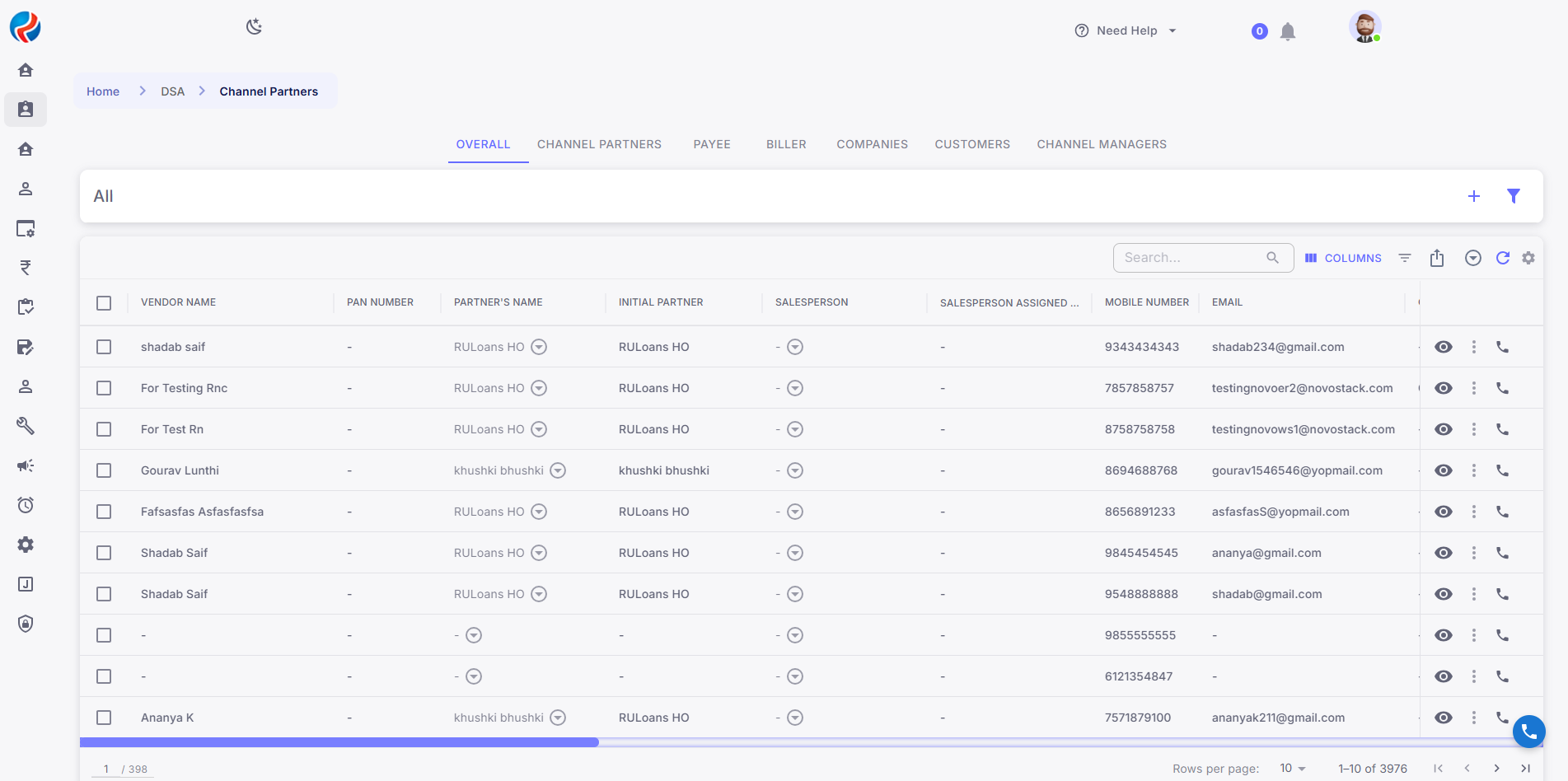
## Step 1: Login to CRM
The user logs in using their provided credentials.
Upon successful login, the user will be redirected to the landing page/dashboard.
## 
## Step 2: Navigate to New DSA Onboarding or Send to ERP or Existing DSA Profile
Users can access Email Verification functionality in the following CRM flows:
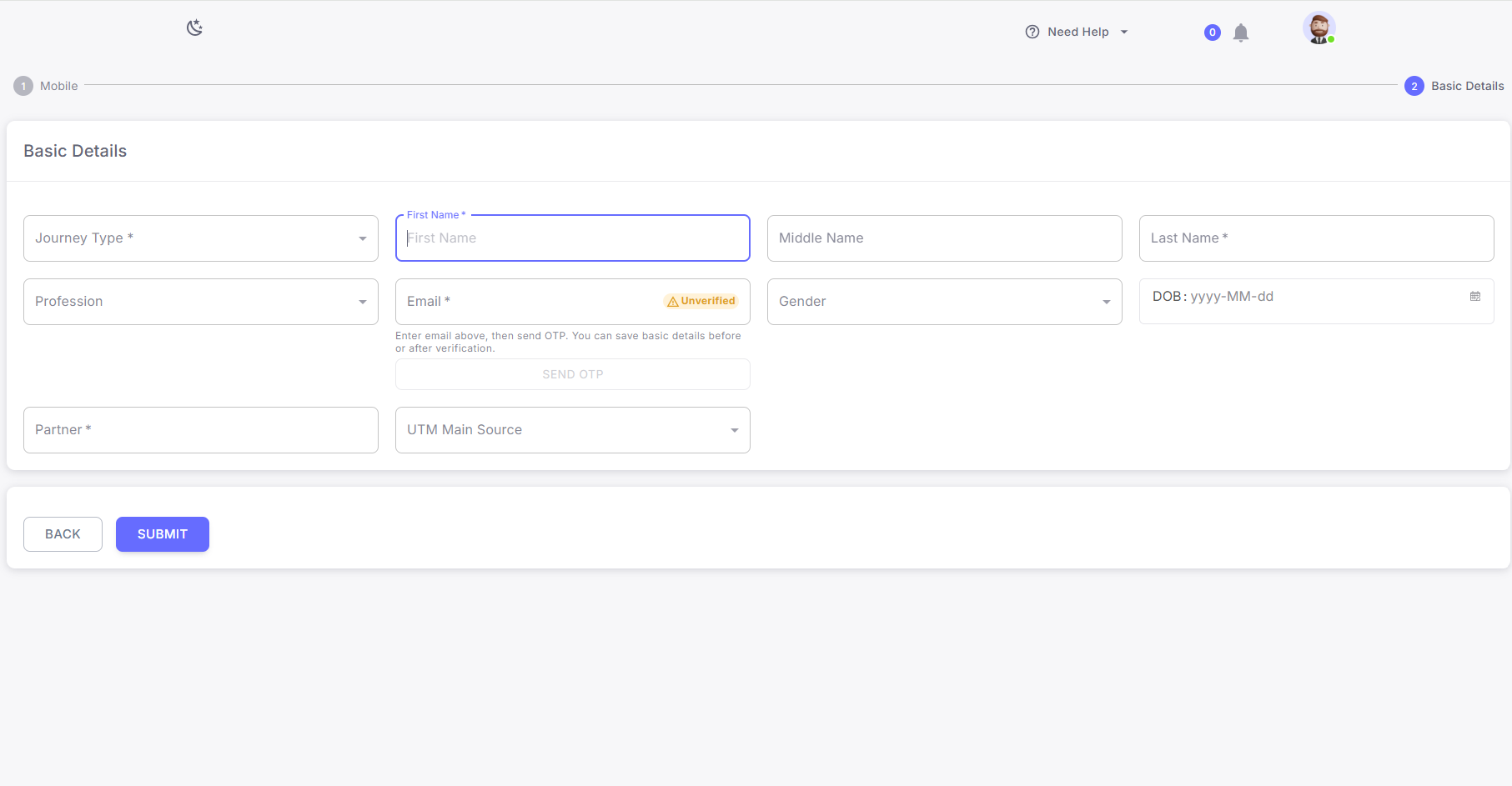
* New DSA Onboarding
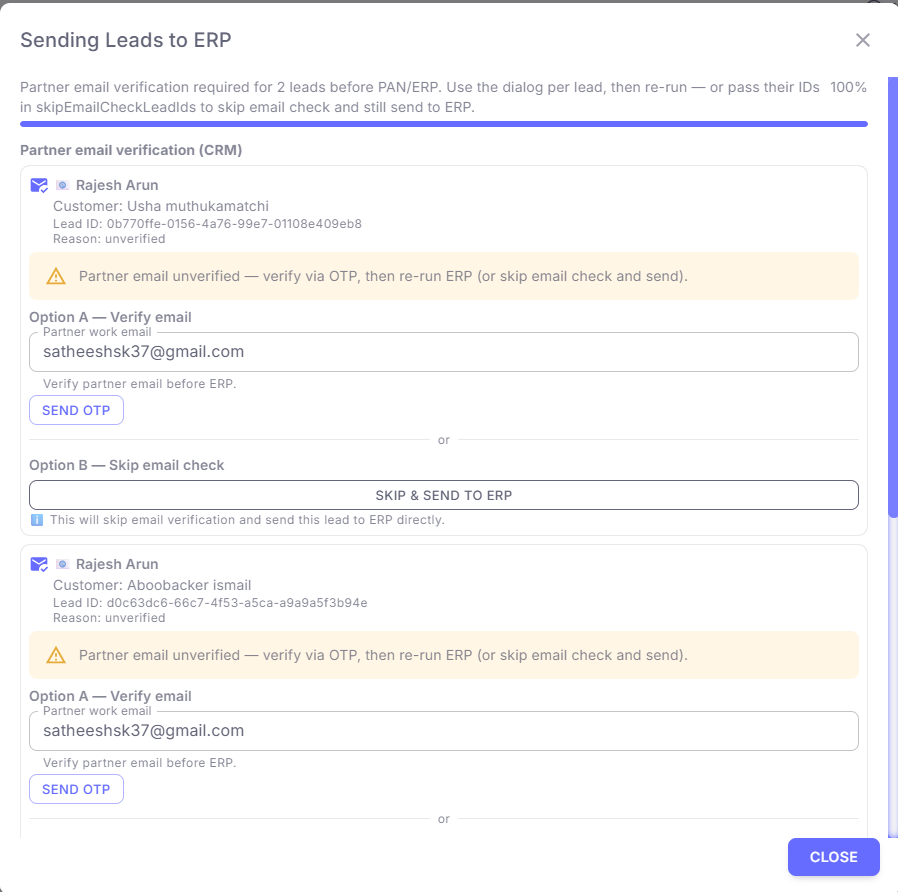
* Send to ERP
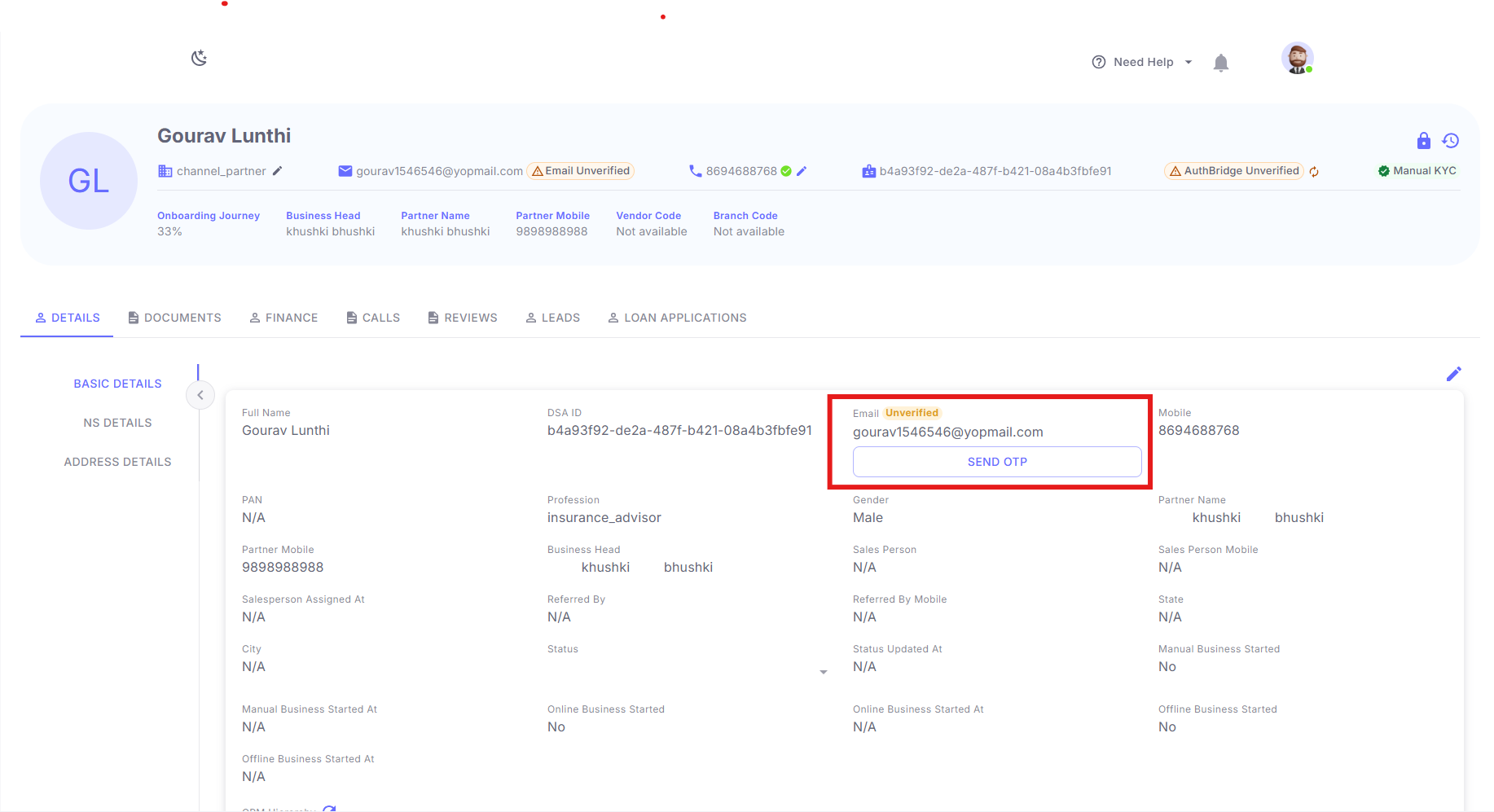
* Existing DSA Profile
***
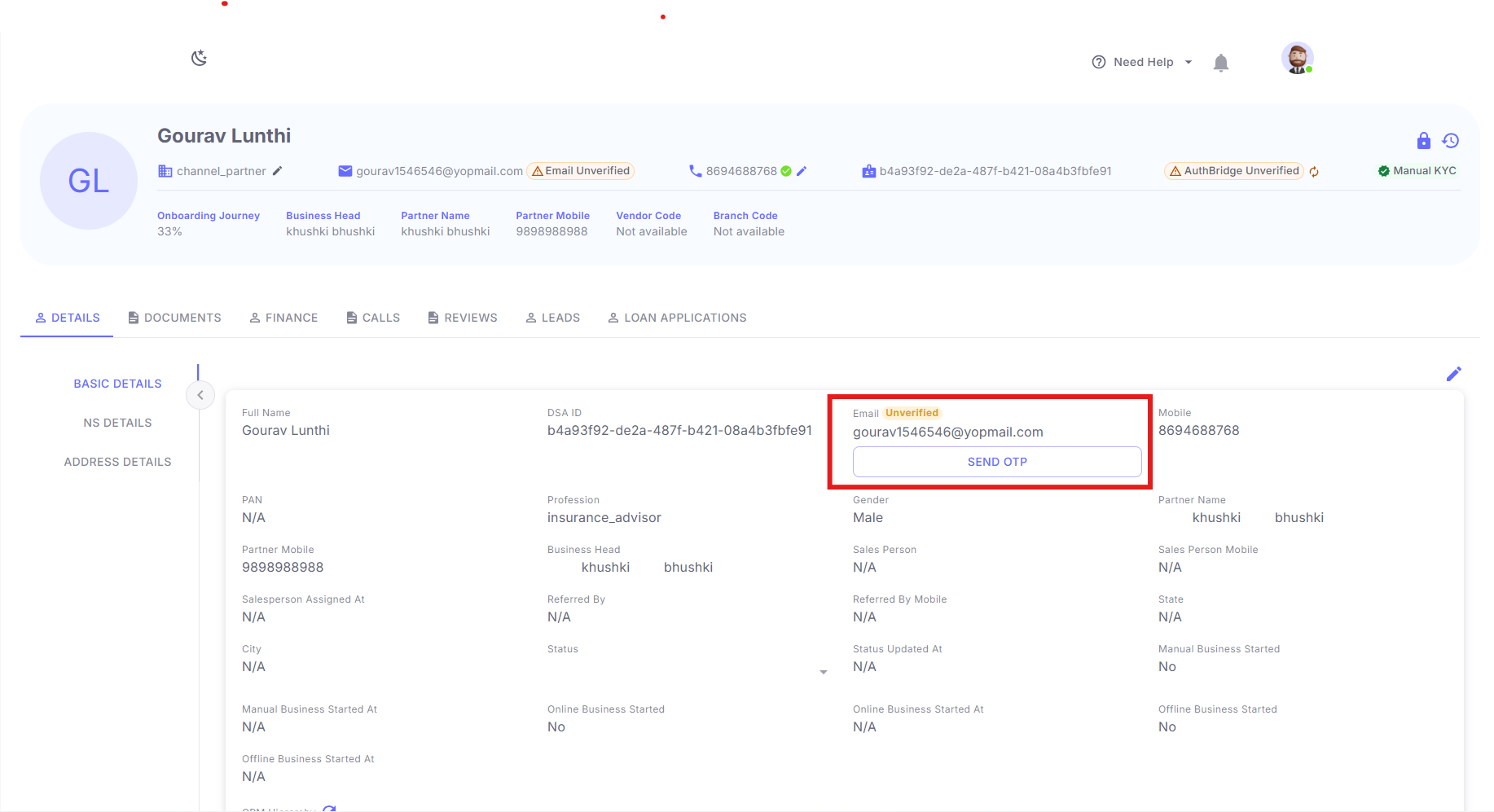
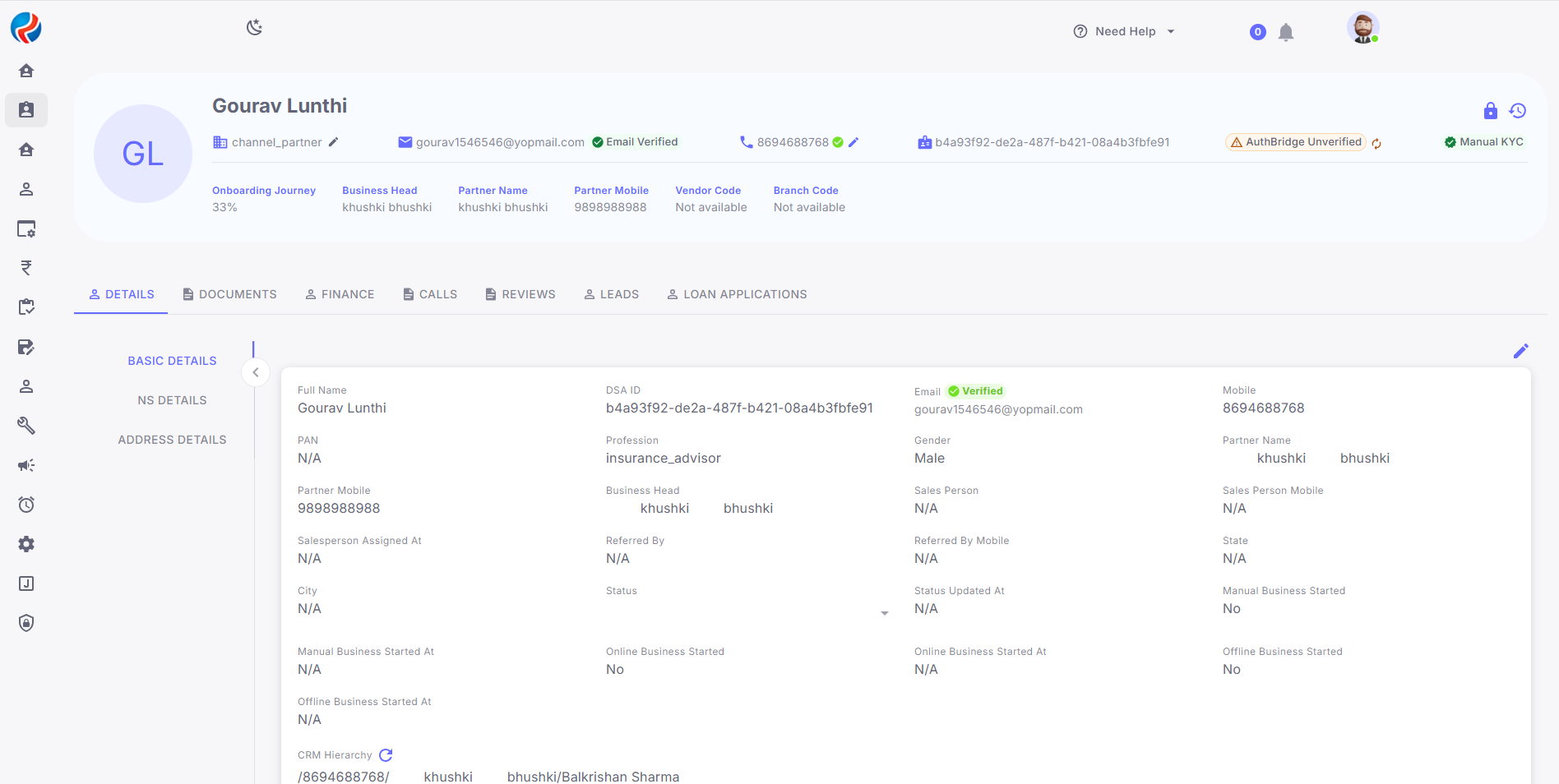
## Step 3: CRM Email Verification from Profile
### Verification Status
The system displays the following statuses:
* Verified
* Verification Pending
----------------------------------------------------------------------------------------------------------------------
## Step 4: CRM Email Verification Process
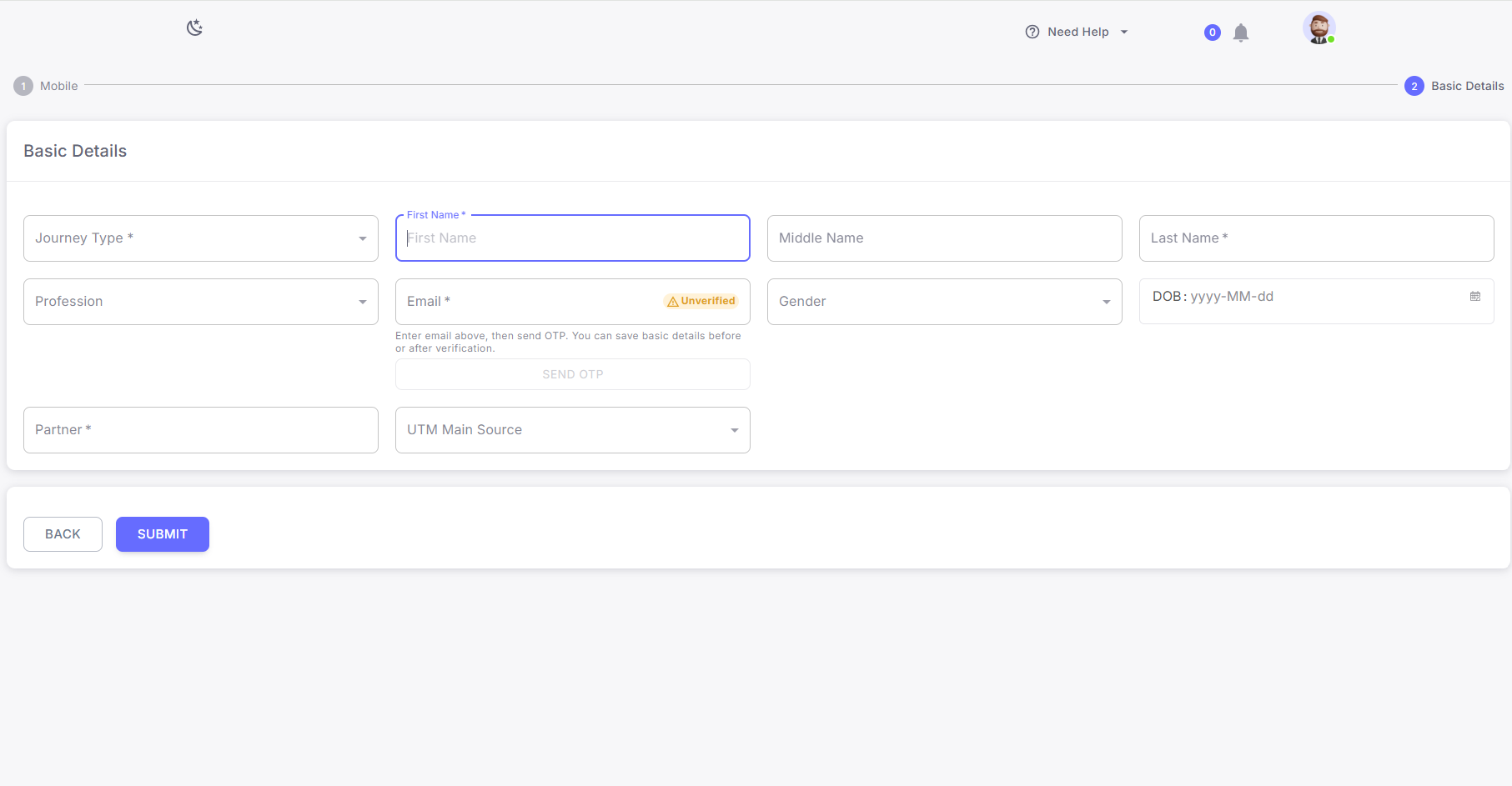
### During DSA Onboarding
1. User enters email address in basic details.
2. OTP is sent to registered email address
3. User enters OTP
4. System validates OTP
5. Email status is marked as Verified
6. User proceeds with onboarding
## 
### During Send to ERP
1. User clicks on Send to ERP
2. System validates email verification status:-
If email is verified:
* File is sent successfully to ERP
If email is not verified:
* User can verify OTP or can be skipped by (CEO)
3. User retries Send to ERP action
***
# RuConnect WebApp
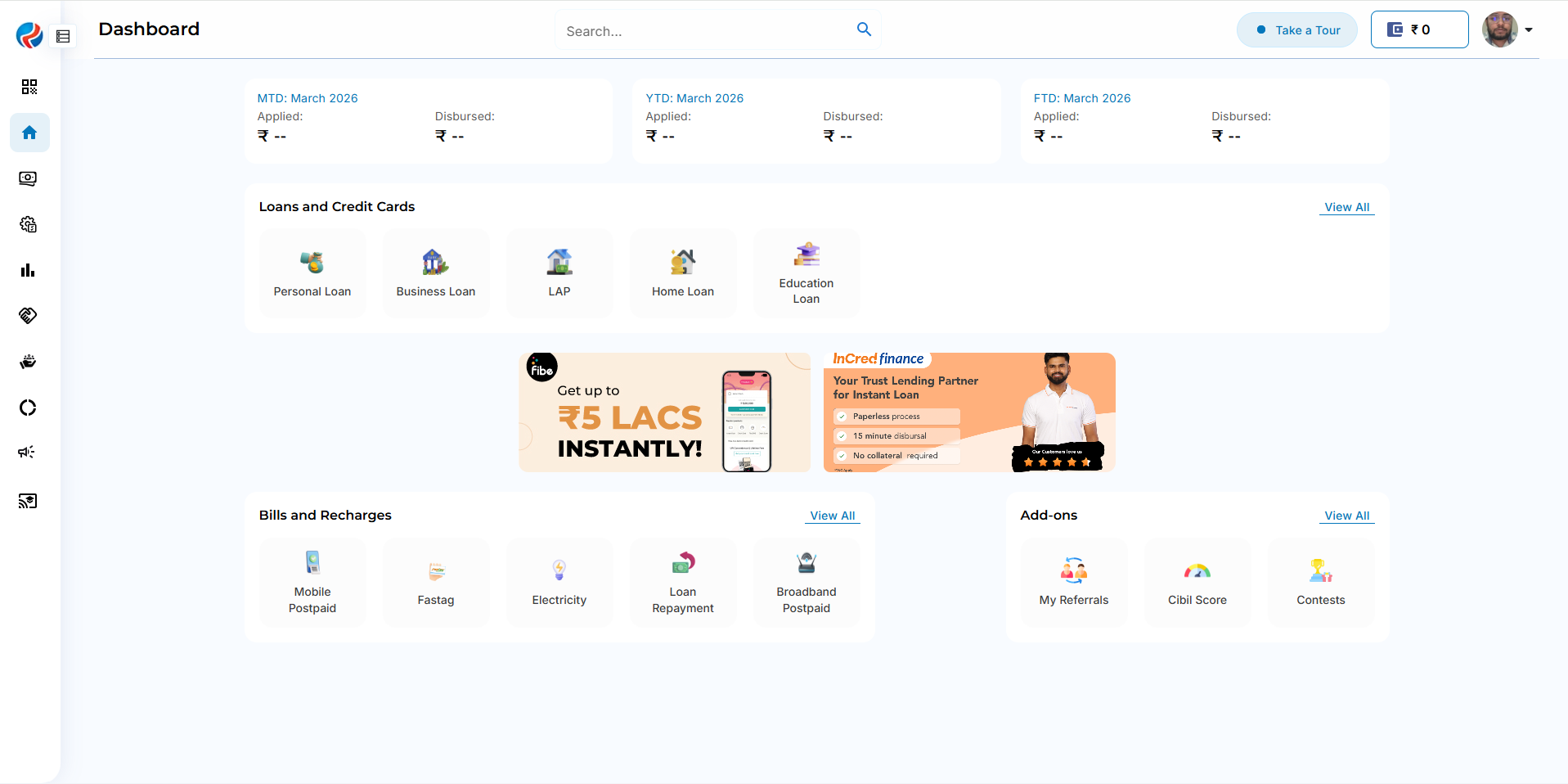
## Step 1: Login to RuConnect WebApp
The user logs in using valid credentials.
Upon successful login, the user is redirected to the dashboard.
## 
## Step 2: Navigate to DSA Profile
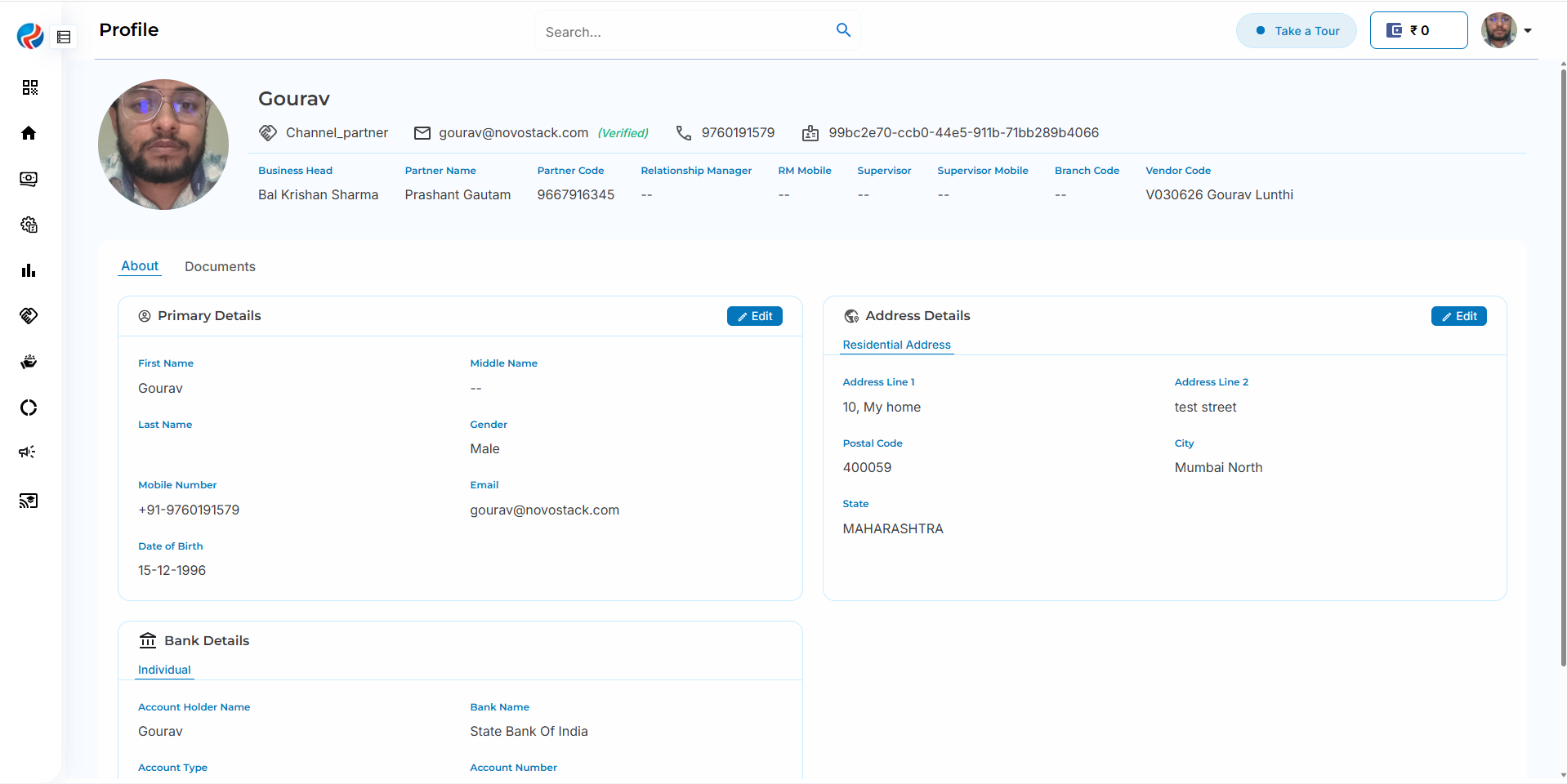
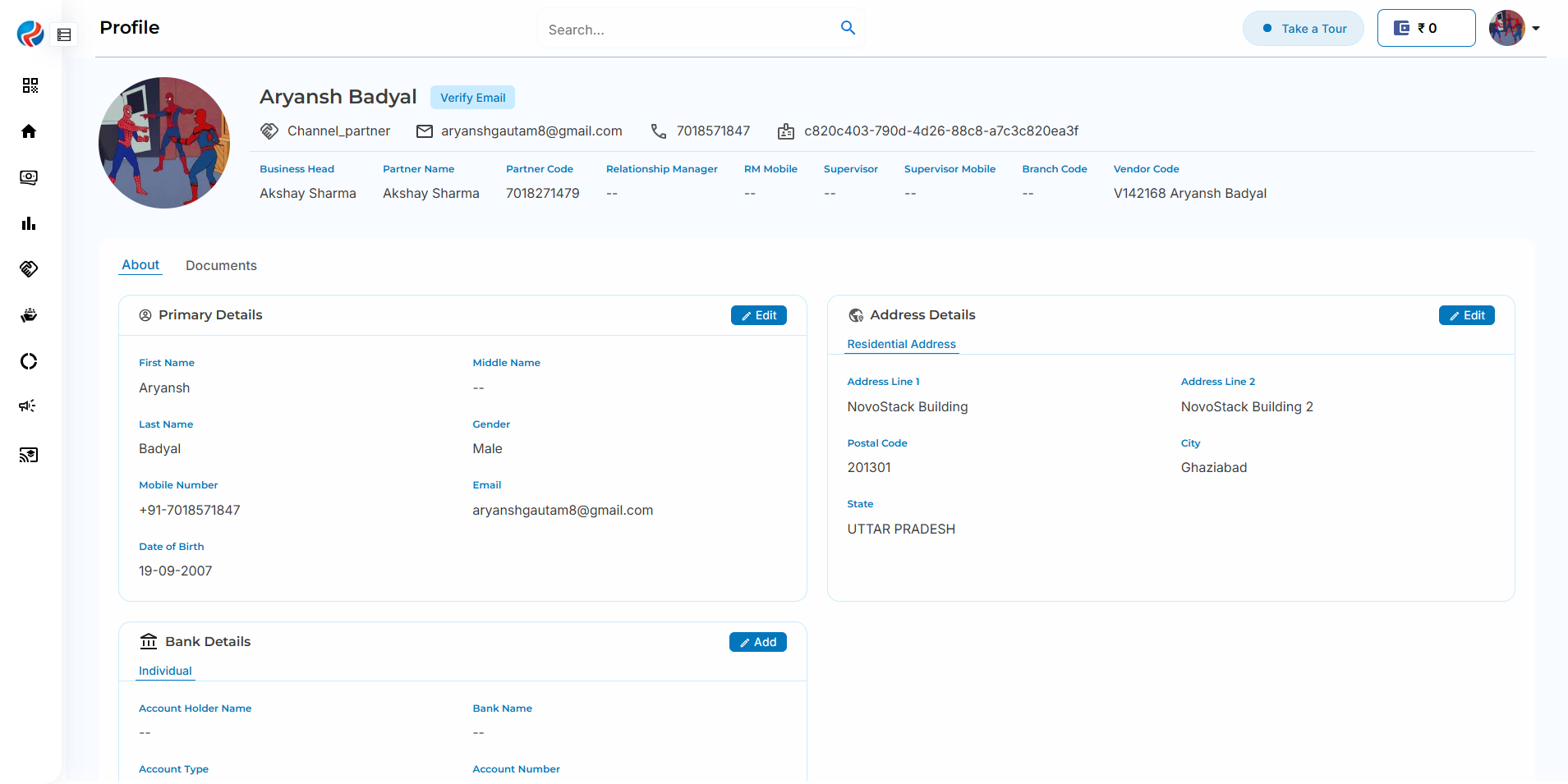
Users can complete Email Verification form their DSA Profile.
The system displays the following statuses:
* Verified
* Verification Pending
-----------------------------------------------------------------------------------------------------------------------
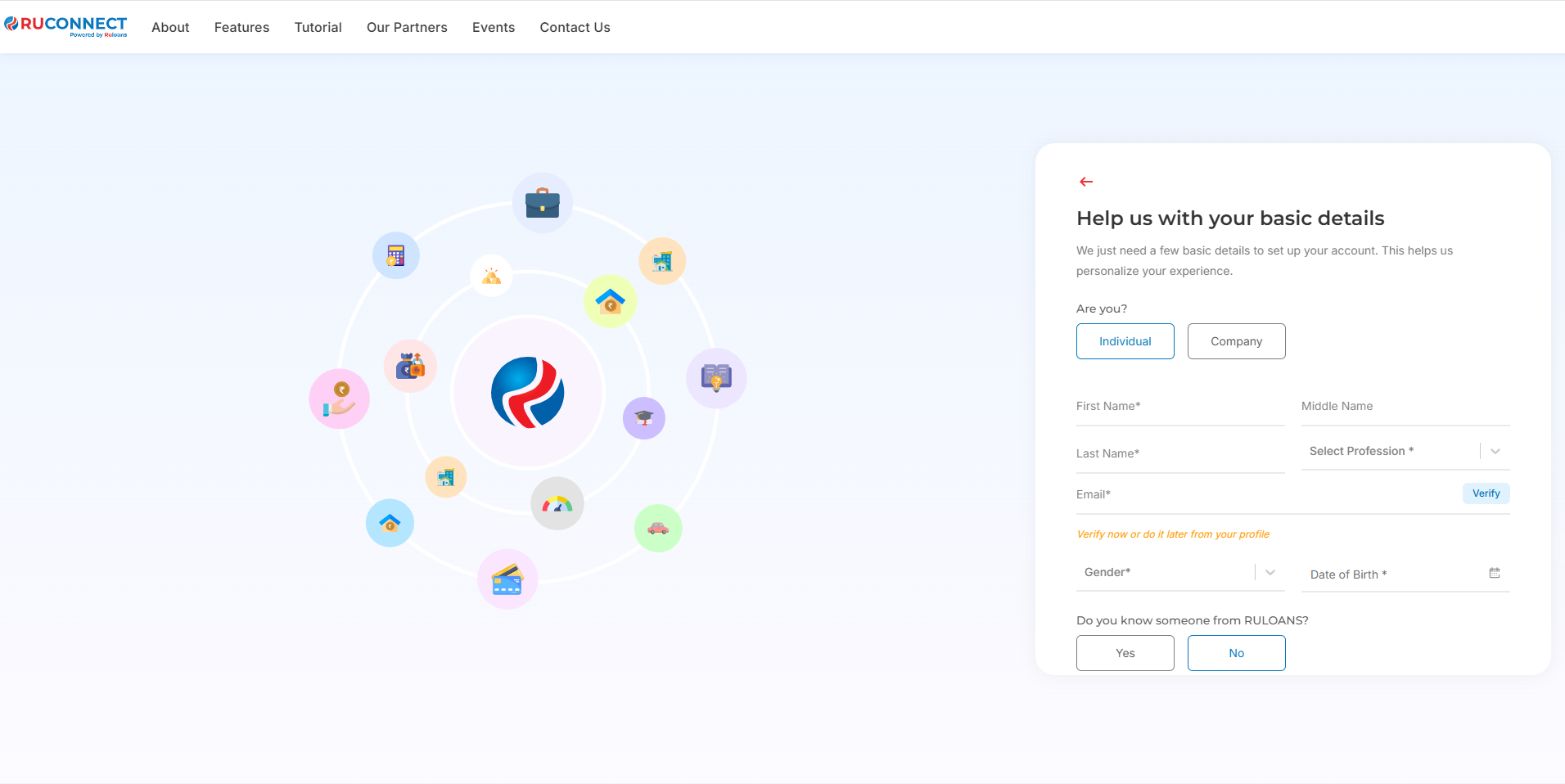
## Step 3: Webapp DSA Email Verification Process
### During DSA Onboarding
1. User enters email address in basic details.
2. OTP is sent to registered email address
3. User enters OTP
4. System validates OTP
5. Email status is marked as Verified
6. User proceeds with onboarding
# RuConnect Mobile App
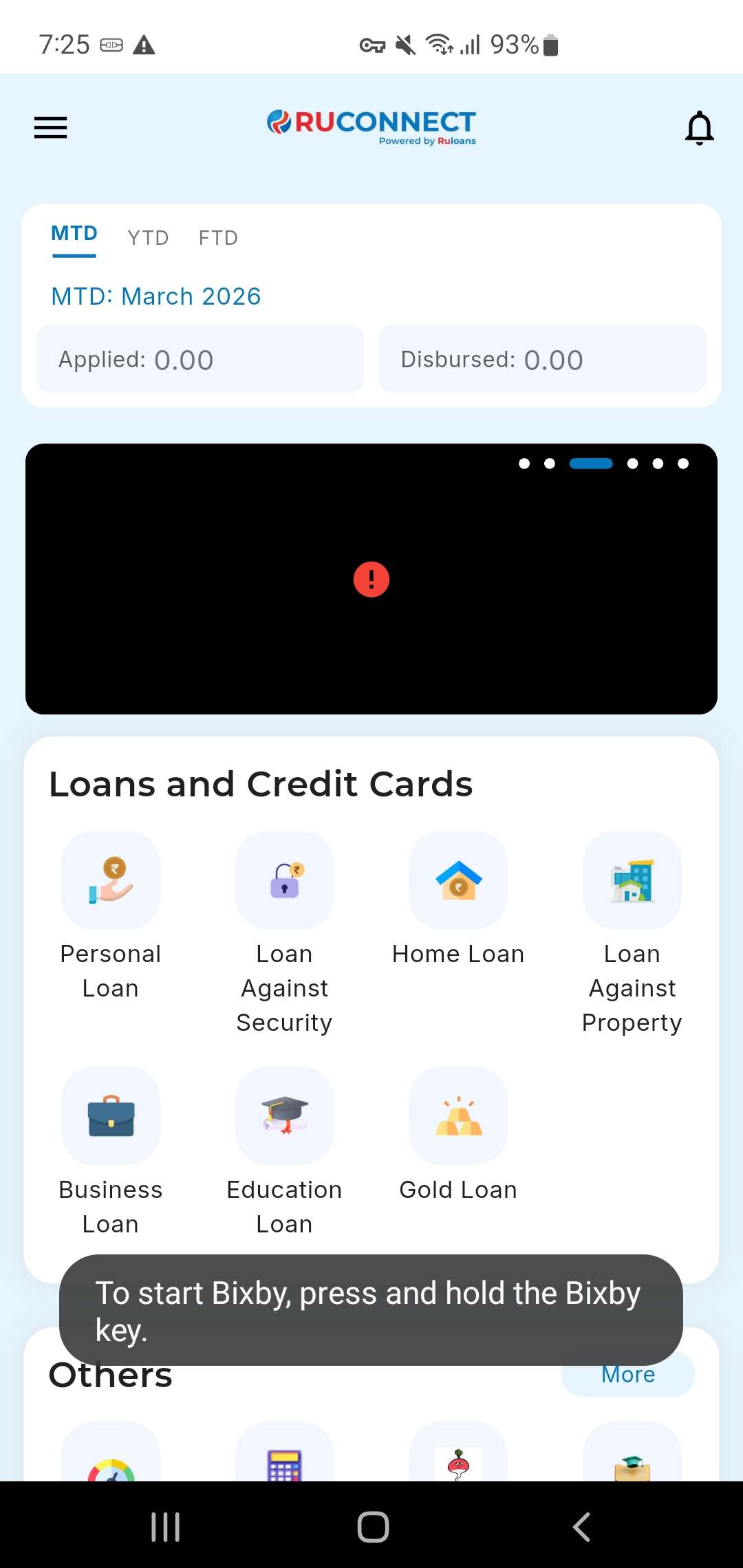
## Step 1: Login to RuConnect App
The user logs in using valid credentials.
Upon successful login, the user is redirected to the dashboard.
 ***
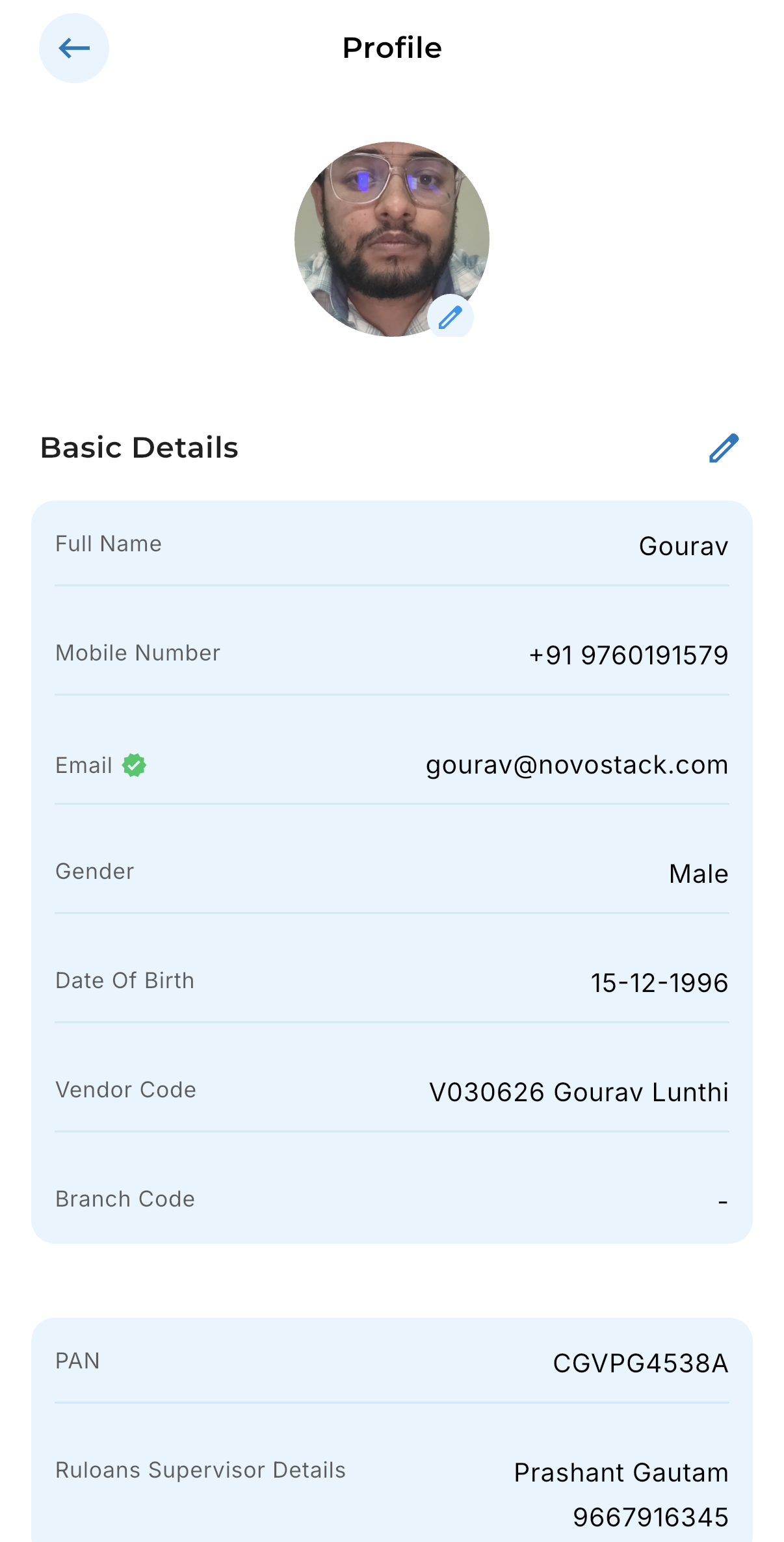
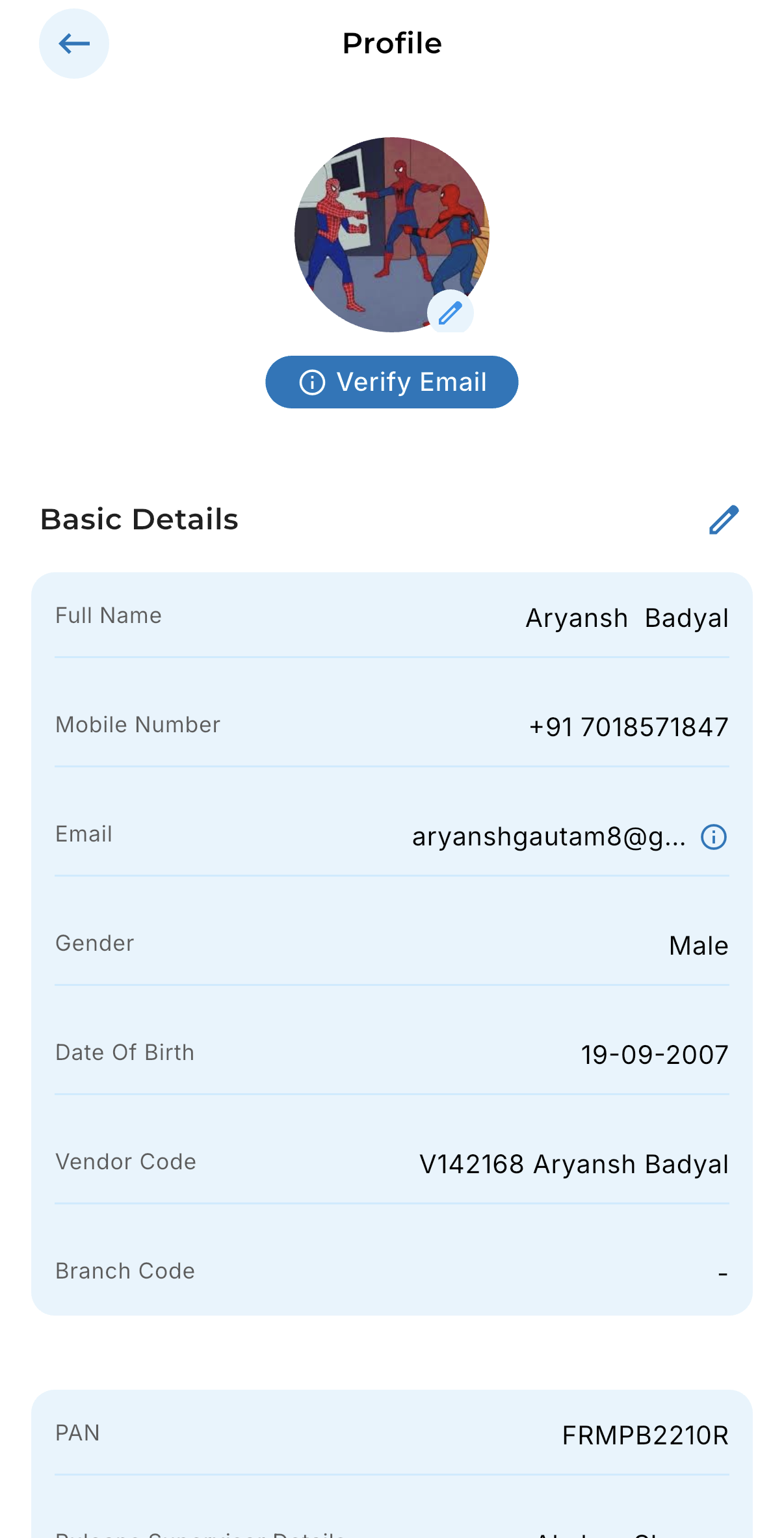
## Step 2: Navigate to DSA Profile
Users can complete Email Verification form their DSA Profile.
The system displays the following statuses:
* Verified
* Verification Pending
***
## Step 2: Navigate to DSA Profile
Users can complete Email Verification form their DSA Profile.
The system displays the following statuses:
* Verified
* Verification Pending
 ***
## Step 3: App DSA Email Verification Process
### During DSA Onboarding
1. User enters email address in basic details.
2. OTP is sent to registered email address
3. User enters OTP
4. System validates OTP
5. Email status is marked as Verified
6. User proceeds with onboarding
# OTP Verification Details
***
## Step 3: App DSA Email Verification Process
### During DSA Onboarding
1. User enters email address in basic details.
2. OTP is sent to registered email address
3. User enters OTP
4. System validates OTP
5. Email status is marked as Verified
6. User proceeds with onboarding
# OTP Verification Details
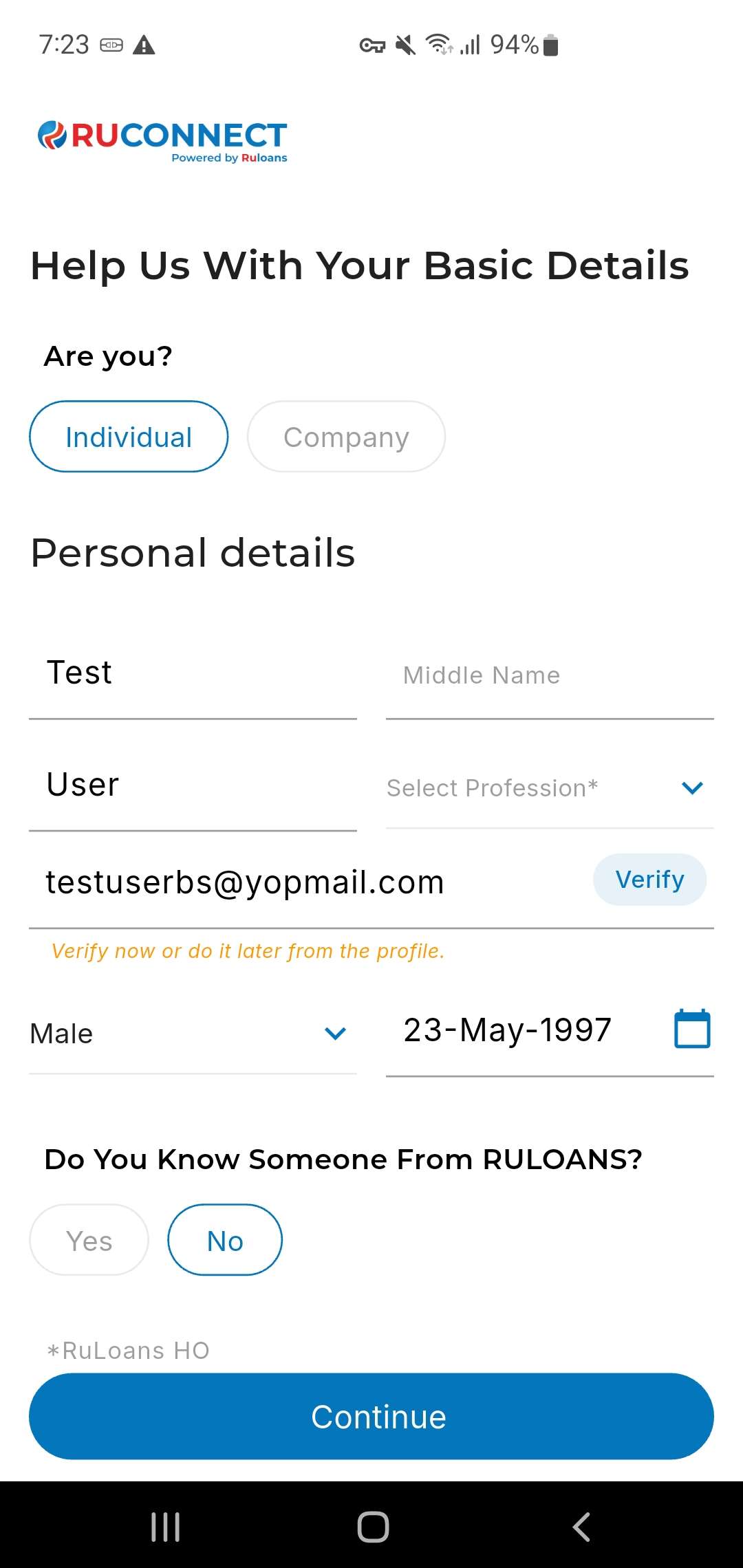 Users can perform the following actions across all platforms:
* Enter OTP received on email
* Retry verification in case of invalid OTP
* Resend OTP if OTP expires
* View verification status in real time
Users can perform the following actions across all platforms:
* Enter OTP received on email
* Retry verification in case of invalid OTP
* Resend OTP if OTP expires
* View verification status in real time