
Vendor Management – B2B
Overview
The Vendor Management module in the B2B application provides a centralized interface to view existing vendors in the system. Users can quickly locate vendors using column sorting and column-level search capabilities.The module is designed to improve visibility and faster identification of vendor records.
Steps to Navigate
- Login to the B2B application.
- From the dashboard or left navigation panel, select Vendor Management.
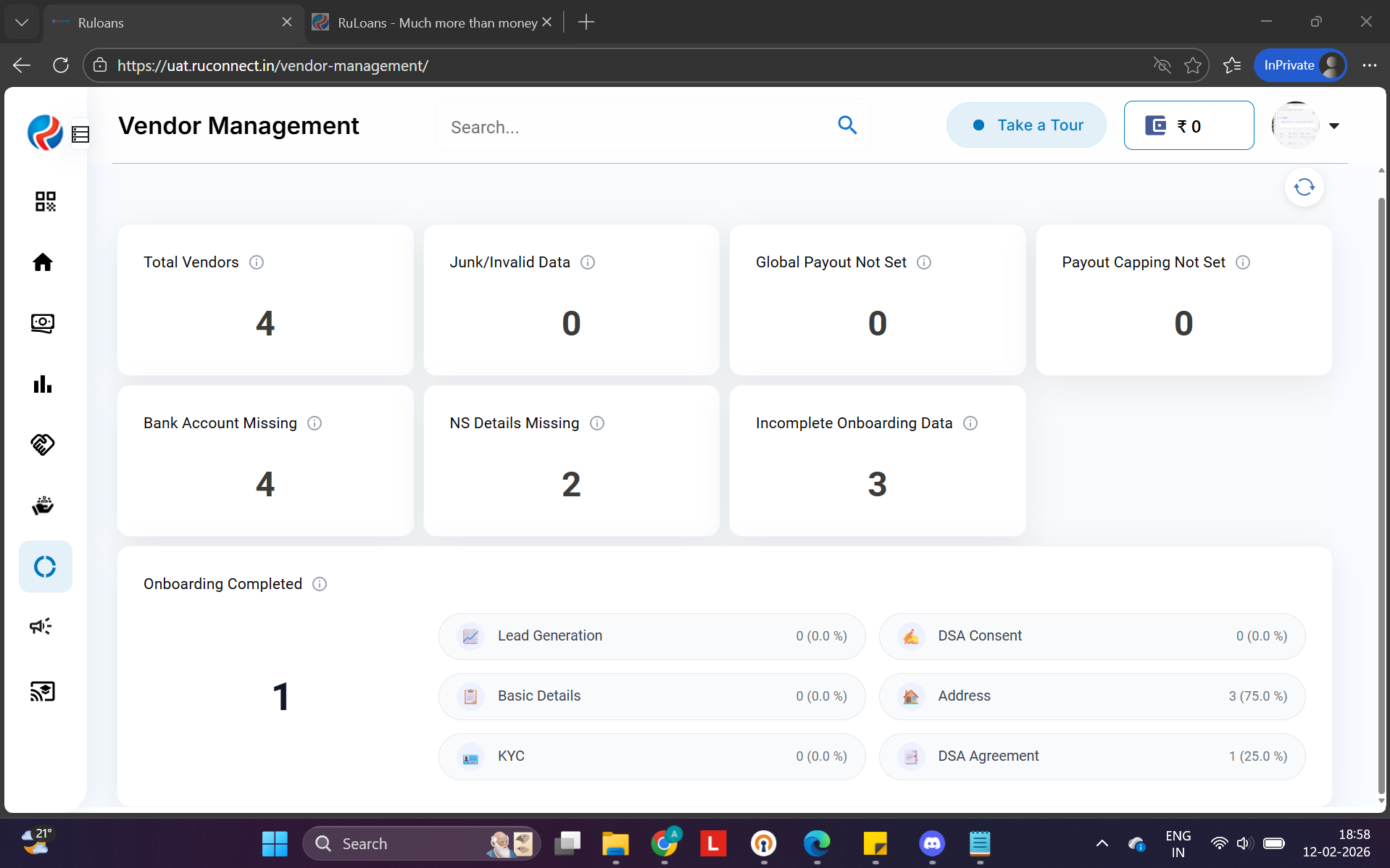
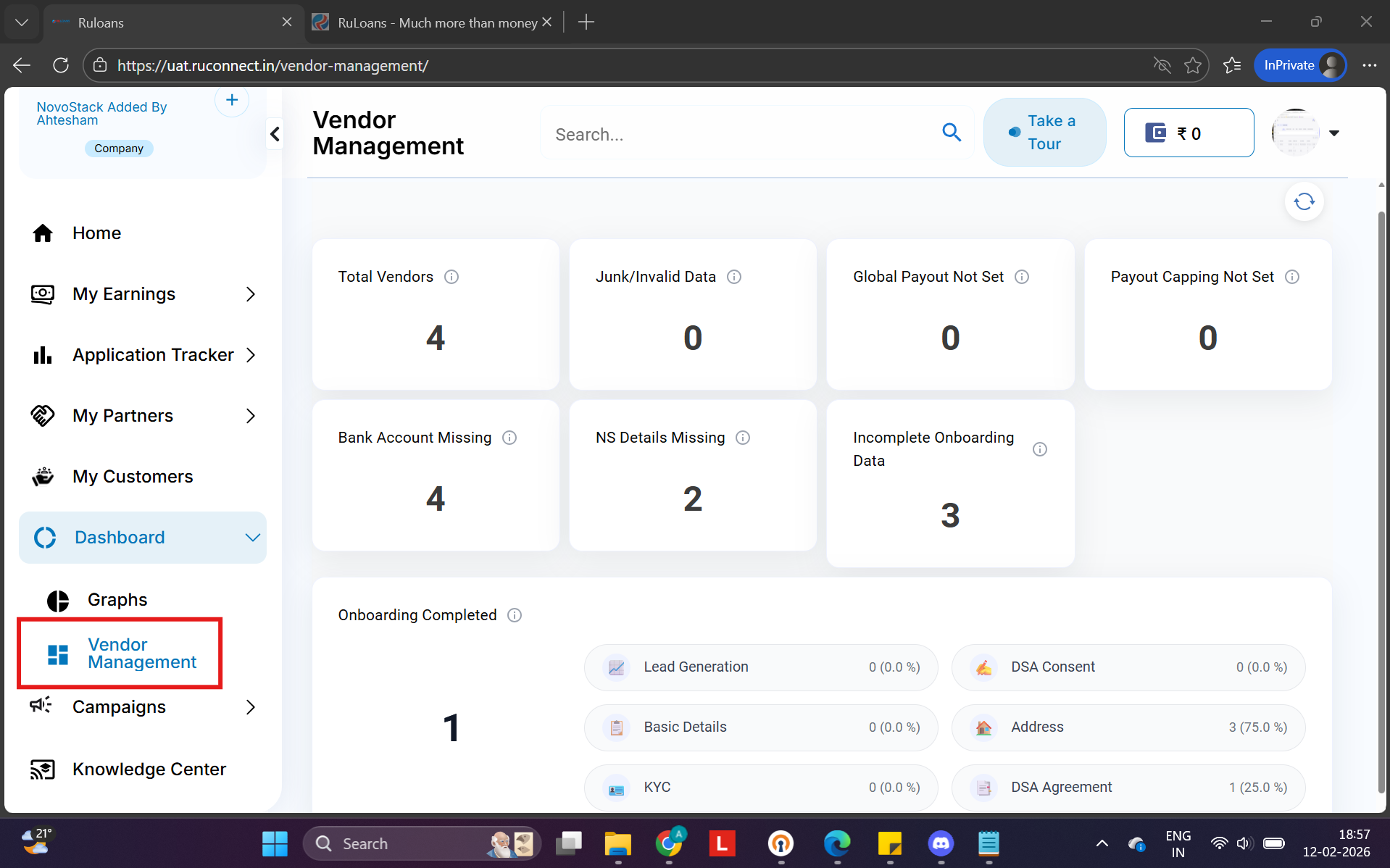 The vendor Dashboard will open.
Navigation from Dashboard
Vendor List View
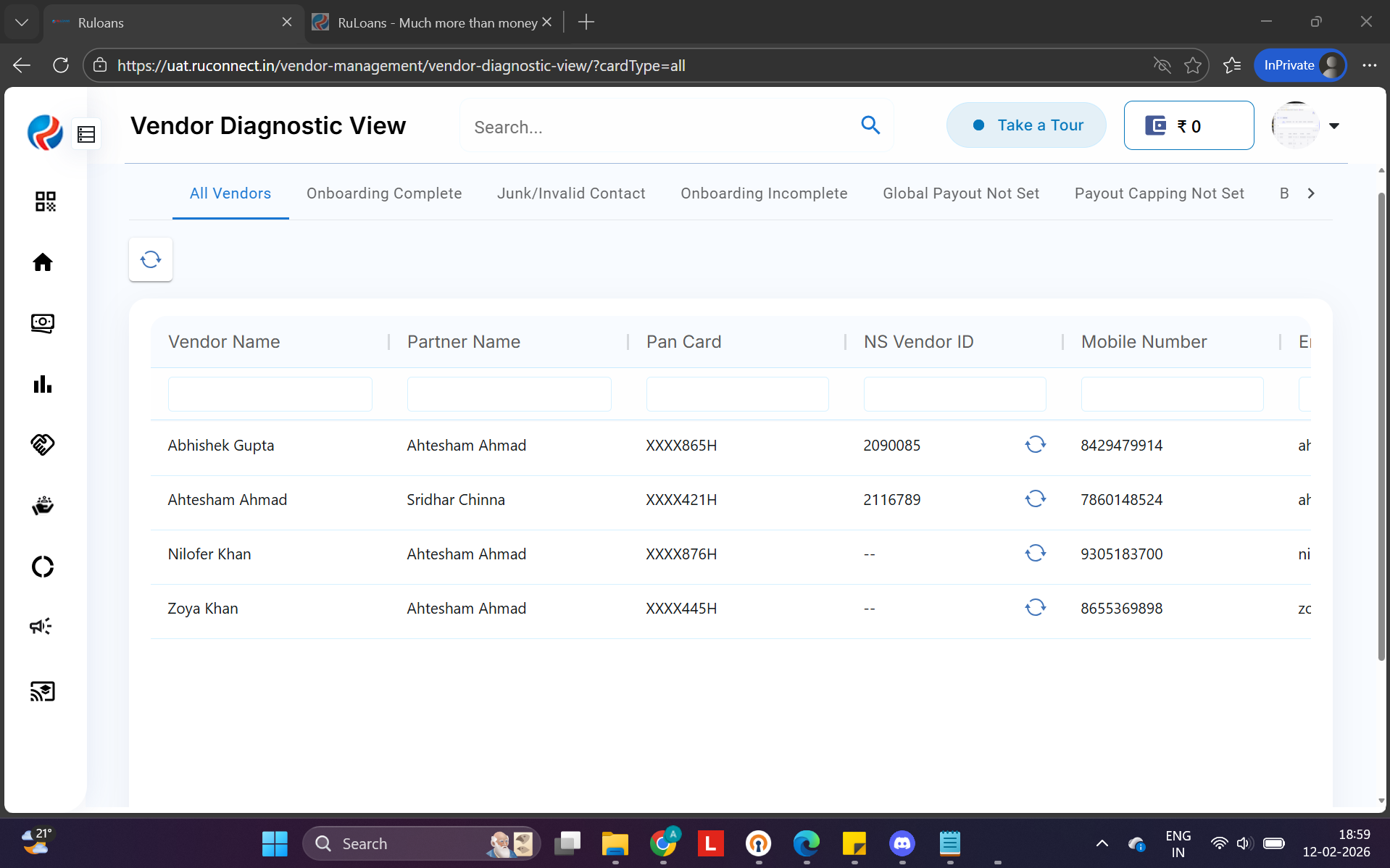 This screen displays all vendors available in the system.
Users can:
Search within columns
This screen displays all vendors available in the system.
Users can:
Search within columnsSort data
View vendor information
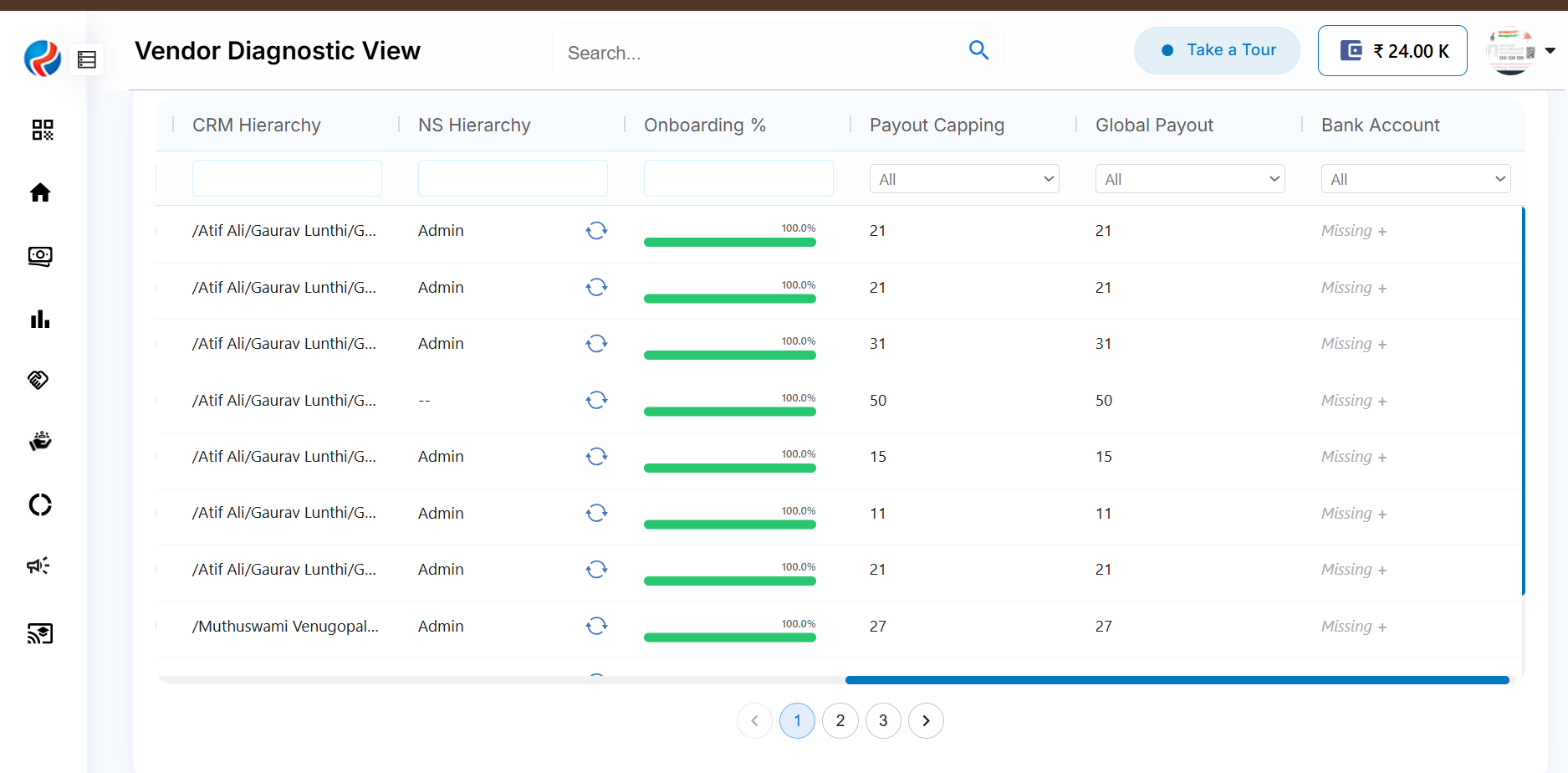
Vendor Table – Column Details
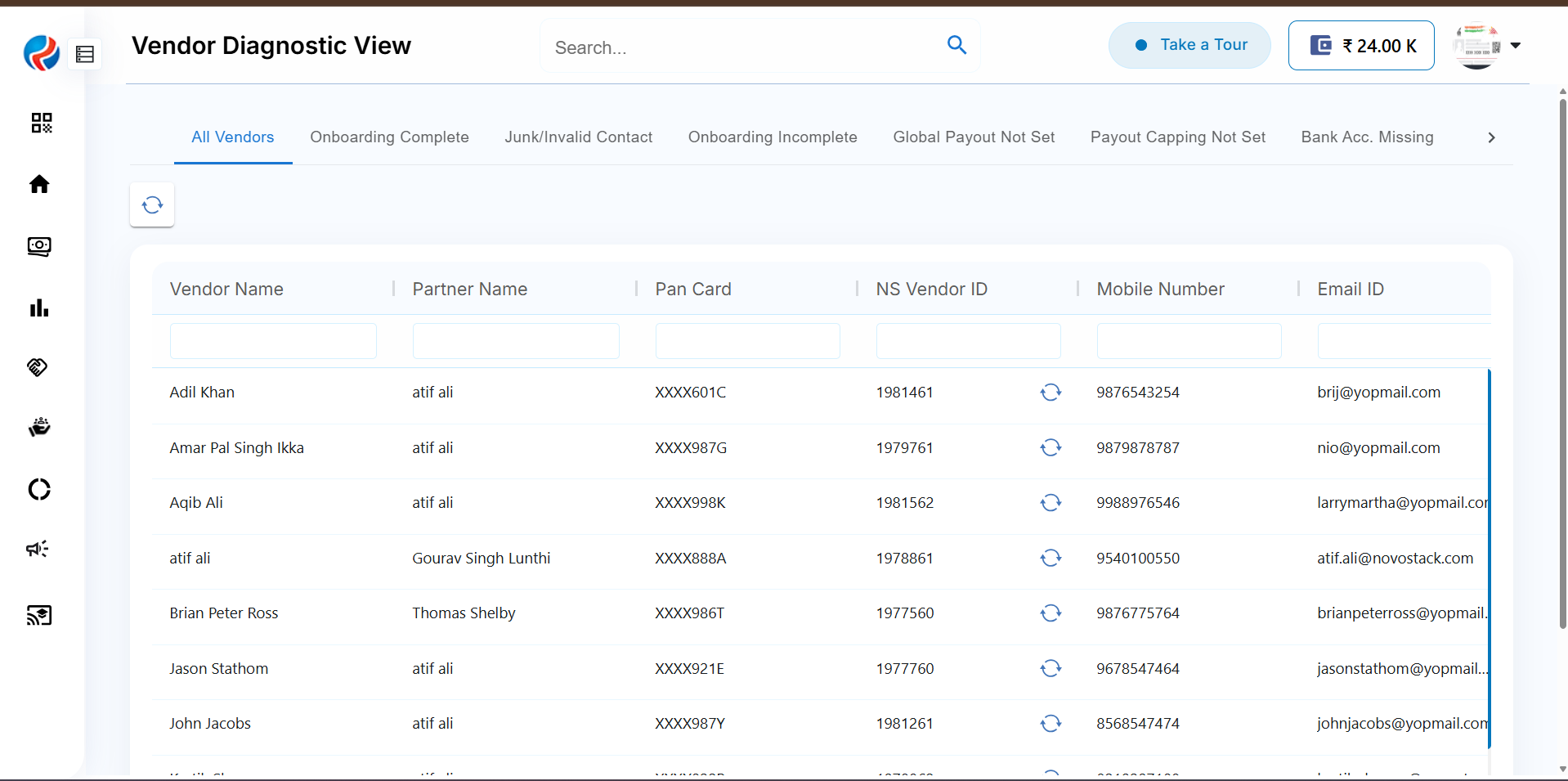
Column Sorting
Users can sort data directly from the column header.How Sorting Works
Click on a column header to sort ascending. Click again to sort descending. Sorting helps quickly identify vendors alphabetically.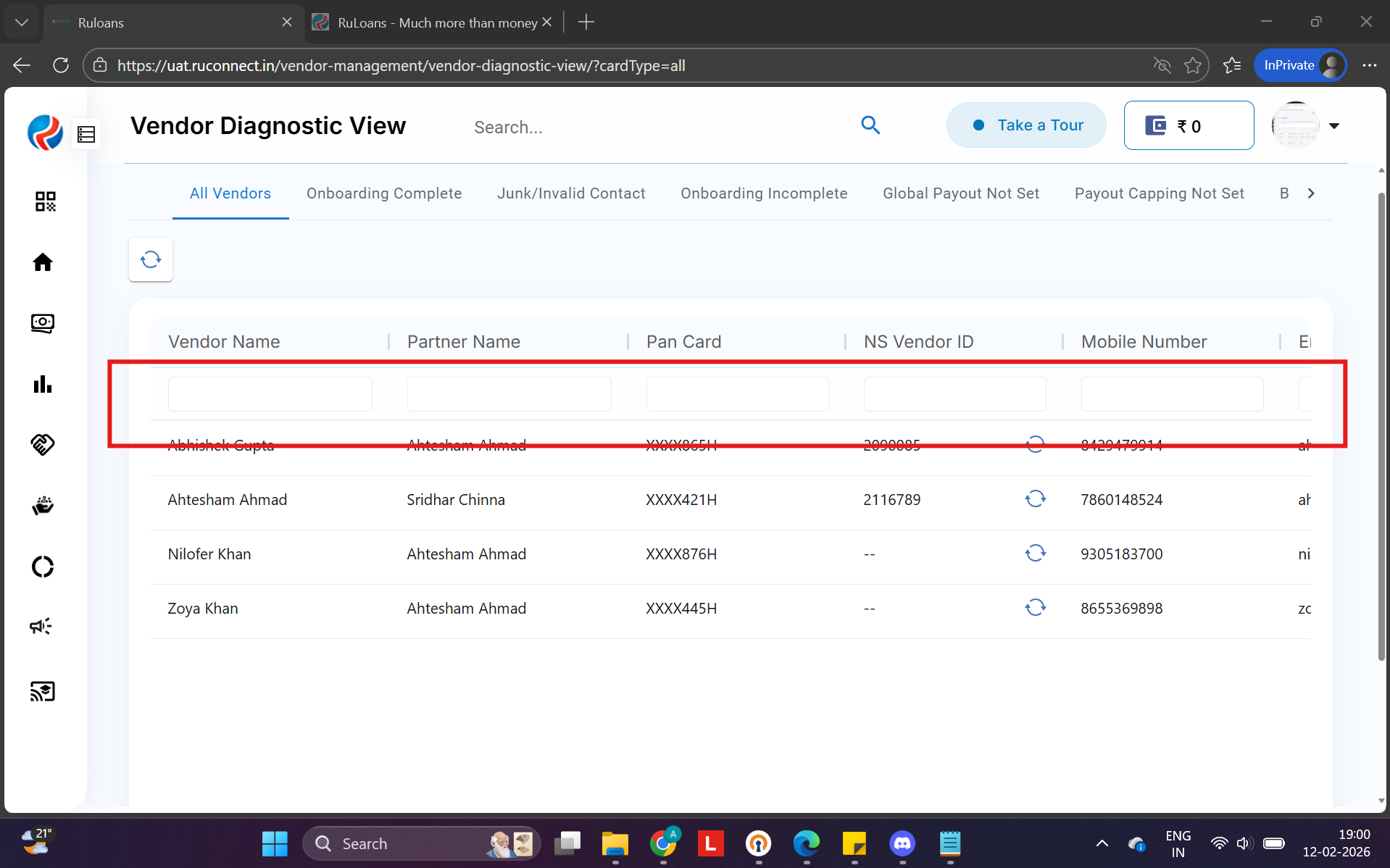
Column Search / Filter
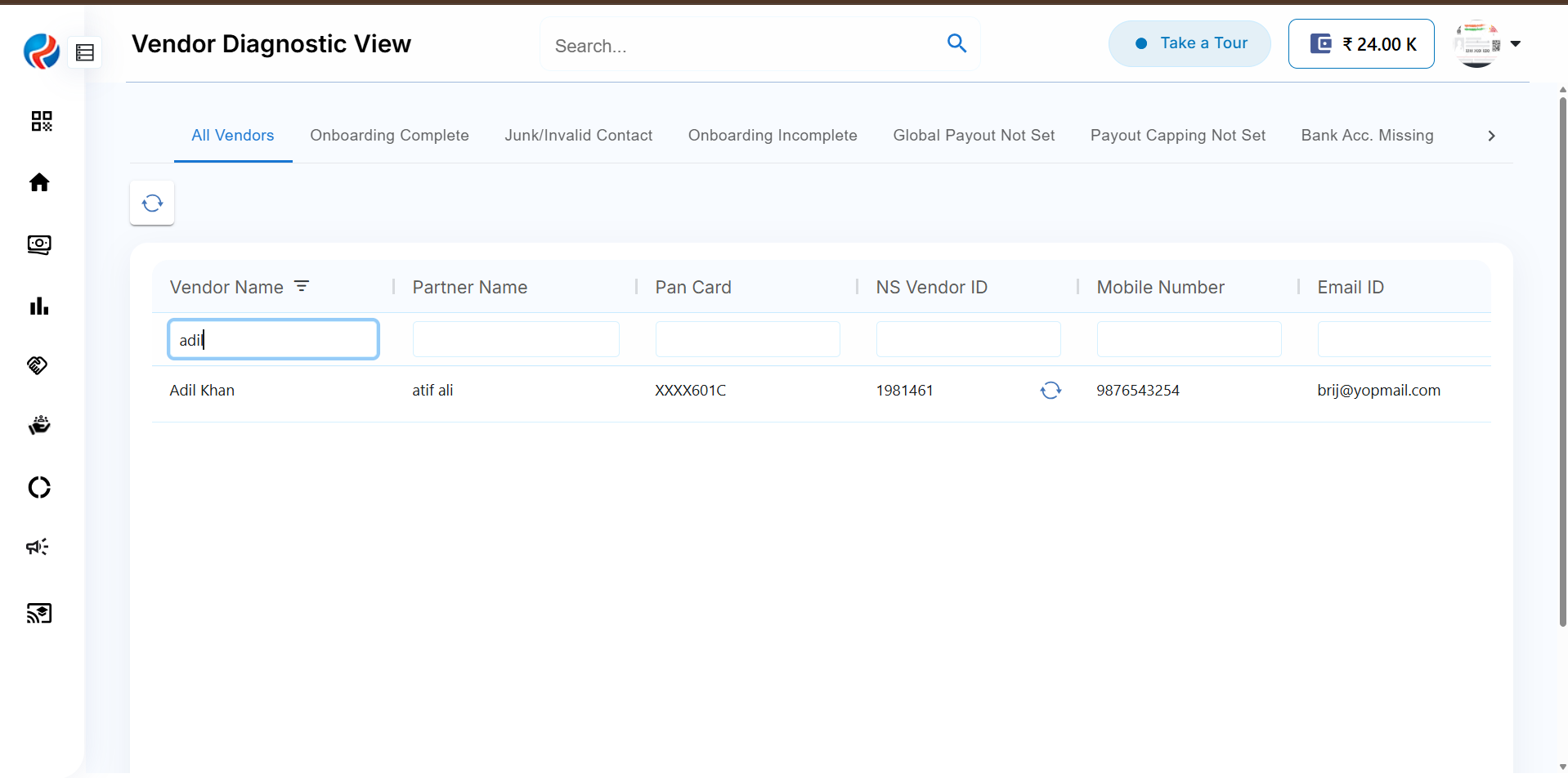
Users can apply quick searches within individual columns.How to Search
- Click inside the search box available for a column.
- Enter the desired keyword.
- The table will instantly update with matching results.
Summary of Benefits
Centralized vendor visibility.Quick navigation from dashboard.
Easy column-based search.
Fast sorting for operational efficiency.