
Draft Save Functionality Documentation
Overview
The Draft Save Functionality has been implemented to improve user experience and prevent data loss when filling forms that cannot be completed in a single session. This feature allows users to save partially completed forms automatically as drafts and resume them later without losing previously entered data.Objective
To ensure that users can continue incomplete form submissions at a later time, especially in cases where important information (such as loan numbers or additional details) is pending.Functionality Scope
CRM Module
The Draft Save functionality is now available in:- Lead Form
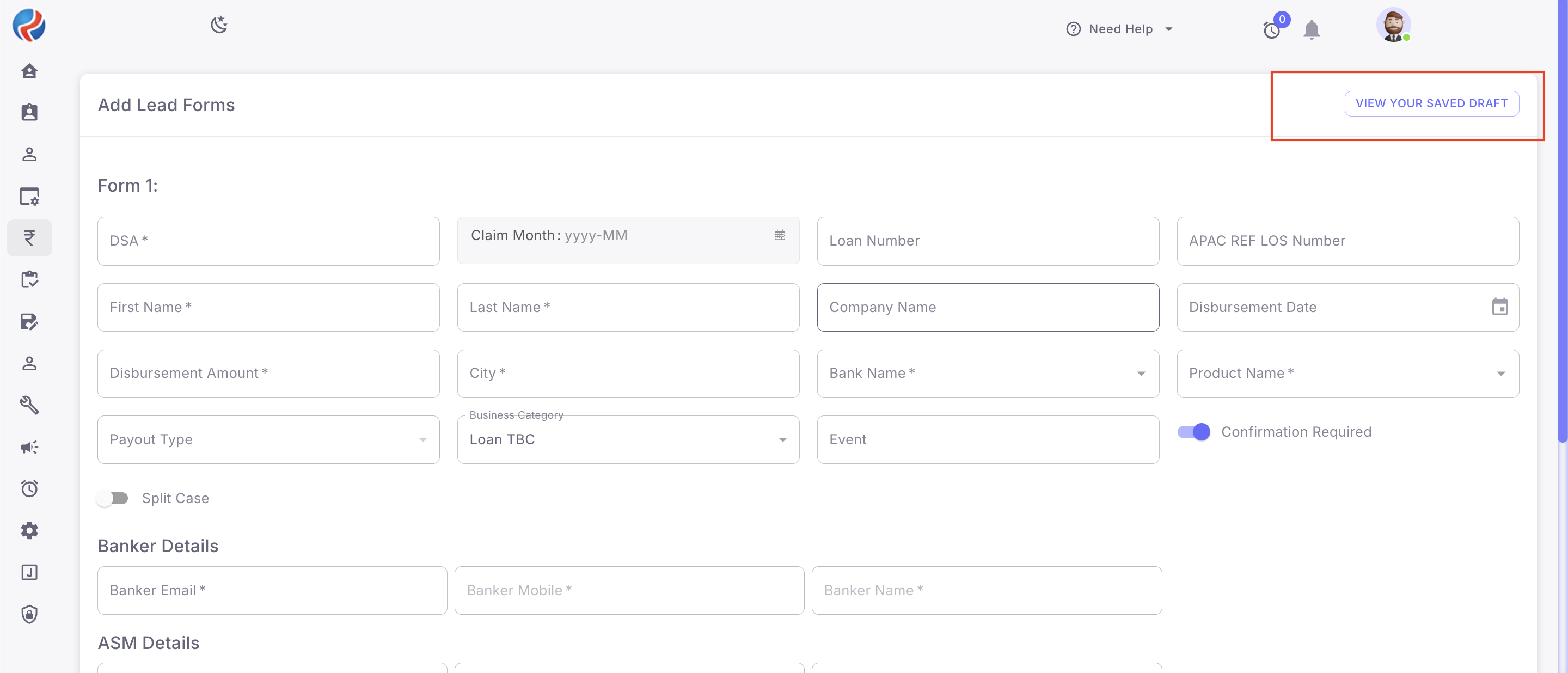
- Customer Leads
B2B Module
The same functionality has also been implemented in:- Claim Form
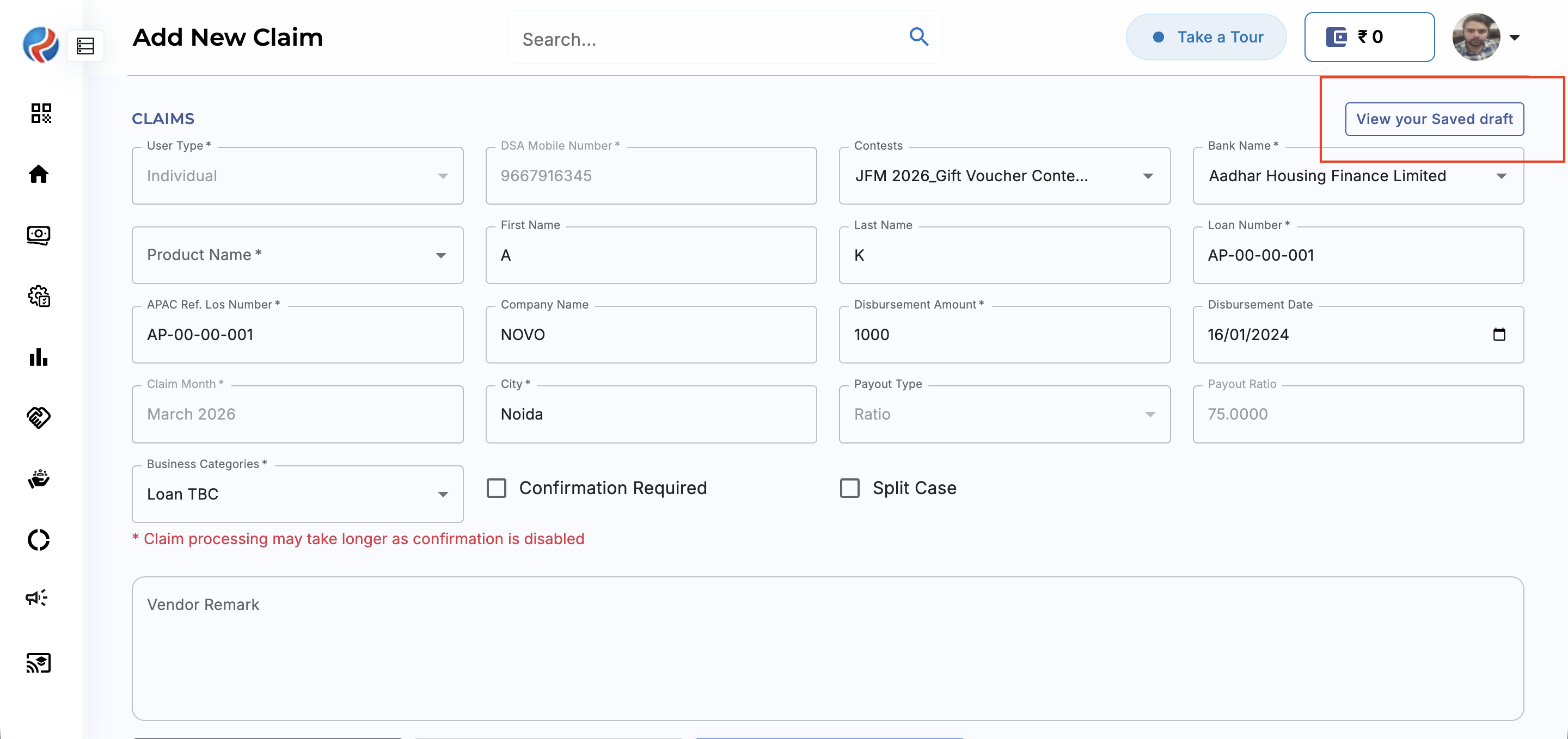
- Login Form
How It Works
Auto Draft Creation
When a user starts filling out a form and any of the following actions occur:- Navigates back from the form page
- Refreshes the page
- Leaves the form untouched/incomplete
- Logs out before submission
Draft Persistence
Draft data is stored on the server side, ensuring:- Data remains secure after logout
- Data is not dependent on browser cache/storage
- Draft remains accessible on the next login
Draft Resume
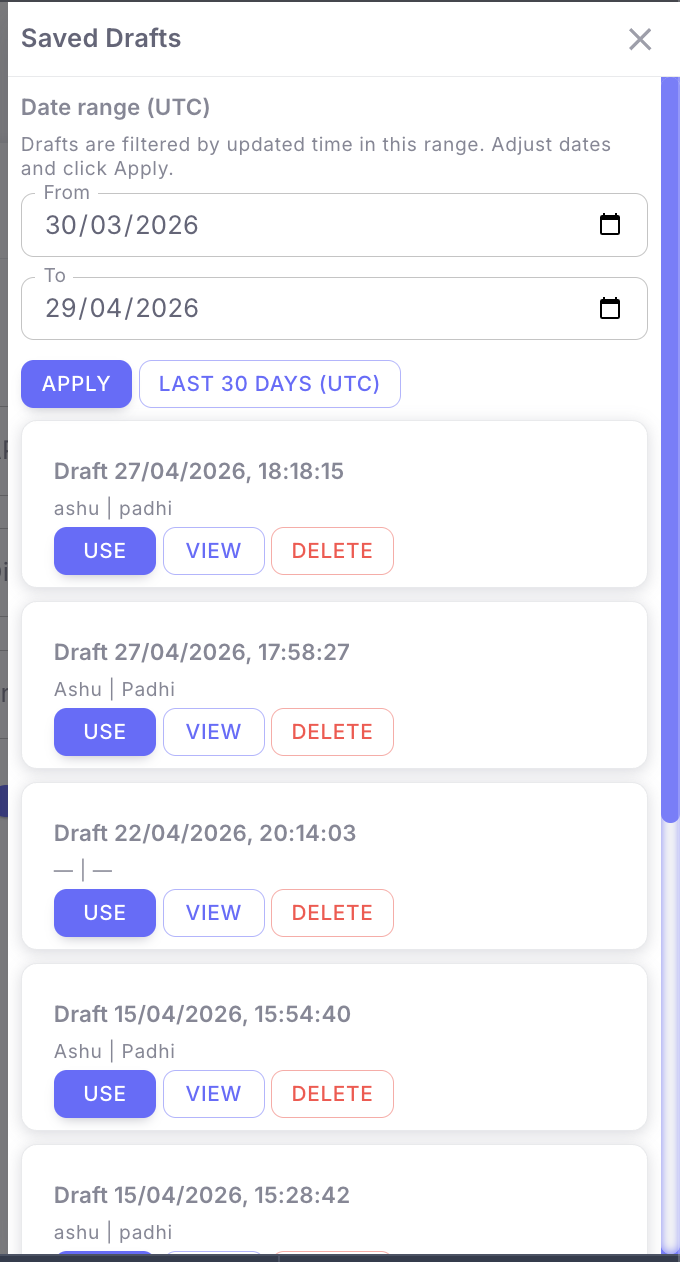
On the next login:- User can view available saved drafts
- Click on view your saved Drafts
- User can Use, View, Delete the Draft
- Select the draft
- Resume filling the form from where it was left
Key Benefits
- Prevents accidental data loss
- Improves user productivity
- Reduces repetitive data entry
- Enables form completion across multiple sessions
User Flow
- User opens Lead Form / Customer Leads (CRM) or Lead Form / Login Form (B2B)
- User starts entering form data
- User leaves the page / refreshes / logs out without completing
- System auto-saves entered data as Draft
- User logs in again
- User opens saved Draft
- User resumes and completes submission
Expected Behavior
- All entered data should remain saved in Draft state
- Draft should be retrievable after logout/login
- User should be able to edit and submit the draft later
- No previously entered data should be lost
Notes
This functionality has been introduced in both CRM and B2B modules to maintain consistency across platforms and improve overall workflow efficiency.Prepared By: Aparmita Srivastav