
Overview
The Module-Wise Export Permission functionality allows CRM administrators to control which users can export data from specific CRM modules. Export access can be controlled at two levels:- User Level: Grant or revoke export access for an individual user on CRM .
- Network/IP Restriction: Export access can be restricted to the registered IP address/network or configured VPN network.
Step-by-Step Process
1. Configure Module-Wise Export Permission
- Log in to the CRM with an authorized administrator account.
- Navigate to the Users > CRM Users section.
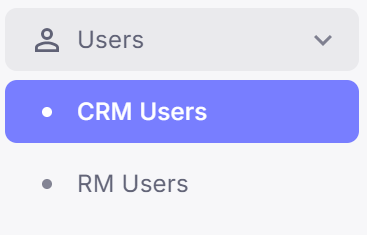
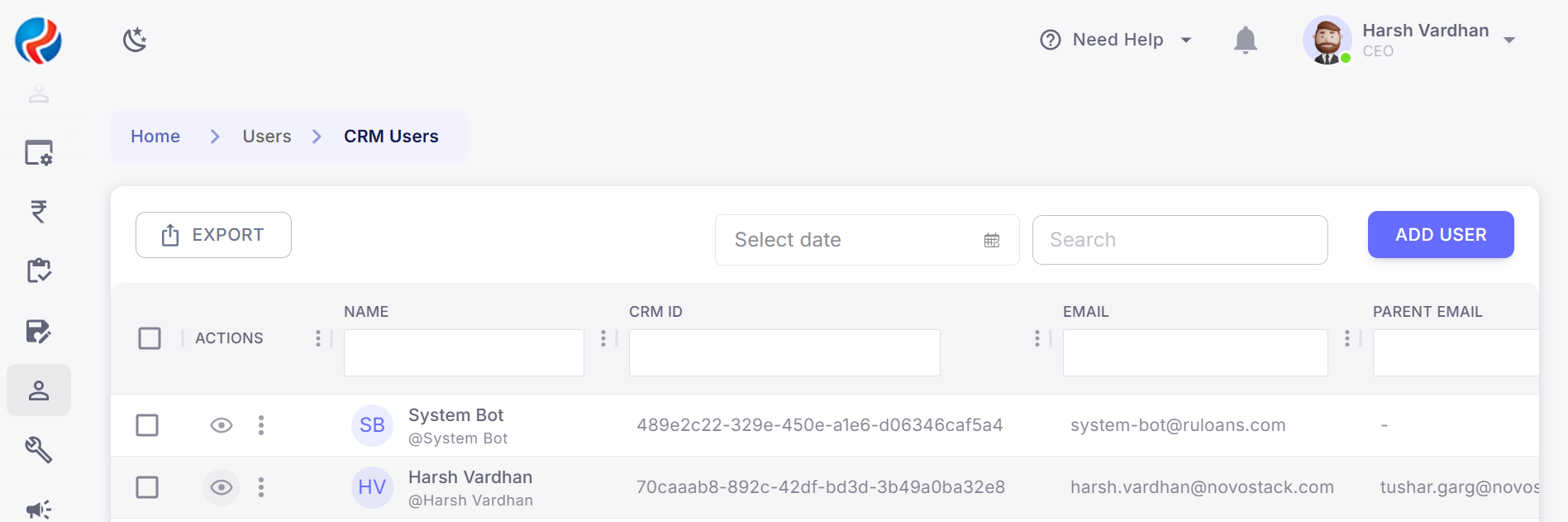
- Locate the required User.
- Click on the Eye/View Profile button.
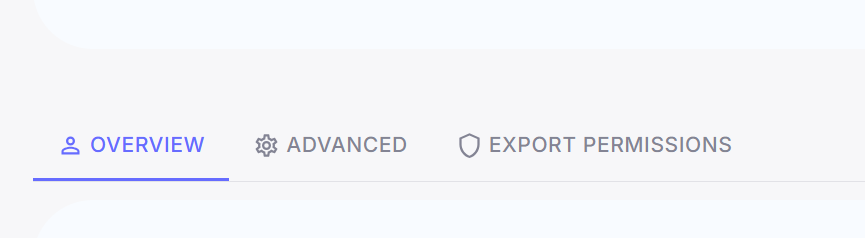
- Locate the Export Permissions button under the profile.
- It will open all the modules on CRM.
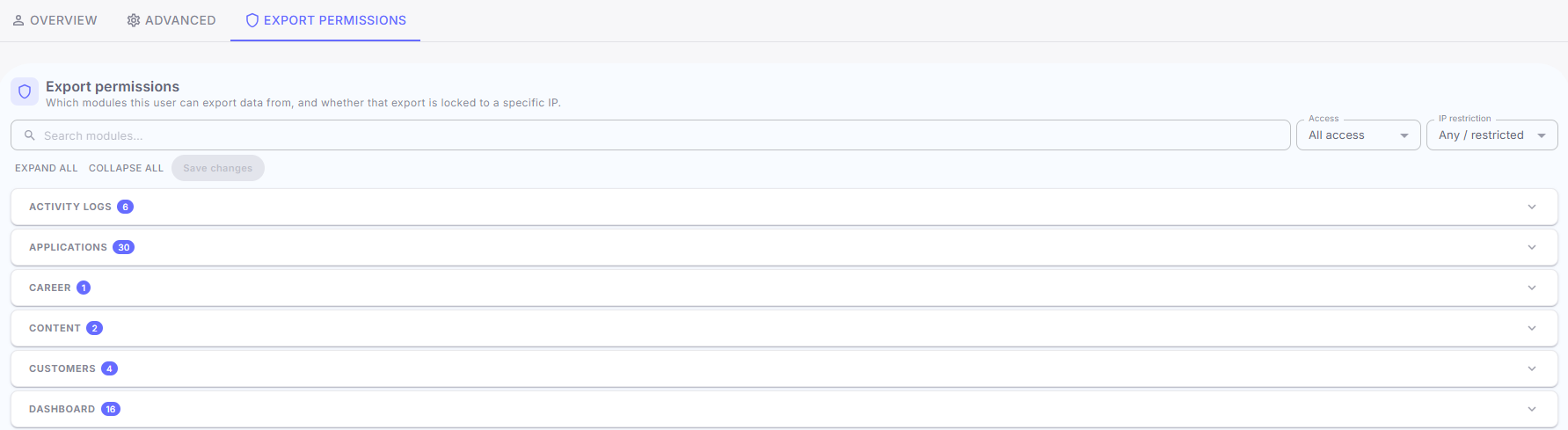
- Configure the export permission for the required CRM modules.
- Enable or disable export access according to the required role.
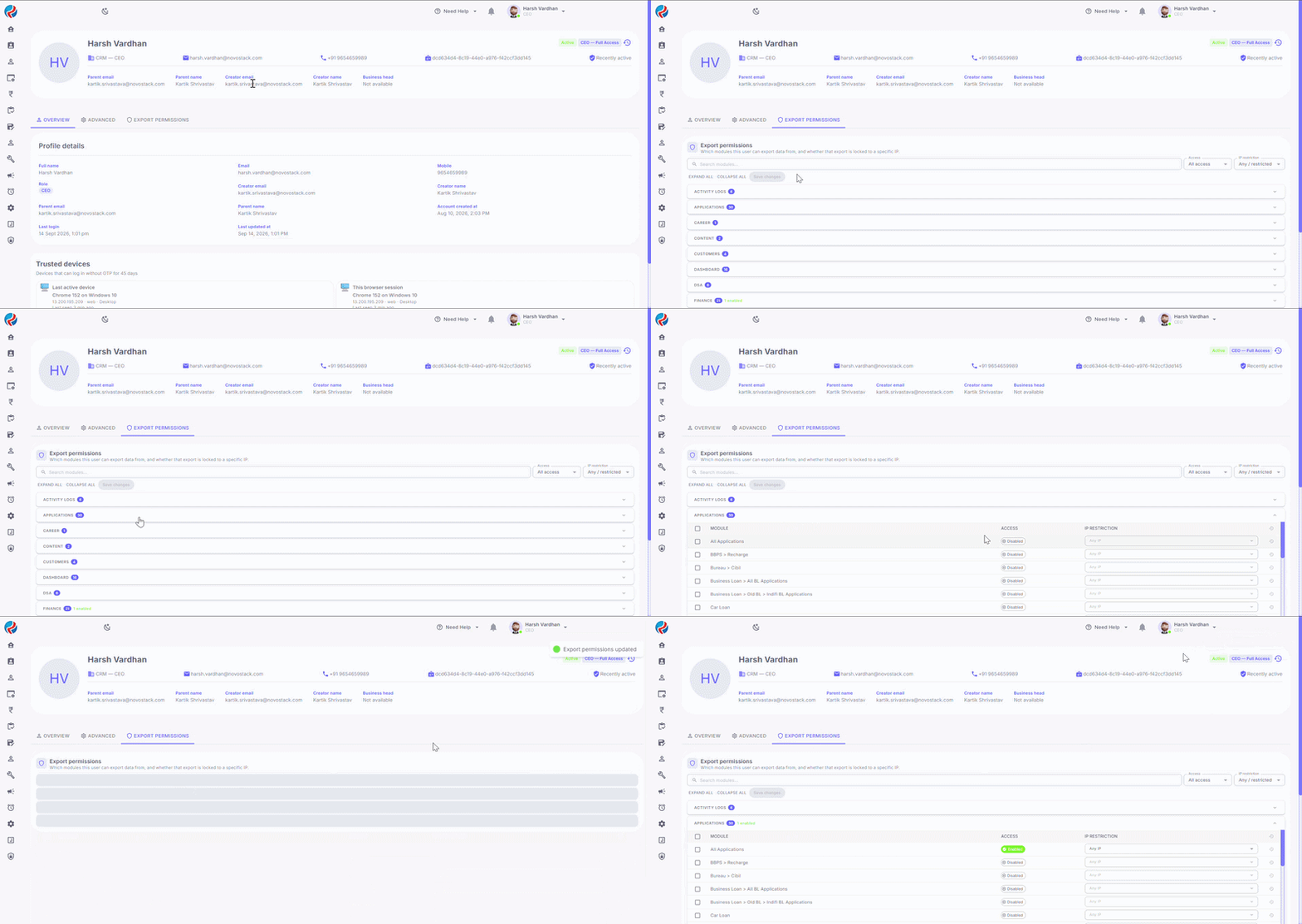 Export permission is configured independently for each module.
2. Configure VPN/Network Details
- Open the required user’s details from the CRM USER section.
- Navigate to the Export Permissions configuration.
- Select the module for which network restriction is required.
- Click on the IP Restriction dropdown and select the Restricted(IP/CIDR) option.
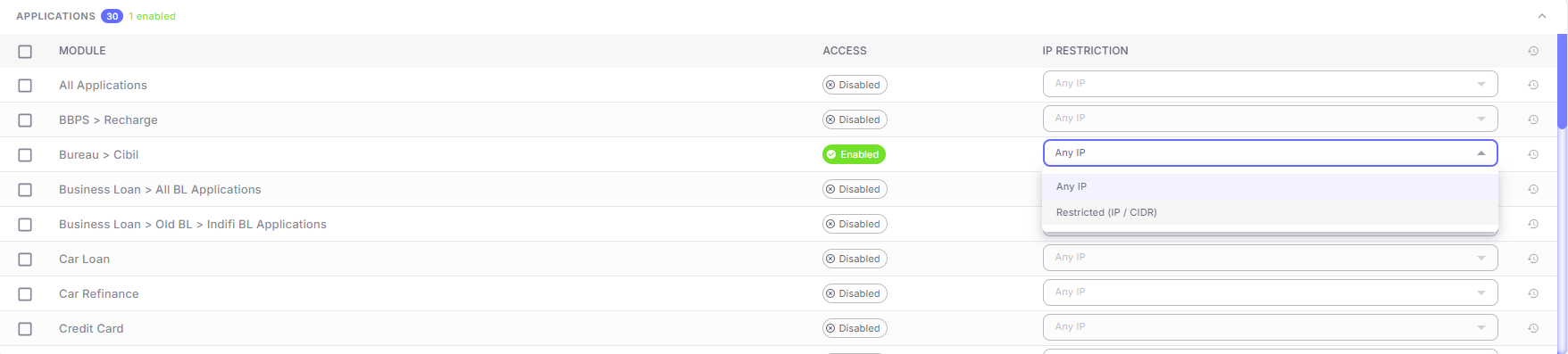
- Enter the required VPN Network details in the available field.
- Save the configuration.
3. Export Data from an Authorized Module
- Navigate to the required CRM module.
- Apply the required filters, if applicable.
- Click the Export option.
- The CRM validates the user’s export permission and applicable network/IP restriction before generating the file.
- If all required validations pass, the export file is generated successfully.
4. Export Request from an Unauthorized Network
If a user attempts to export data from a network/IP that is not authorized for the selected module:- The CRM validates the current network/IP.
- The export request is blocked.
- The file is not generated.
- The user is shown an appropriate error message.
Export Logs
Export Logs is used for tracking export and permission activities. Any changes to user-level export settings are saved along with the applicable timestamp and administrator details. Logs are for Export permission given or revoked, which module was exported by which user and if failed export attempts.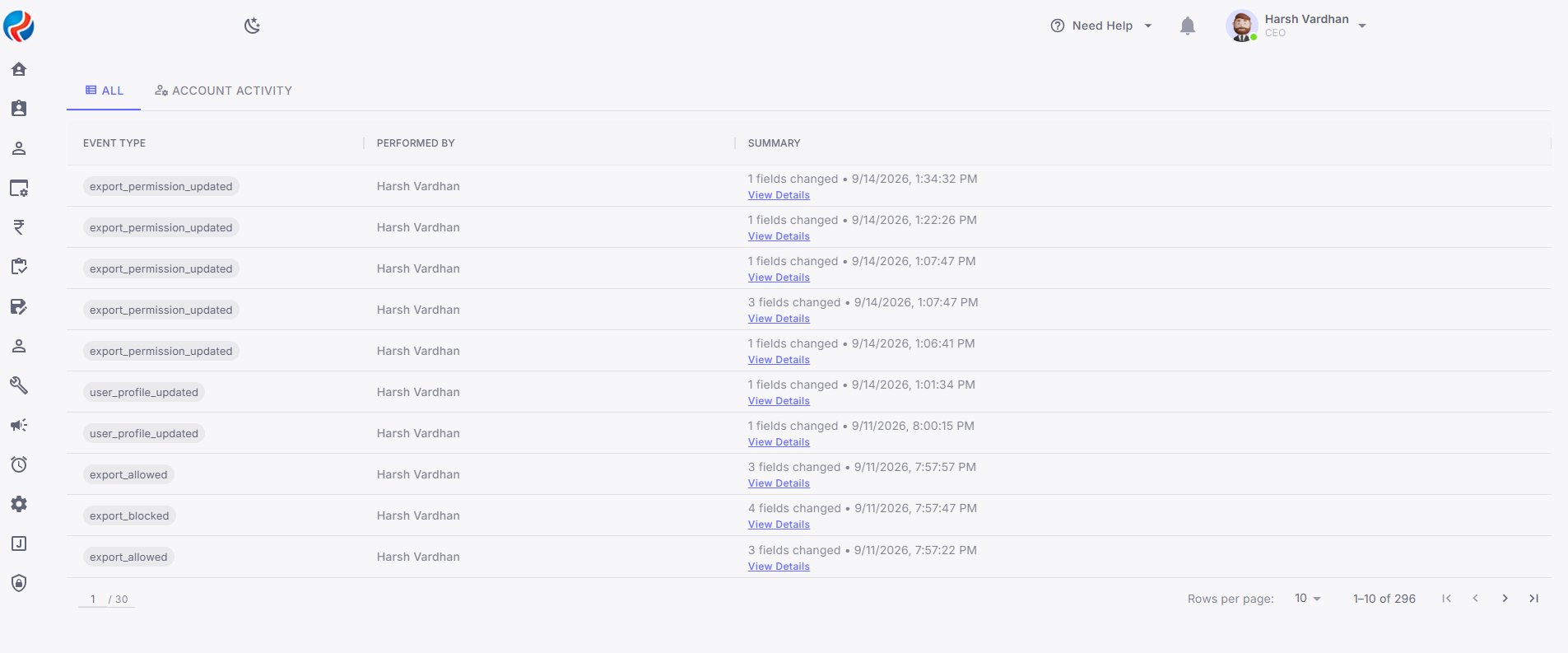
Audit & Export Logs
The CRM maintains audit information for export-related activities and permission changes. The audit information includes:- User Name
- Module
- IP Address
- Date and Time
- Action Performed
- Performed By
- Export permission granted or revoked
- IP/network registered or updated
- Successful export attempts
- Blocked export attempts
Authorization & Security
Export functionality is controlled through user-level permissions. Only users who have the required export permission should be able to export data from an authorized module. Where network/IP restriction is configured, the export request must also originate from the registered network/IP. Users attempting to export data from an unauthorized network are prevented from generating the export file.Important Notes
- Only CEO role can provide and revoke Export access.
- VPN/network configuration is optional.
- When VPN/network details are configured, export access is restricted to the specified network.
- When no VPN/network details are configured, the existing download access remains unchanged for the selected module.
- Export validation is performed independently for each module.
- Unauthorized export requests are blocked before the file is generated.
- Export Logs is a tracking/audit section.