
CRM Bug Tracking - Release Notes
Version: 1.0.27 Release Date: 2026-11-24Overview
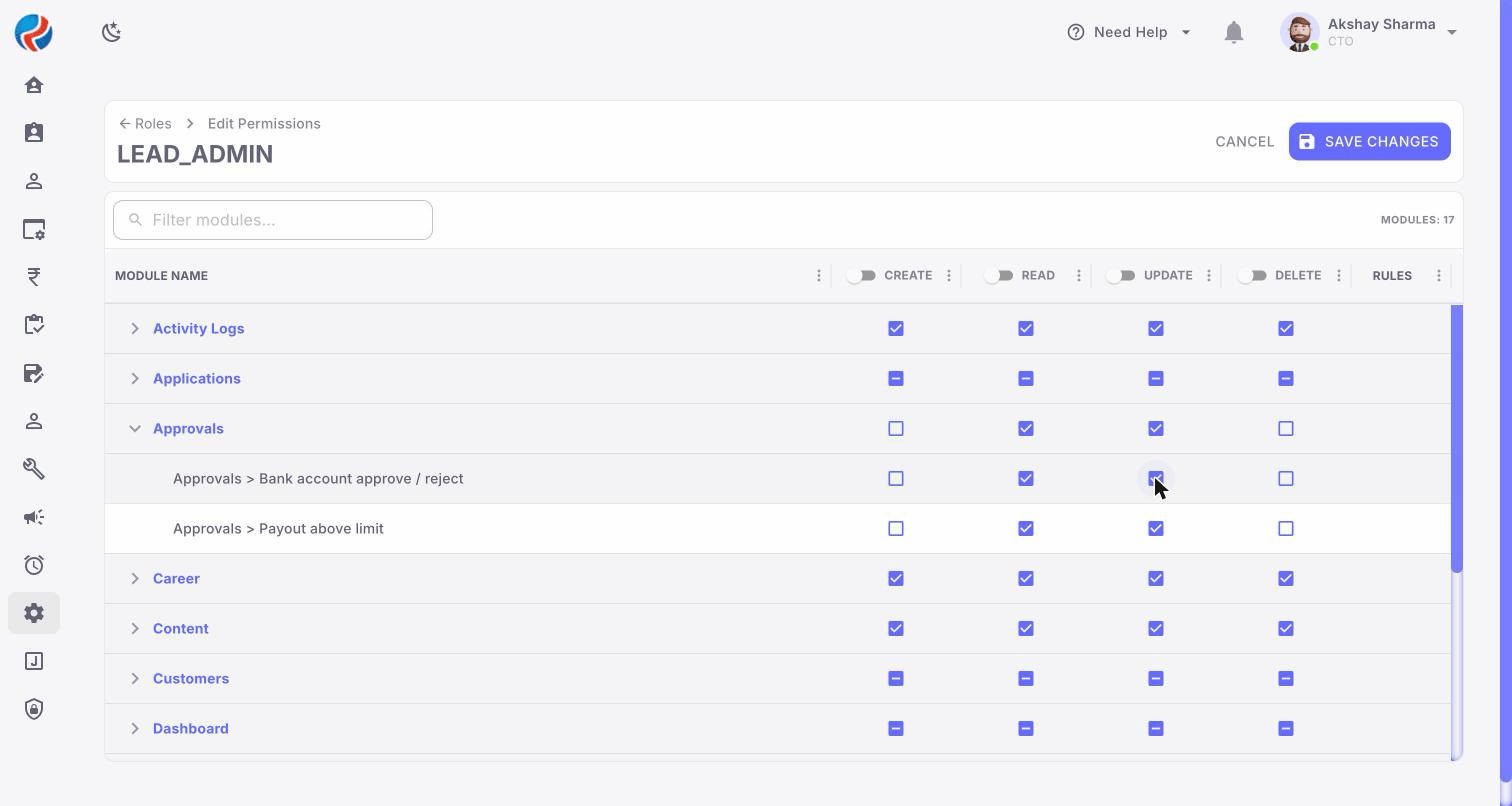
This release moves approval of sensitive payout and bank account changes into Roles management. Roles with the new Approvals permissions save these changes directly. Everyone else picks an approver from the CRM, instead of getting an “APPROVAL_REQUIRED” error. Bank Account Verification buttons are now controlled from Roles management too.New Features Added / Enhancements 1. Approvals permissions in Roles management Description New module Approvals with two permissions:
- Approvals › Payout above limit: payout rate or ratio above 80% (global payout, DSA master payout including autonomous rate and ratio, deal capping, autonomous settings, lead payout rate and ratio), and payout lock changes.
- Approvals › Bank account approve / reject: Bank Account Verification approve and reject.
- Steps to reproduce:
crm - Settings - Roles Management - Edit role - Approvals
2. Approver window for payout and bank changes
Description
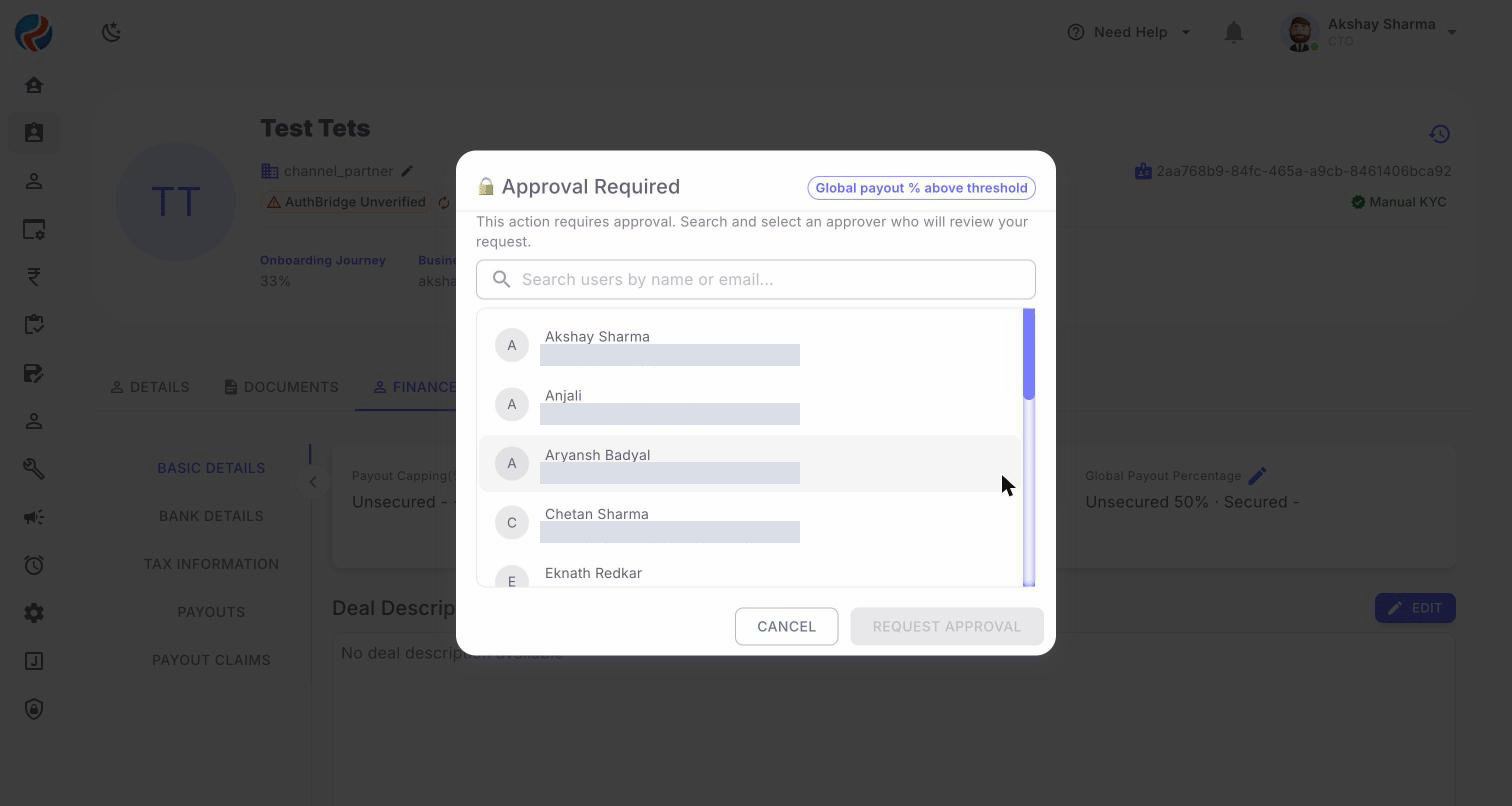
Users whose role doesn’t have the permission now get the Approval Required window instead of an “APPROVAL_REQUIRED” error. It lists only users allowed to approve the change, never the requester. “Request approval” sends the request to that person by email. “Cancel” saves nothing.
- Steps to reproduce:
crm - DSA - Channel Partners - Partner - Finance - Global Payout Percentage, set a value above 80, and click Save.
3. Approval limit now also applies to payout ratios
Description
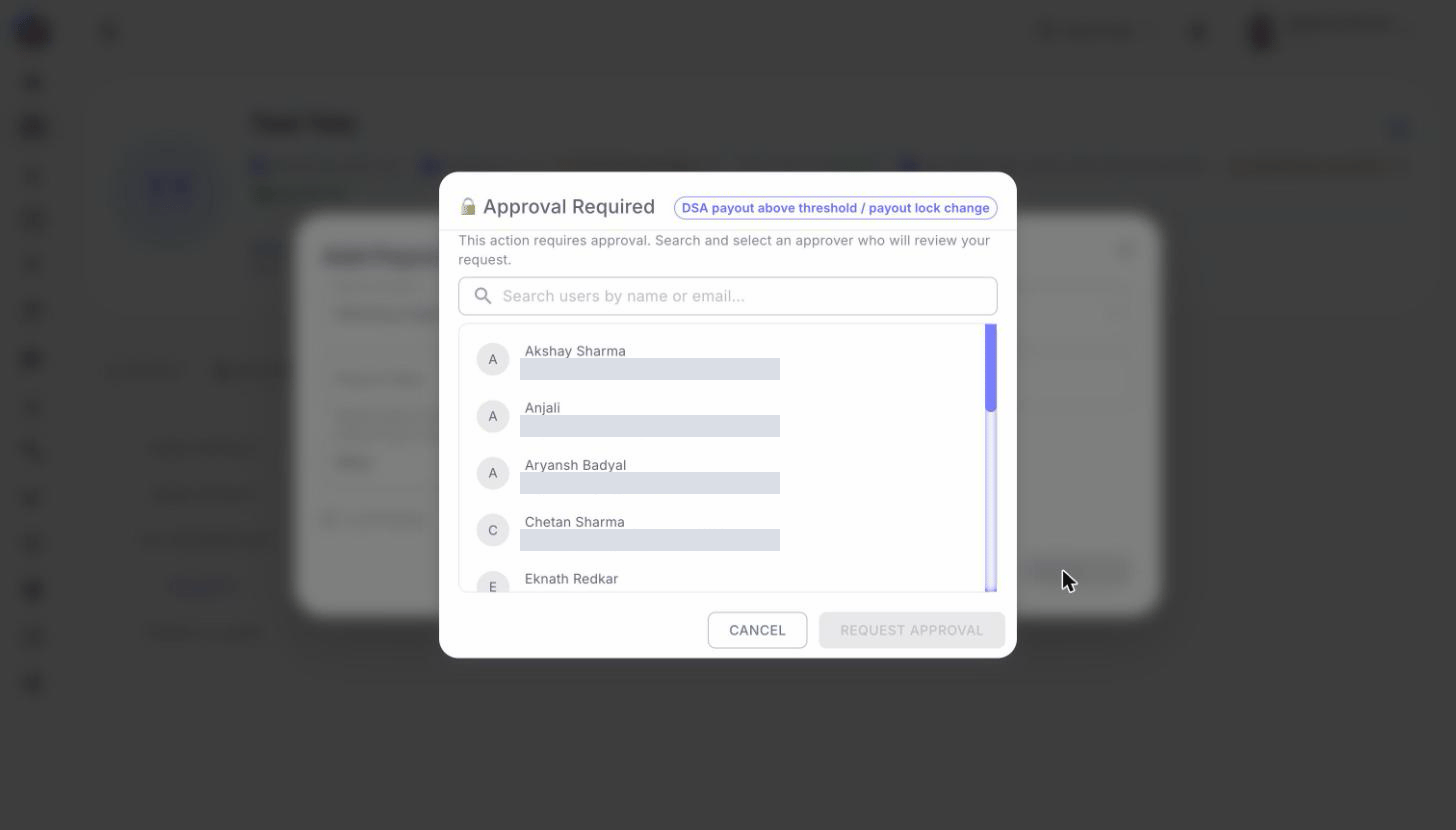
Payout ratio, autonomous ratio and lead payout ratio above 80% now need the permission or an approver, the same as payout rates. Previously a ratio above 80% saved without approval.
- Steps to reproduce:
crm - DSA - Channel Partners - Partner - Finance - Payouts - Add / Edit Payout, set Payout Ratio above 80, and click Save Payout.
4. Approving requests in the Approval Center
Description
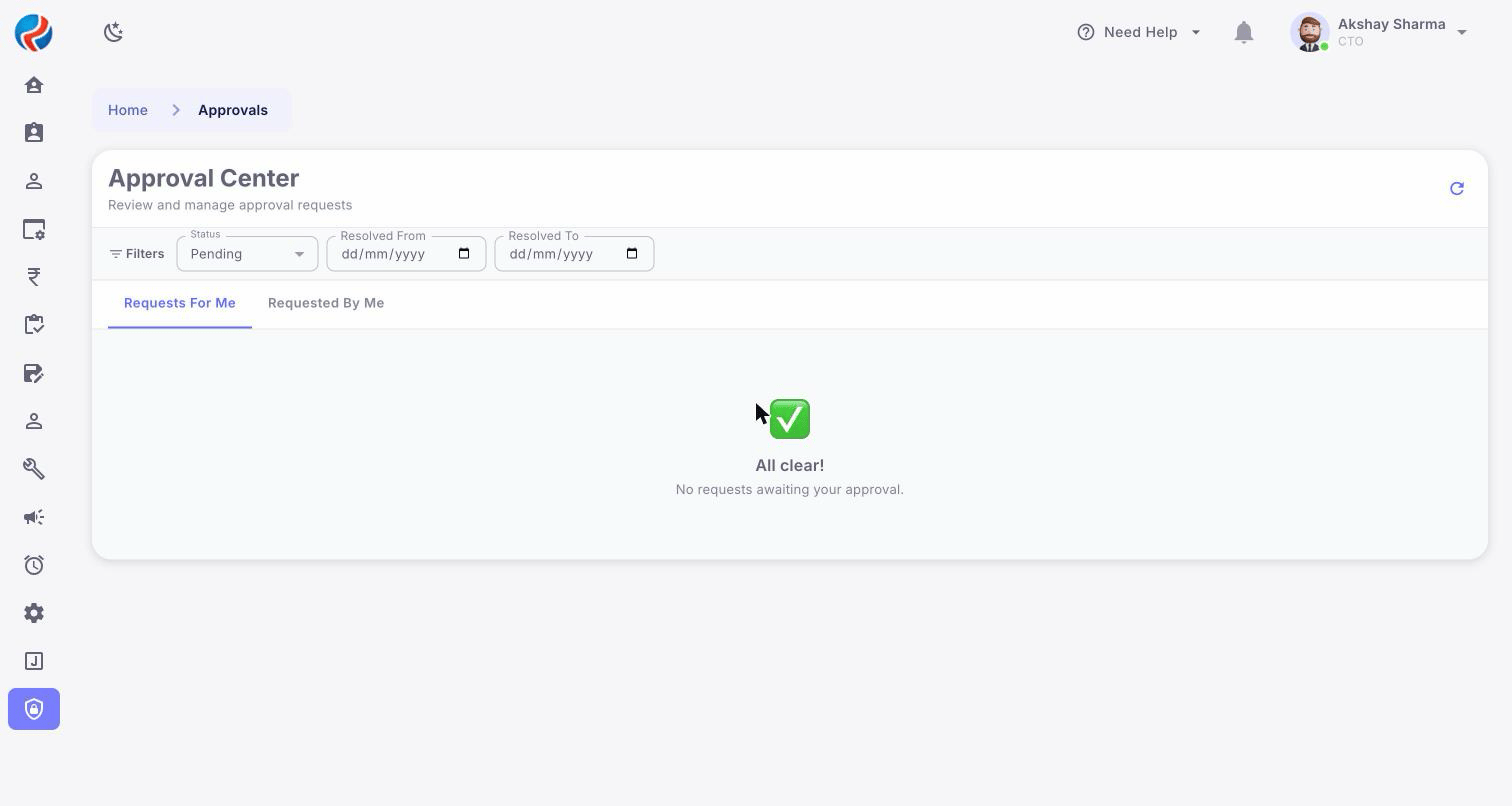
Approvers open the request from the email link or from Approvals → Requests For Me, and approve or reject it with a remark. Approved changes are applied in the nightly run at 9:00 PM.
- Steps to reproduce:
crm - Approvals - Requests For Me
5. Bank Account Verification buttons from Roles management
Description
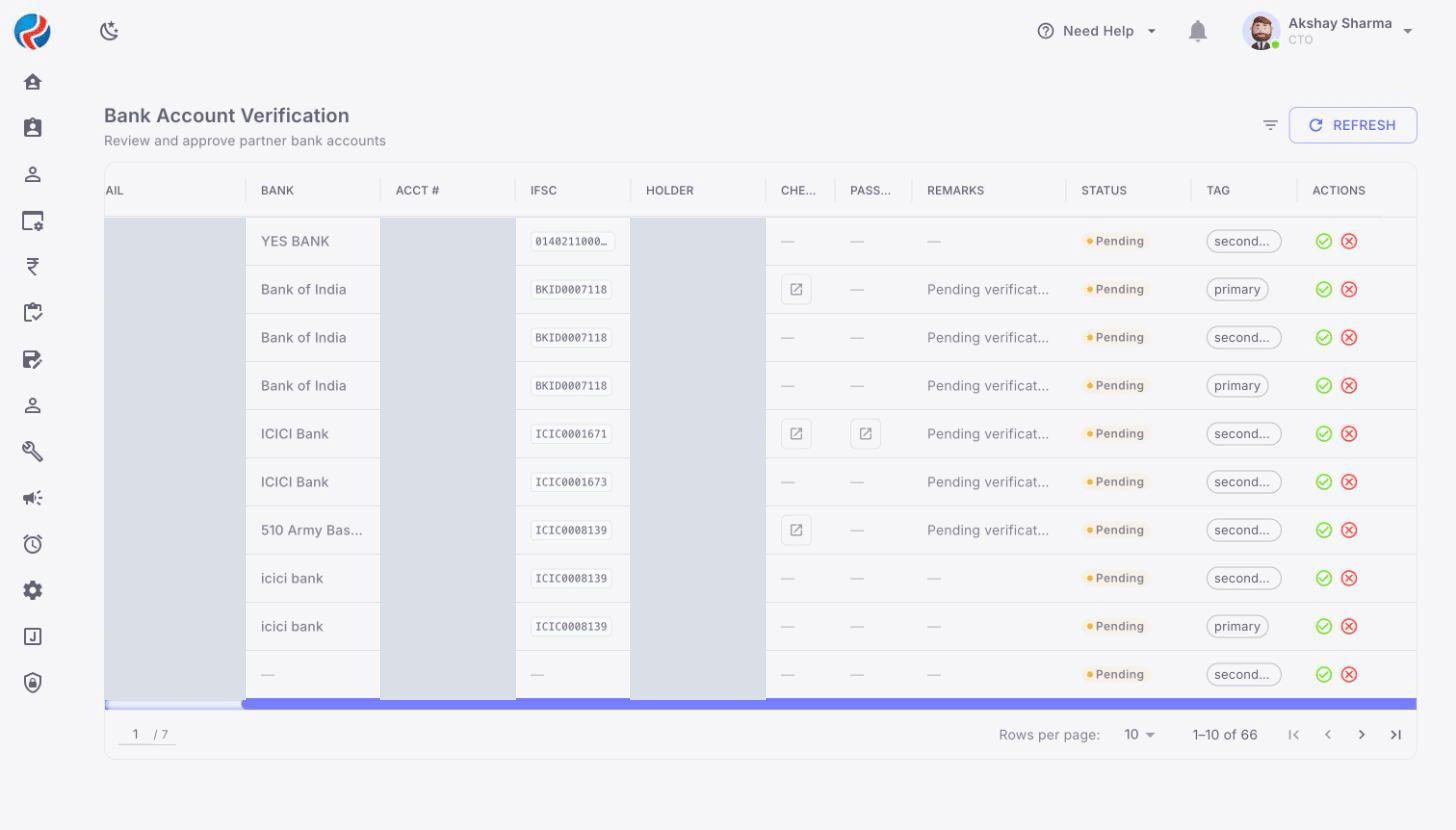
The Approve / Reject buttons on Bank Account Verification were shown only to phone numbers in a Global configuration list. They now show for every role with Update on DSA › Channel Partners. With Approvals › Bank account approve / reject, the change saves directly. Without it, the approver window opens.
- Steps to reproduce:
crm - Finance - Finance Tools - Bank Acct Approvals
Bugs Resolved 1. “APPROVAL_REQUIRED” error with no way to continue Description Since the 20 Nov security release, saving a payout above 80%, changing payout lock, or approving a bank account showed an “APPROVAL_REQUIRED” error. No approver could be selected, so the change could not be completed.
- Steps to reproduce:
crm - DSA - Channel Partners - Partner - Finance, then Edit Global Payout Percentage above 80.
Action needed after release In Settings → Roles Management, tick Read and Update on Approvals › Payout above limit and Approvals › Bank account approve / reject for each role that should save these changes directly. Only CEO has them by default.